Basic operations23
Setting up the Internet connection
Your display must be connected to a network to conduct OTA updates or surf the
Internet.
Network setting
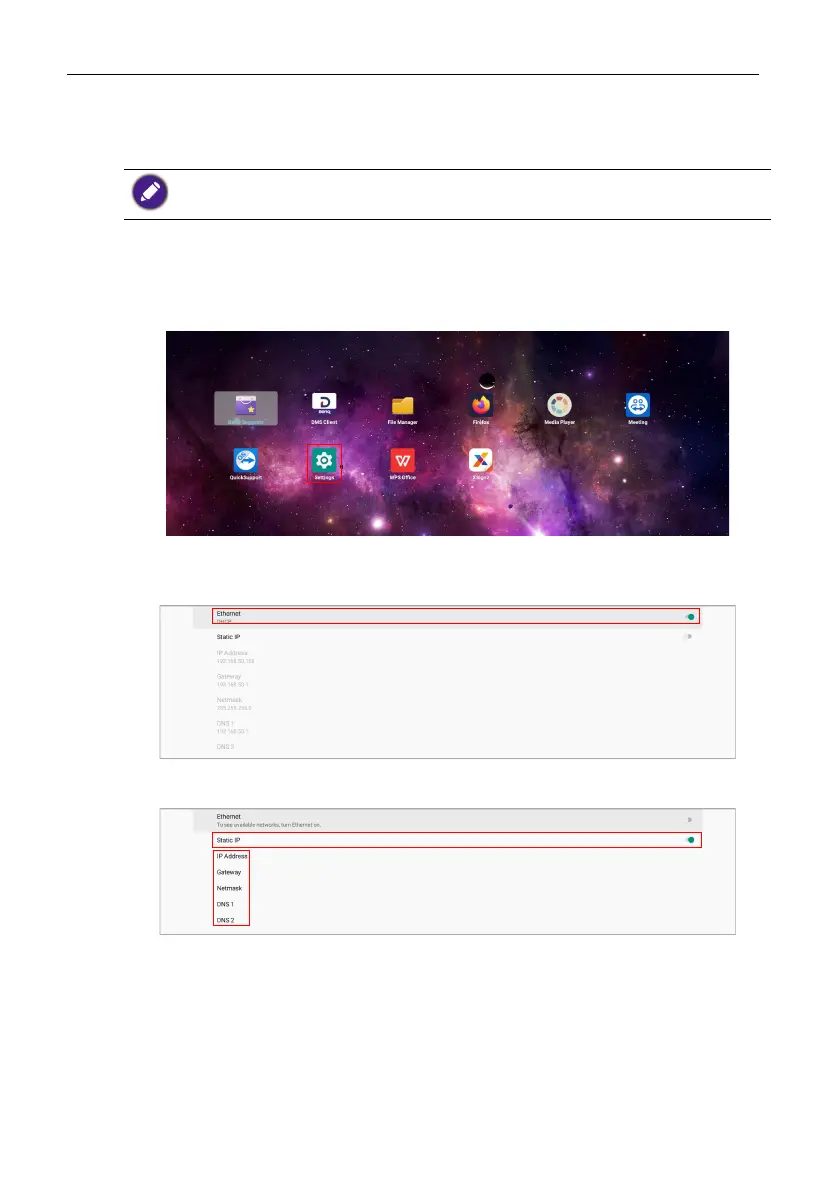
Follow the steps below to configure the wired network settings for the display.
1. Connect the display to a local network via an RJ45 cable.
2. On the main screen, select Settings.
3. Go to
Network & Internet > Ethernet.
- If you are in a DHCP environment, enable Ethernet and the display will be
connected to the Internet automatically.
- If you are in a non-DHCP environment, enable Static IP and then manually set the
IP Address, Gateway, Netmask, DNS 1 and DNS 2.
To find the MAC address in operating system of the display, please go to Settings > System >
About > Status.



 To Next Page