Basic operations 24
Wireless connection
You need to install a wireless adapter in order to connect the display to the Internet
wirelessly. Please contact your local dealer for more information about the wireless
adapter.
1. Install a wireless adapter to the display.
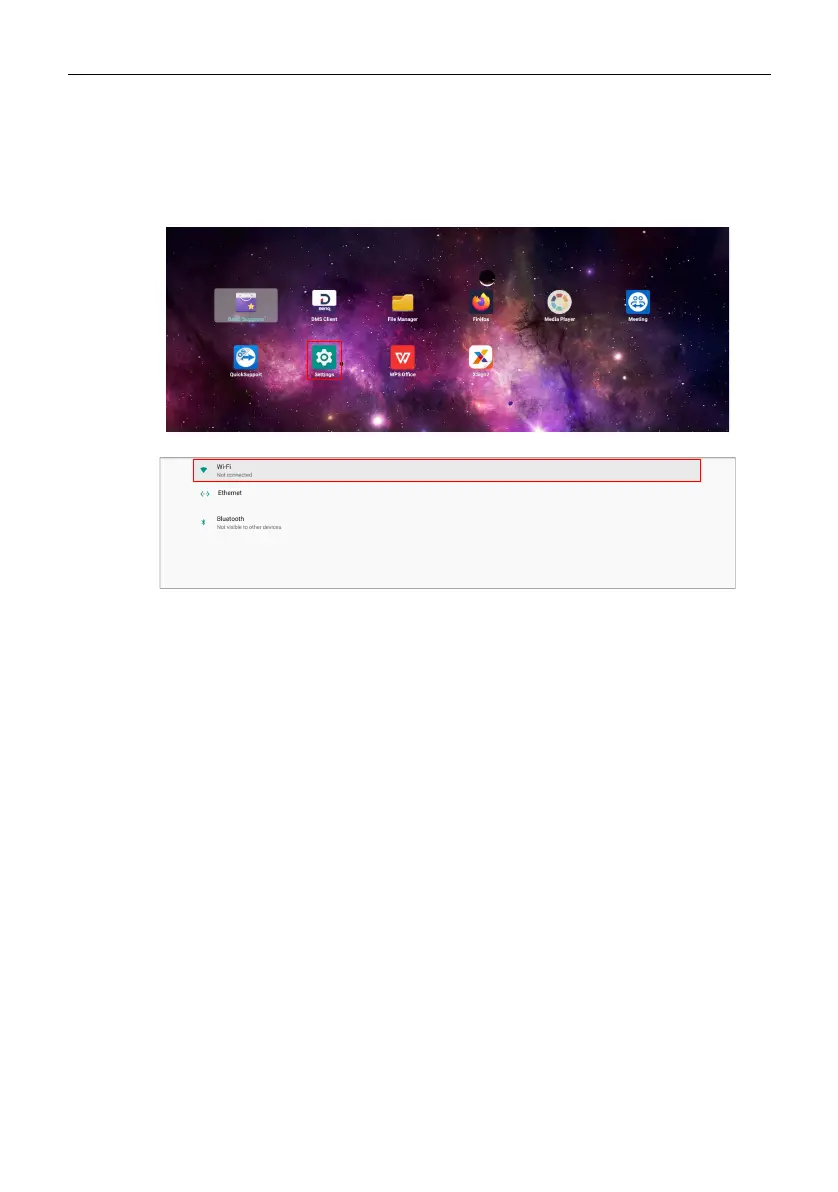
2. On the main screen, select Settings.
3. Go to Network & Internet > Wi-Fi.
4. Enable Wi-Fi. The available networks will appear on the screen.
5. Select the wireless network you want to connect to.
6. Follow the on-screen instructions to input the password and connect the display to
the wireless network.



 To Next Page