n
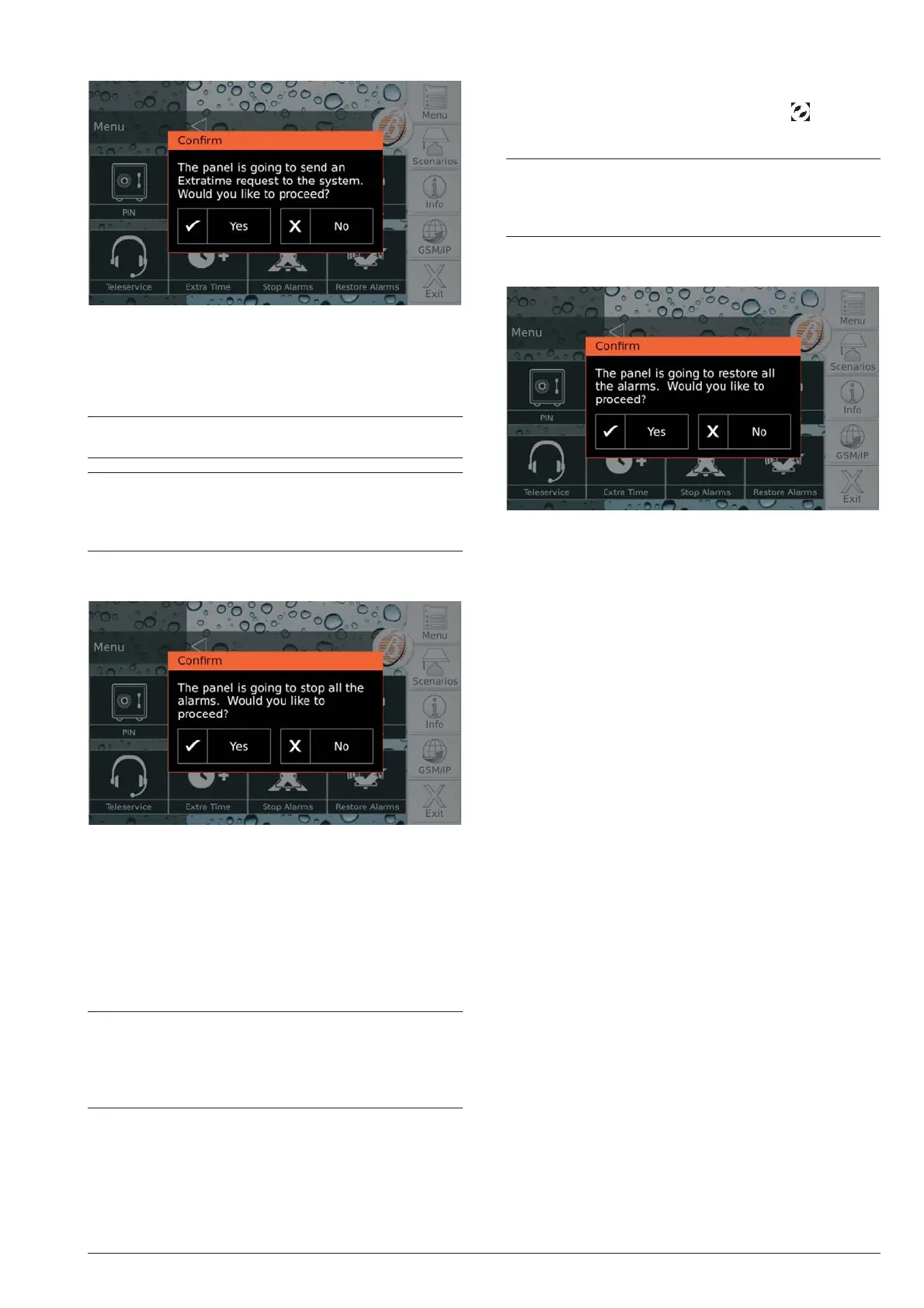
Extra Time
This option allows you to delay the auto-arming by 1
hour: see “Arming/Disarming Partitions > Auto-Arming”
for more information.
Press Yes to confirm the extraordinary request.
+
You can make up to 3 extraordinary requests in a
day.
+
If the extra-time request shifts arming to the day af
-
ter the scheduled day, the installer must have set
automatic arming for that day as well, otherwise
automatic arming is NOT executed.
n Stop Alarms
In general, to turn off the visual/audio (sirens) signalling
devices, simply disarm the partitions or clear the
alarms. If these two operations are not effective, due to
a permanent alarm condition or for some other reason,
the option Stop Alarms allows you to disable the
signalling devices.
Press Yes to confirm the stop alarms: the Control panel
disable all signalling devices.
+
The telephone actions (voice calls, SMS) and the
transmission of events to the Central Stations will
NOT be disabled: see “Alarm Status > Clear the
transmission of events” to cancel the telephone
actions.
If option EN50131 is ENABLED on the keypad, the sig
-
nalling devices will be disabled until a new event occurs
that activates them (alarm, tamper or fault).
If option EN50131 is disabled on the keypad, the sig
-
nalling devices remain disabled until they are enabled
again using the option Restore Alarms, as described in
the following paragraph: in this case icon will signal
the permanent disarming of the signalling devices.
Ï
On the Absoluta 630 control panel, the signalling
devices are disabled until they are re-enabled via
the Restore Alarms option, even if a new event
occurs in the meantime.
n
Restore Alarms
This option allows you to re-activate the visual/audio
(sirens) signalling devices with the option Stop Alarms
disabled.
Press Yes to confirm the resetting of alarms: the signal-
ling devices will be reactivated if the alarm conditions
are still present.
22 Expandable Hybrid Control Panels




 To Next Page