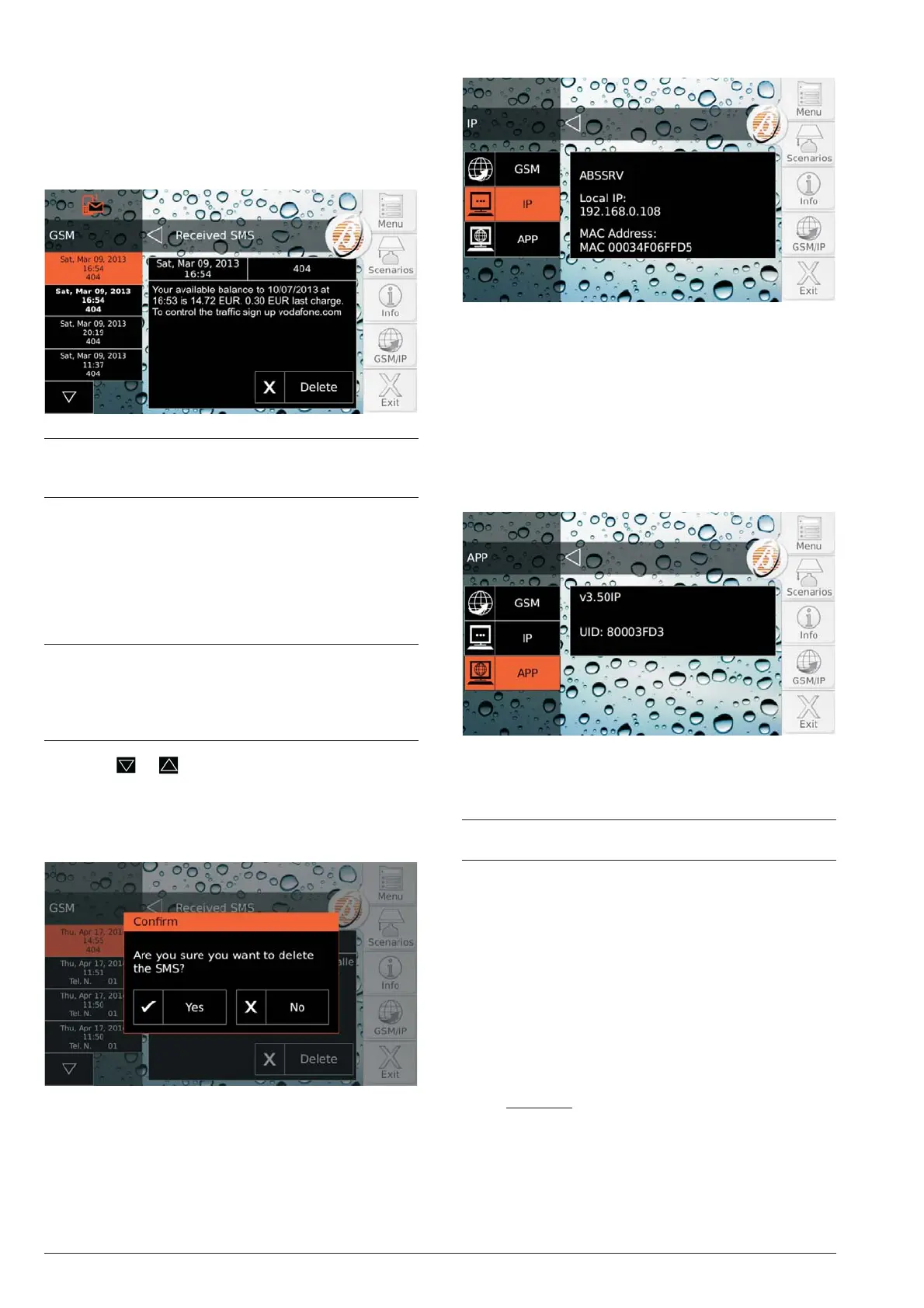
read “Received SMS” for instructions on how to read
SMS messages.
n
Received SMS
1. Press Received SMS to read massages received
by the GSM Module:
+
The option Received SMS CANNOT be used
when the communicator is active and until it re
-
ceives a response to a request for credit balance.
The display’s left side shows the list of messages re
-
ceived:
Ø showing the time and number that sent the message;
Ø if the number is found in the Control Panel Phone
Book, the associated label is displayed;
Ø UNREAD messages are displayed in bold.
+
The GSM Module can memorise 32 messages. If a
new message arrives when the GSM Module al-
ready contains 32 messages in its memory the old-
est message is deleted to make room for the new
message.
2. Press or to scroll messages then touch the
message wanted to read its content in the centre of
the display.
3. Press Delete to cancel the message.
4. Press Yes to confirm, and No to cancel.
n
IP
The central part of the display shows:
Ø
ABSSRV, if the Absoluta
2
Server is enabled and ac
-
cessible;
Ø
NO ABSSRV, if the Absoluta Server is disabled;
Ø
ABSSRV FAULT, if the Absoluta Server is NOT ac
-
cessible;
Ø
Local IP, the IP address of the IP Module;
Ø
MAC, the MAC address of the IP Module.
n
APP
The display centre shows the control panel version
(v3.50IP in the example above) and the Serial Number
of the Control Panel (80003FD3 in the example above).
+
The information displayed depends on the Control
Panel you own.
Absoluta Plus and Absoluta 630 OPERATIONS FROM TOUCH KEYPAD 33
2 The Absoluta Server supports the Absoluta control
panel in access to the Internet services: remote
service, event notification via e-mail and the
ABSOLUTA app, connection of the ABSOLUTA app
to the control panel. Ask your installer for more
information.










 To Next Page