n
Arm Partition (Disarm) (1.7)
This option will allow you to Arm or Disarm the Parti
-
tions one by one.
+
The single partition can be directly armed from Par
-
tition status (refer to “View Partition status (MAIN
PAGE) on LCD Keypads”).
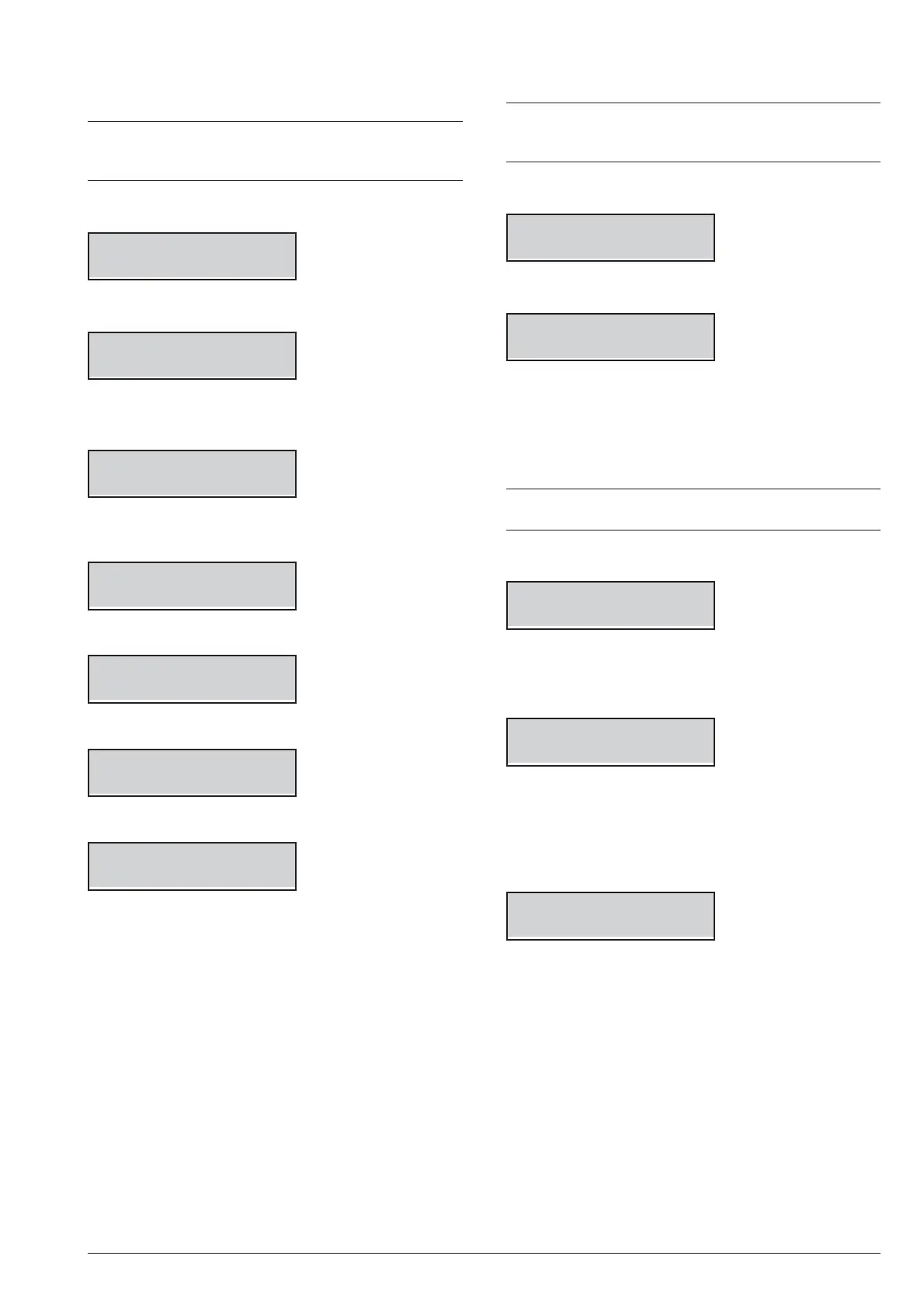
1. Press A or B to view the Arm Part. option:
USER 1.7
Arm Part.
2. Press ENTER to select the option:
Arm.Part. ---
3. Enter the Identification number of the required Par
-
tition:
Arm.Part. 001
label Part. 01
4. Press:
Ø
ON for Away Arming;
label Part. 01
Armed
Ø OFF for Disarming;
label Part. 01
DISARMED
Ø A for Stay Arming;
label Part. 01
Stay Armed
Ø
B for Zero Delay – Stay Arming.
label Part. 01
No delay Armed
The keypad quits from the User Menu.
n
Zone Test (1.8)
This option will allow you to test the zones.
+
Wireless zone testing is only possible within 15
minutes of powering the associated wireless
device.
1. Press A or B to view the Zone test option:
USER 1.8
Zone test
2. Press ENTER to select the option:
Zone test
1=Beep_ 2=Siren_
3. Select the signal to activate in correspondence of
the test of the zones.
Ø
1: When you test the zone, the keypad emits a beep
Ø
2: When you test the zone, the siren that connects to
output no. 1 actives
+
The options 1 and 2 can be selected at the same
time.
4. Press ENTER to confirm.
ZONE TEST
Part= -- Zone --
5. Press C or D to select ALL the Zones relevant to a
Partition (Part=) or the Zones individually (Zone=).
Press A or B to select the required Partition/Zone.
Label. zona 002
Part -- Zona=002
6. Press ENTER to include in the test the selected
Partition/Zone, then go back to step 5 to select an
-
other Zone/Partition or to next step to start the test.
7. Press ON to active the test.
Test on going
In this phase, you can test the alarm and tamper on the
selected Zones. You can see the test result on the key
-
pad.
46 Expandable Hybrid Control Panels



 To Next Page