Chapter 3 Configuration Page 27
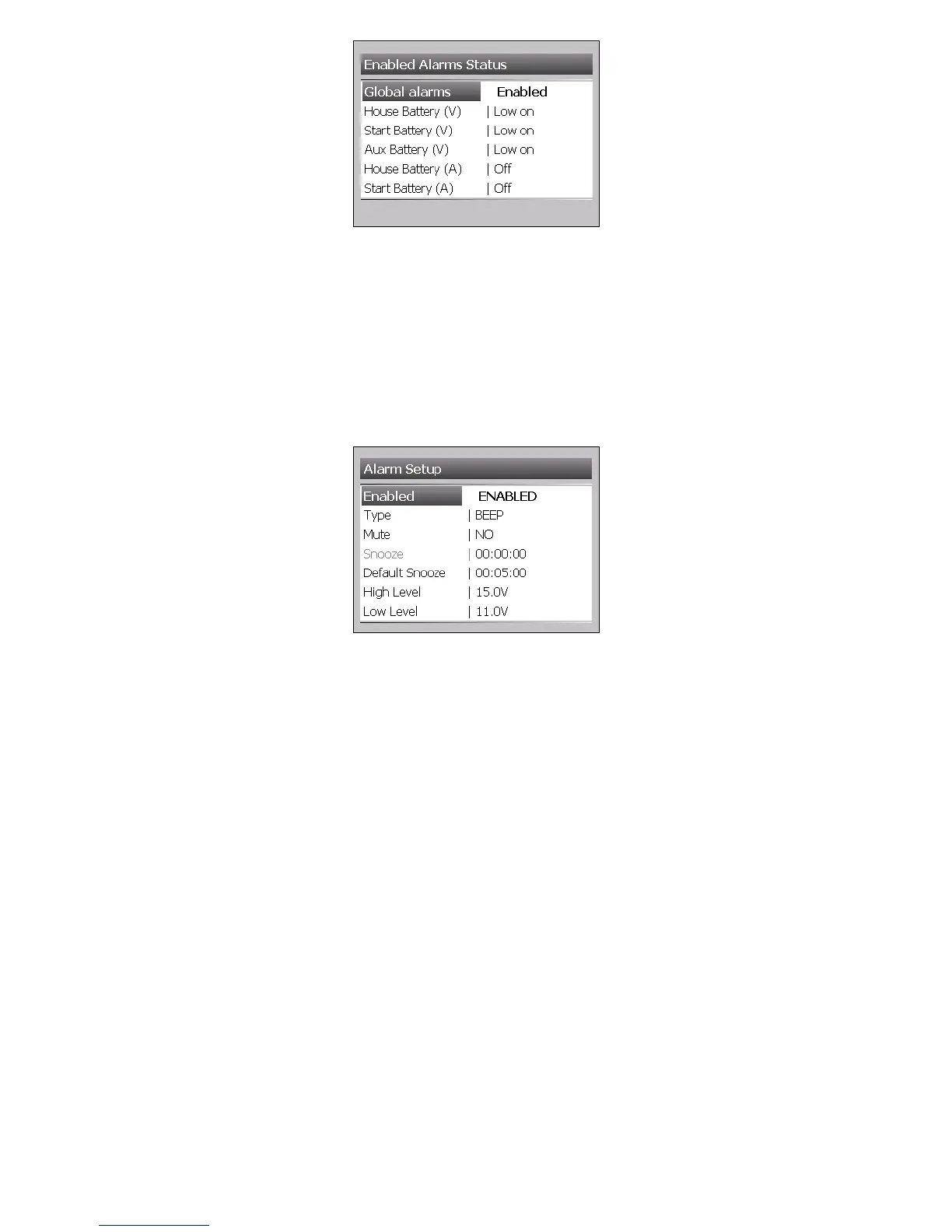
Global Alarms
Use this setting to disable or enable all alarms.
Note: This overwrites all enabled alarms so you will not receive any further warnings until global
alarms are enabled again.
Input Alarm Settings
Go to Main Menu > Setup > Input(s) > ‘Choose Input’ > Alarm
Enabled
Use this setting to disable the alarms for the selected input. All other alarms will remain enabled.
Type
This is the type of sound the buzzer produces on alarm. It can be a Beep or Constant alarm.
Mute
Use this setting to mute the alarms for the selected input. All other alarms will remain unmuted.
Snooze
This is a non selectable option. When alarm is in snooze mode it will show the countdown of
remaining snooze time.
Default Snooze
Use this setting to change the default snooze time for selected input. Default is 5 minutes but can
be changed from 1, 5 and10 minutes or a custom value.
High Level
This is the High Level Alarm for the chosen circuit. The units will default to the type of input
chosen i.e. Volts, Amps.
Low Level
This is the Low Level Alarm for the chosen circuit. The units will default to the type of input chosen
i.e. Volts, Amps.



 To Next Page