sensor) or 0°C/0°F and +55°C/+131°F (external sensor)
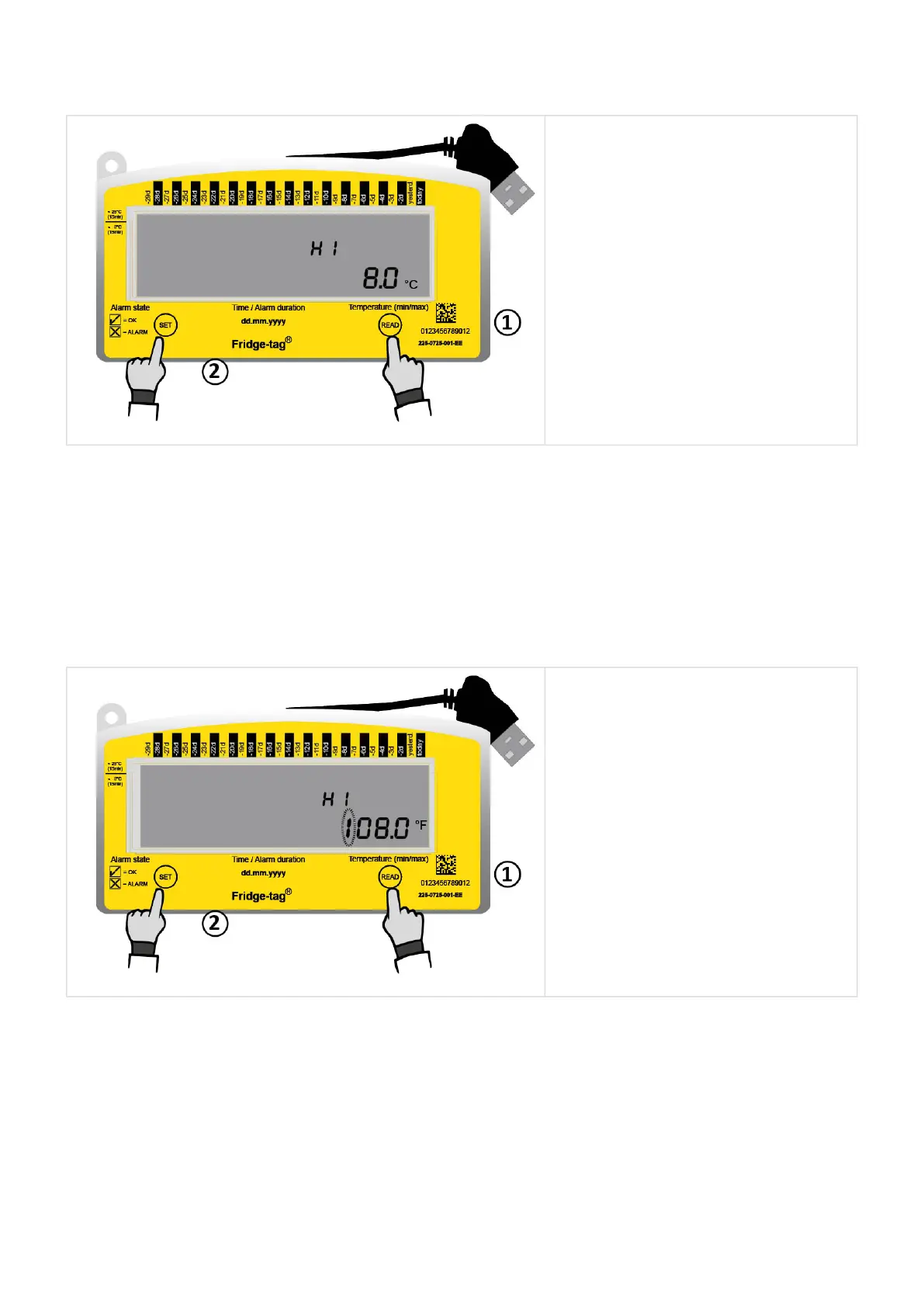
1. Press READ until the display
shows no flashing sign.
2. Press SET to adjust the limit
between 0°C/0°F and
+50°C/+122°F.
The next digit can now be set. Press READ until you reach the desired number. Then press SET to
confirm it. Then the next digit will start flashing. Continue until all digits of the alarm temperature are set.
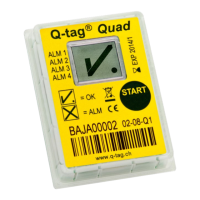
Instruction for setting a positive Fahrenheit temperature limit equal or above +100°F
Note: The maximum Celsius temperature is +50°C (internal sensor) respectively +55°C (external
sensor). This option is only available for temperatures in Fahrenheit.
1. Press READ until a leading “1” is
flashing on the display.
2. Press SET to adjust the limit
equal or above +100°F.
The next digit of the temperature starts flashing. Continue until all digits of the alarm temperature limit
are set.
Setting a negative temperature limit below 0°C/0°F
Berlinger & Co. AG User Manual Fridge-tag - 1
Page 18 of 51



 To Next Page