14
Calibration of the indicator
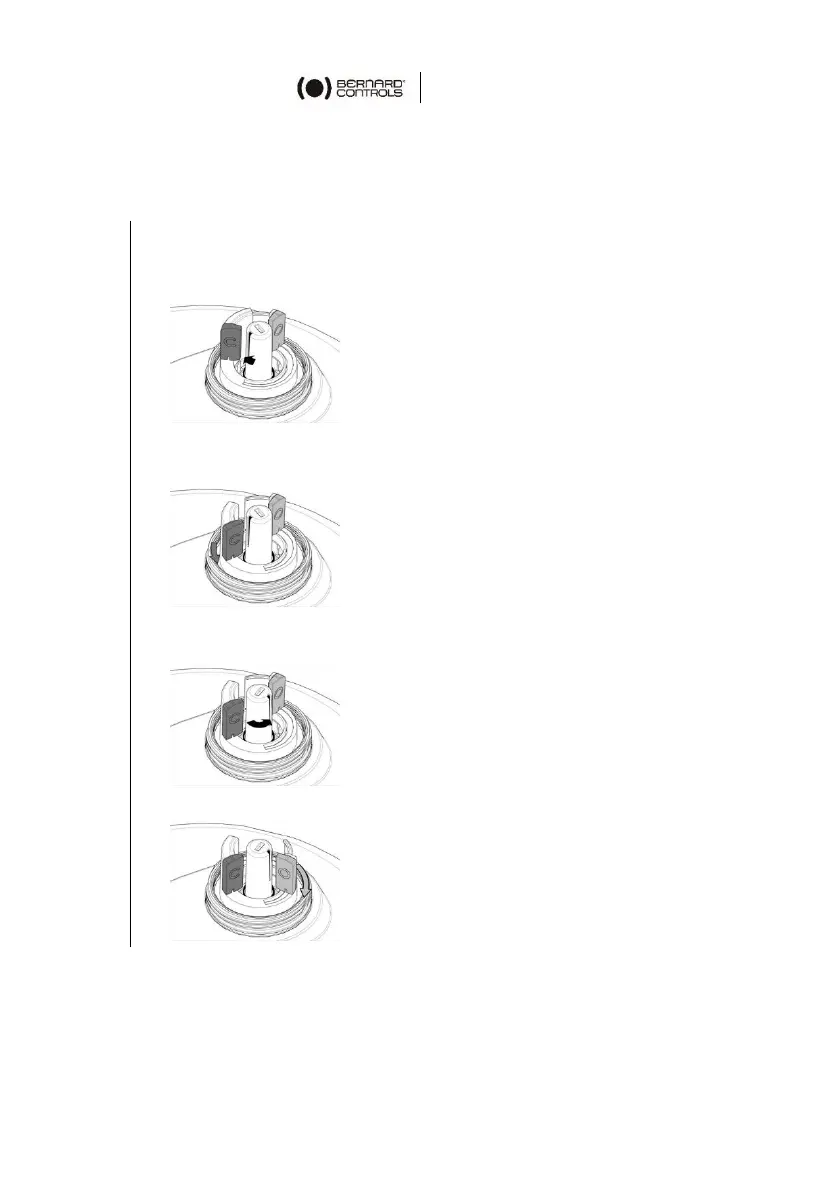
To calibrate position indicator
1. Open the indicator.
2. Operate the actuator electrically towards the CLOSED position
until it stops on the end position switch.
3. Set the position of the position indicator if necessary.
4. Set the red “C” marker in front of the indicator slit.
5. Operate the actuator electrically towards the OPEN position
until it stops on the end position switch.
6. Set the green “O” marker in front of the indicator slit.



 To Next Page