ENGLISHGold/Plus/Easy refrigerated cabinets
69
Ed. 12/2020
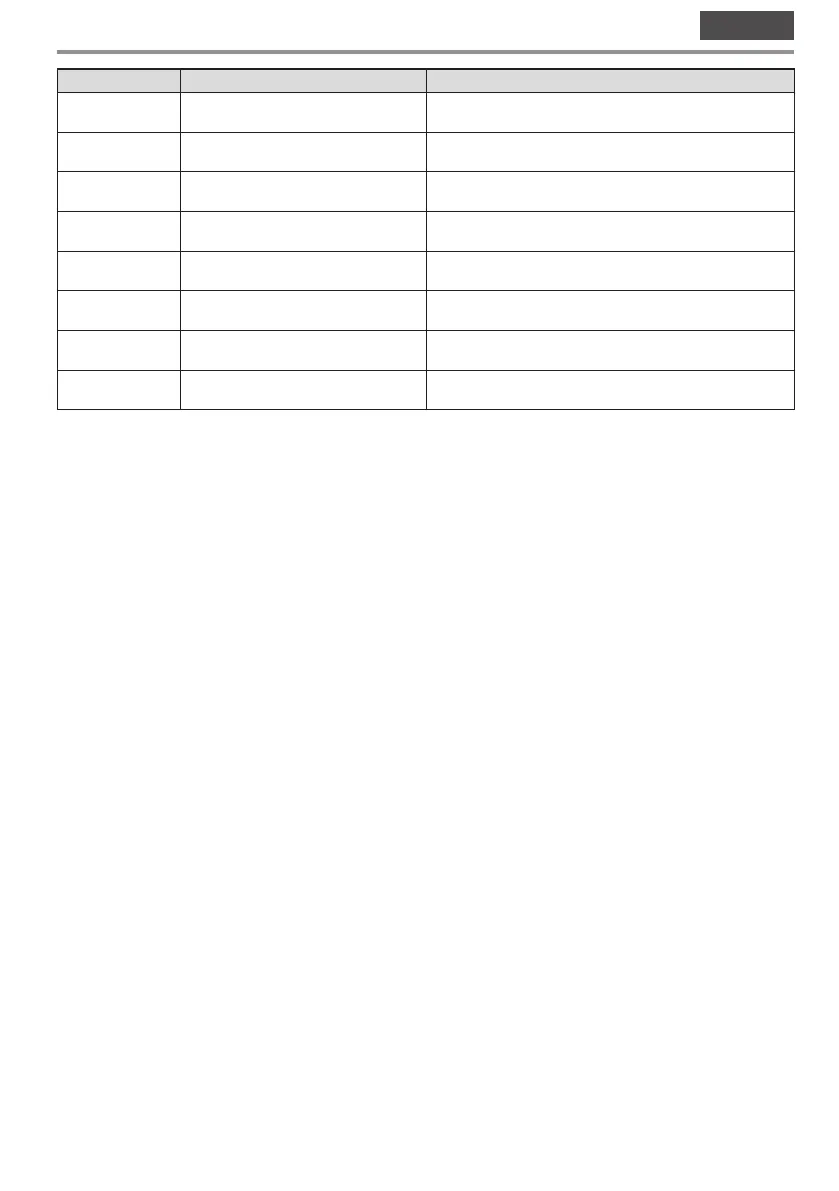
Number
LED Description
6
B
When it lights up GREEN, this means that the compressor is
running
7
X
When it lights up ORANGE, this means that defrosting is in
progress (if any)
8
H
When it lights up GREEN, this means that the evaporator fan is
running (where present)
9
C
This indicates degrees in °C
10
F
This indicates degrees in °F
11
O
It lights up RED when the O key is pressed to switch the
appliance off
12
Y
When it lights up, this means that the “low power” function is
active
13
When it lights up, this means there is an alarm in progress
3.3.1 Switching on/off
–
Make sure that the keypad is not locked and that there are no procedures running.
– Press and hold the O key for 4 seconds: the O LED will flash, then it will turn off/on.
– If the device is on, during normal operation the temperature of the cell will be displayed.
– If the device is off, the display will be turned off; the LED O will be switched on.
– If the “low power” mode is in progress, the display will be off and the Y LED will be on.
3.3.2 Locking/unlocking the keyboard
To lock the keyboard:
– Make sure that there are no procedures running.
– Do not use the device for 30 seconds: “Lco” will appear on the display for 2 s and the keypad will lock automatically.
To unlock the keyboard:
– Press and hold a key for 1 s: “UnL” will appear on the display for 1 s.
3.3.3 Operating setpoint configuration
–
Make sure that the keypad is not locked and that there are no procedures running.
– Press the S key: the LED B will flash.
– Press the A or V key within 15 seconds. (See also parameters r1 and r2 on the datasheet)
– Press the S key or do not use the device for 15 s: the LED B will switch off, then the device will exit the pro-
cedure.
To exit the procedure before the end:
– Press the O key (any changes will not be saved).
You can also set the working setpoint via the SP parameter (see datasheet).



 To Next Page