ENGLISH Gold/Plus/Easy refrigerated cabinets
68
Ed. 12/2020
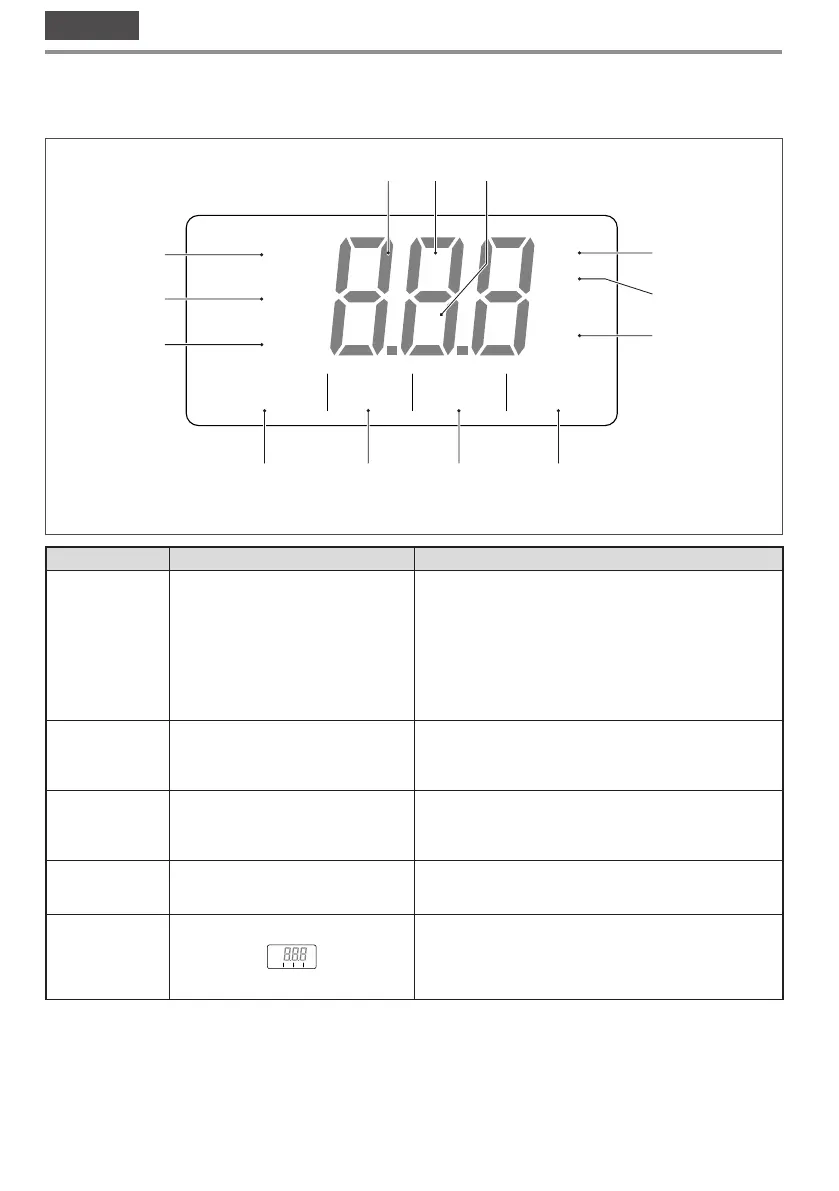
3.3 User interface - EV3B
All operations for switching on the appliance and setting the operating temperature must carried out by the operator
via the control panel located on the top part of the appliance.
S
B
Y
8
H
O
O
AV
C
F
X
2
6
7
8
9
10
11
1
3 4
5 12 13
Fig. 22
Number
Key Description
1
O
Digital power button for the user interface device (controller).
The controller can feature three operating modes:
• ON: the device is powered and on; the utilities can be turned
on
• Stand-by: the device is powered but the software is off; the
utilities are off.
• OFF: the device is not powered; the utilities are off.
2
S
Device configuration/operation parameters access function key.
During setting/modification operations, pressing the SET key
confirms/saves the value input.
3
V
Device operation parameters navigation function key (down).
During the setting phase, pressing the DOWN key decreases the
set value by one unit.
4
A
Device operation parameters navigation function key (up).
During the setting phase, pressing the UP key increases the set
value by one unit.
5
S
B
H
O AV
C
Temperature/warning display. This displays the internal tem-
perature of the appliance in real time. Any active (or flashing)
LEDs provide further information on the operating status of the
appliance (see the controller datasheet for instructions and the
LED key).



 To Next Page