Shaoxing Bibo Automatic Equipment Co., Ltd.
Tel:+86 575 88918283 Mobile:+86 133 25759139
Url: www.ourbibo.com E-Mail: bibo@ourbibo.com
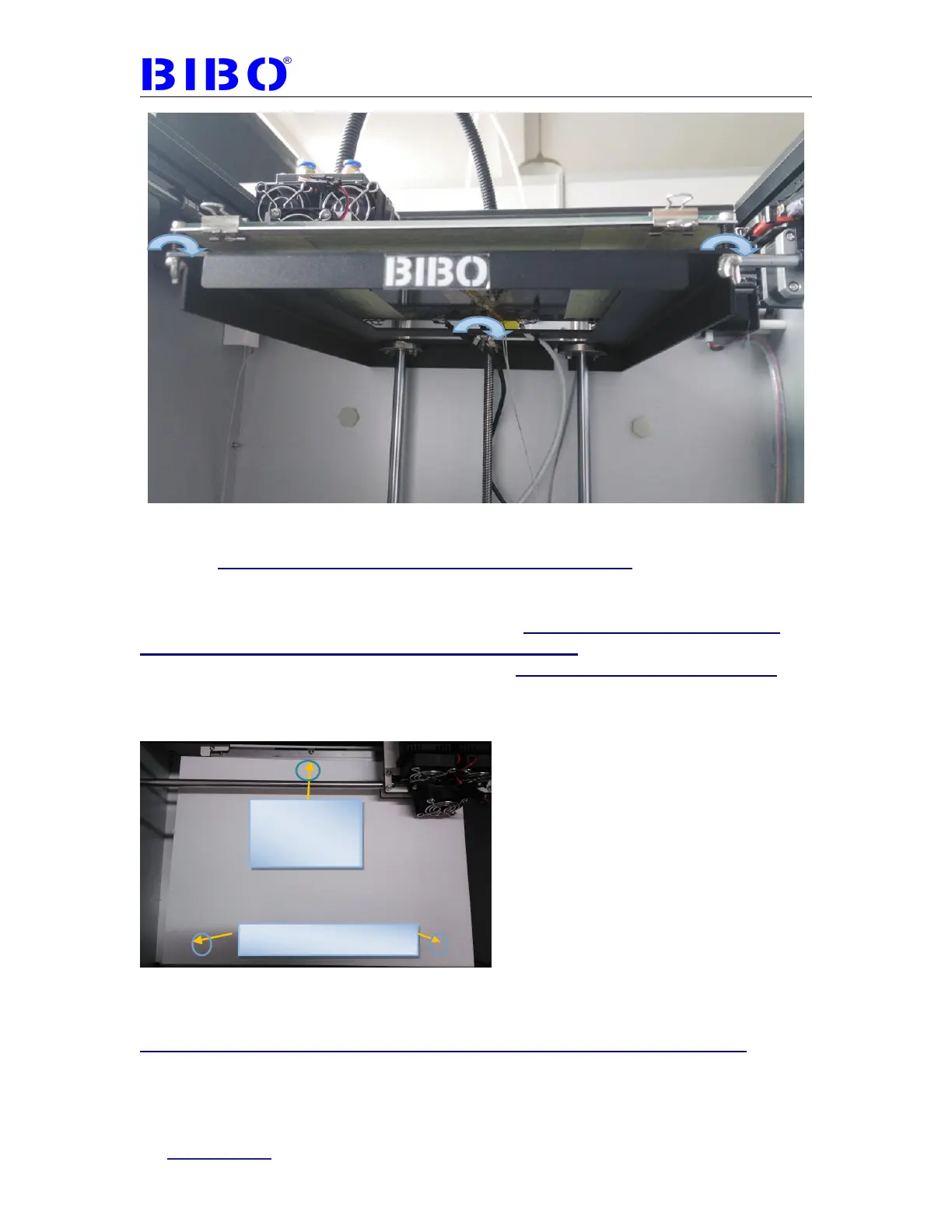
Now move the extruders between the printer nozzles and heated bed to let a A4
paper be a little hard to pull through nozzles and the bed. You can adjust three
wing nuts and bolts under the heated bed. first level the front side with two
screws and fix in place, then level the back side with one screw. Just level in
this order to level the bed again and again. Please note that the leveling
can’t be perfect, as the bed can’t be perfectly flat. After printing, when there
is some places not stick well for the print, we can apply more glue there. So
the lower place can be even too. After leveling, please make sure three
springs under the bed should be tight, or the leveling calibration can’t be
kept well for long time and you should level it again.
You can also use leveling menu on the touch screen (not recommended), just
click one by one with fingernail or a pen, checking the paper movement and adjust
the wing nuts. Without leveling the center point, the leveling can be easier.
This leveling menu has the bug now, sometimes it will be not responsive. We
recommend to move the extruder by hand which is faster and easier, and
can feel the obstruction between nozzles and the bed, also safer.
Level back
side after the
front side



 To Next Page