Shaoxing Bibo Automatic Equipment Co., Ltd.
Tel:+86 575 88918283 Mobile:+86 133 25759139
Url: www.ourbibo.com E-Mail: bibo@ourbibo.com
The Second step is loading the filament for two extruders
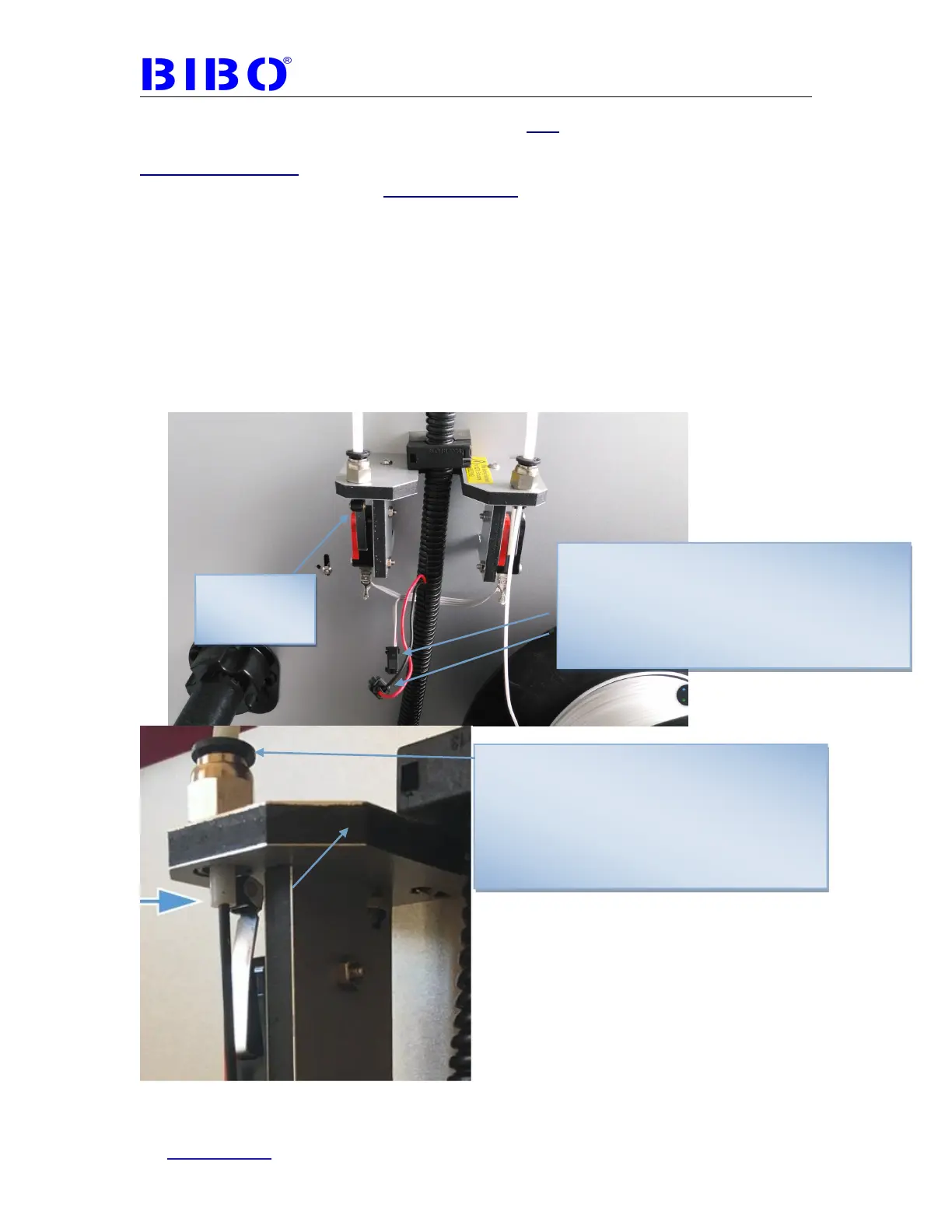
BIBO touch 3D printer has the function of filament run-out detection.
Beeping problem:
We should load filament for both extruders. Or we can't print or engrave and
the printer will beep when you start the printing because of filament run out
detection. We send one spool of PLA filament, and you can cut some from
that spool to have a roll of filament. If the printer has the latest touch screen
firmware, the touch screen will show “filament detection switch not pressed” when
two filament detection switches are not both pressed because of filament run out
detection.
If you don’t want this function or you just want to load only one spool filament for
one extruder, you can unlock the black coupler. If you want to print flexible
filament (soft filament), you’d better tie the limit switch with tape or rope to
push the switch back for better printing quality
Limit switch
can be pushed
back
Black connector for filament run out detection.
Disconnect it if you only insert the filament in on
e limit switch as the photo here shows, or it will b
eep when printing is started.
If you insert the filament in two limit switches, yo
u can connect this black coupler.
If your coupler has the black cap (not blue cap),
another way to disable the filament run out
detection function is to push the white plastic tube
down to let the limit switch be pressed.
If you want to enable the filament detection
function again, please press the black cap first
then pull the white plastic tube up again.



 To Next Page