Shaoxing Bibo Automatic Equipment Co., Ltd.
Tel:+86 575 88918283 Mobile:+86 133 25759139
Url: www.ourbibo.com E-Mail: bibo@ourbibo.com
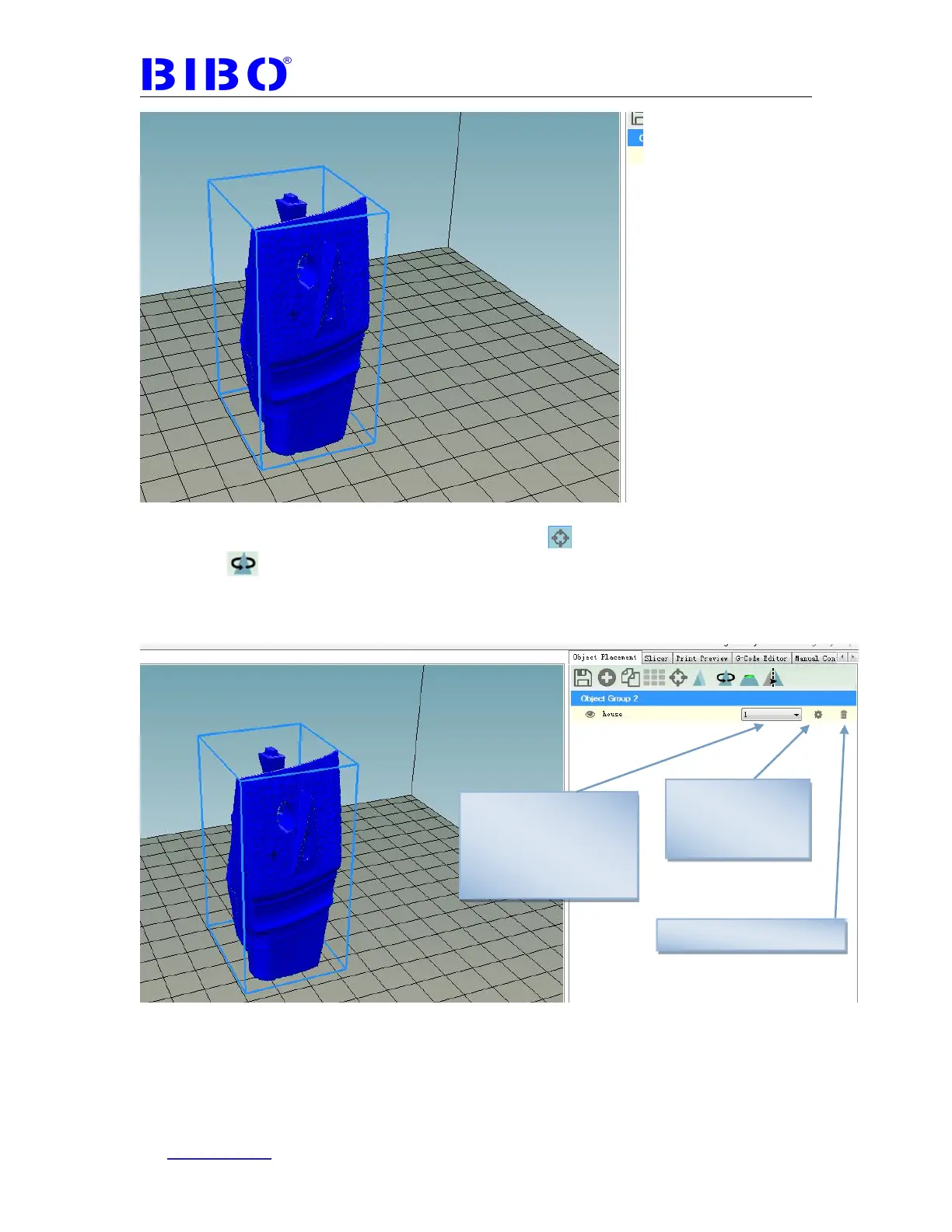
You can center the object on the bed by clicking “ ”icon. You can also rotate the
object by “ ”icon. When you move the mouth arrow to every icon, repetier-host
will show what this icon mean. What you want to do is let object more printable,
such as center the object, less support to be printed to hold the object you want to
print. Meanwhile, the object should be smaller than 214mm*186mm*160mm.
Then go to Slicer tab and choose the right settings. For every settings, you just
move the mouth arrow above every settings, and the meaning will be showed.
Such as you move mouth arrow above “Enable cooling”, it shows the information
as below. When printing ABS, please don’t choose Enable cooling.
To see object
information such
as size
To choose extruder you
want to use to print. 1
means right extruder,
and 2 means left
extruder



 To Next Page