BigRep STUDIO 2 Safety
55
2.4. Emergency Stop
Safety stop in case of emergency
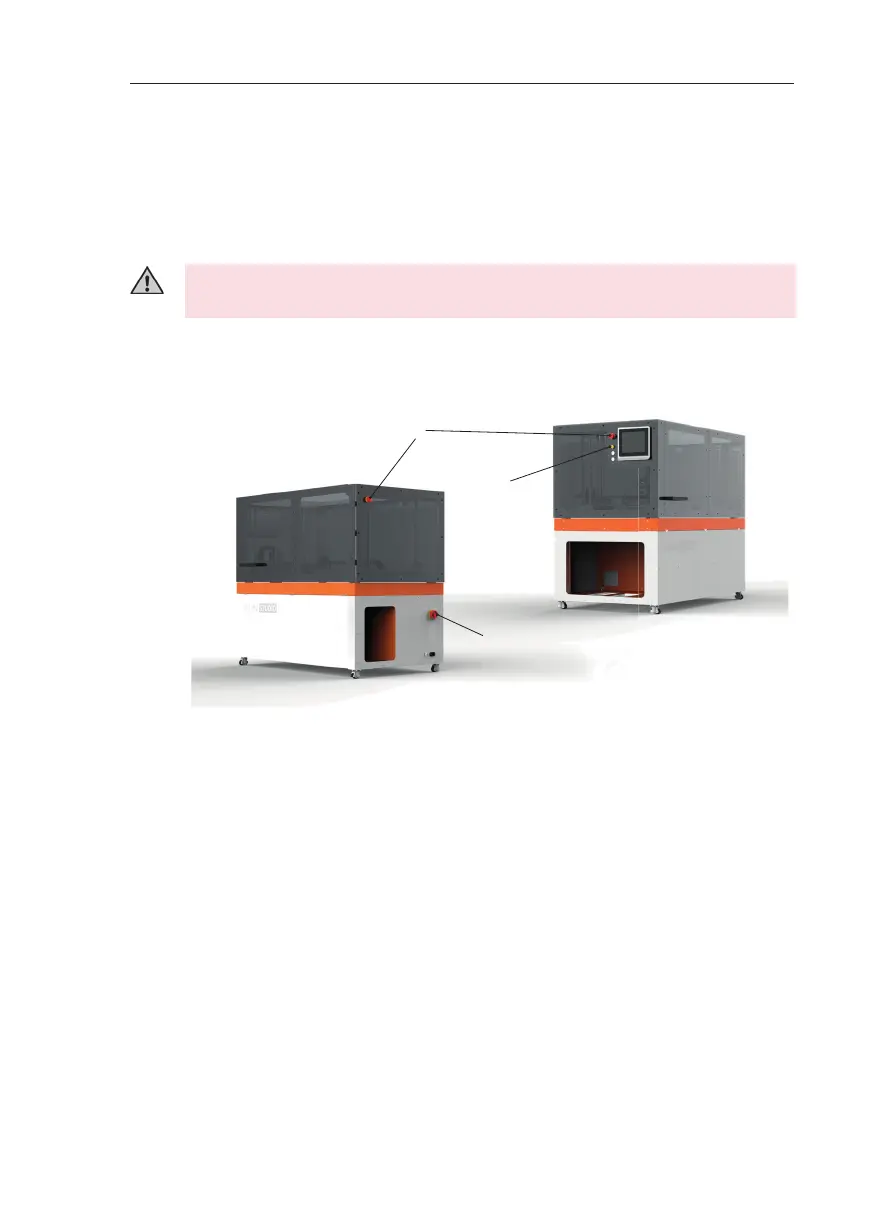
To bring all moving parts to a stop in an emergency, either press the emergency
stop button (B) by the control panel or at the back of the printer. (See Fig. 2-1)
Emergency stop activation does not turn o the power supply. To turn o the
power supply, always set the main switch (S) to O ff . (See Fig. 2-1)
Check the emergency stop buttons regularly, at least once a month, to make sure
they are fully functional.
Restarting A er an Emergency Stop
Ensure the printer’s operational readiness and particularly make sure that there
are no potential hazards for people.
To start the machine a er an activated emergency stop, unlock the emergency
stop button by rotating it to the right and releasing. Then press Reset (C). (See Fig.
2-1)
A er reset, you can recover a print using the UI Resume from Power Outage fea-
ture.
& Chap. 7.3 Operating the BigRep STUDIO.
Emergency Stop Buttons (B)
Reset (C)
Main Switch (S)
Fig. 2-1: Front and back location of emergency stop buttons



 To Next Page