6 Interface BigRep STUDIO
68
6.2. Web Interface
Note: The network of the operator must be protected against unauthorized access.
The web interface provides the communication between your PC and the BigRep
STUDIO. From the web interface, you can load G-codes, set the temperatures of
the bed and nozzles, start and pause your prints and monitor your print.
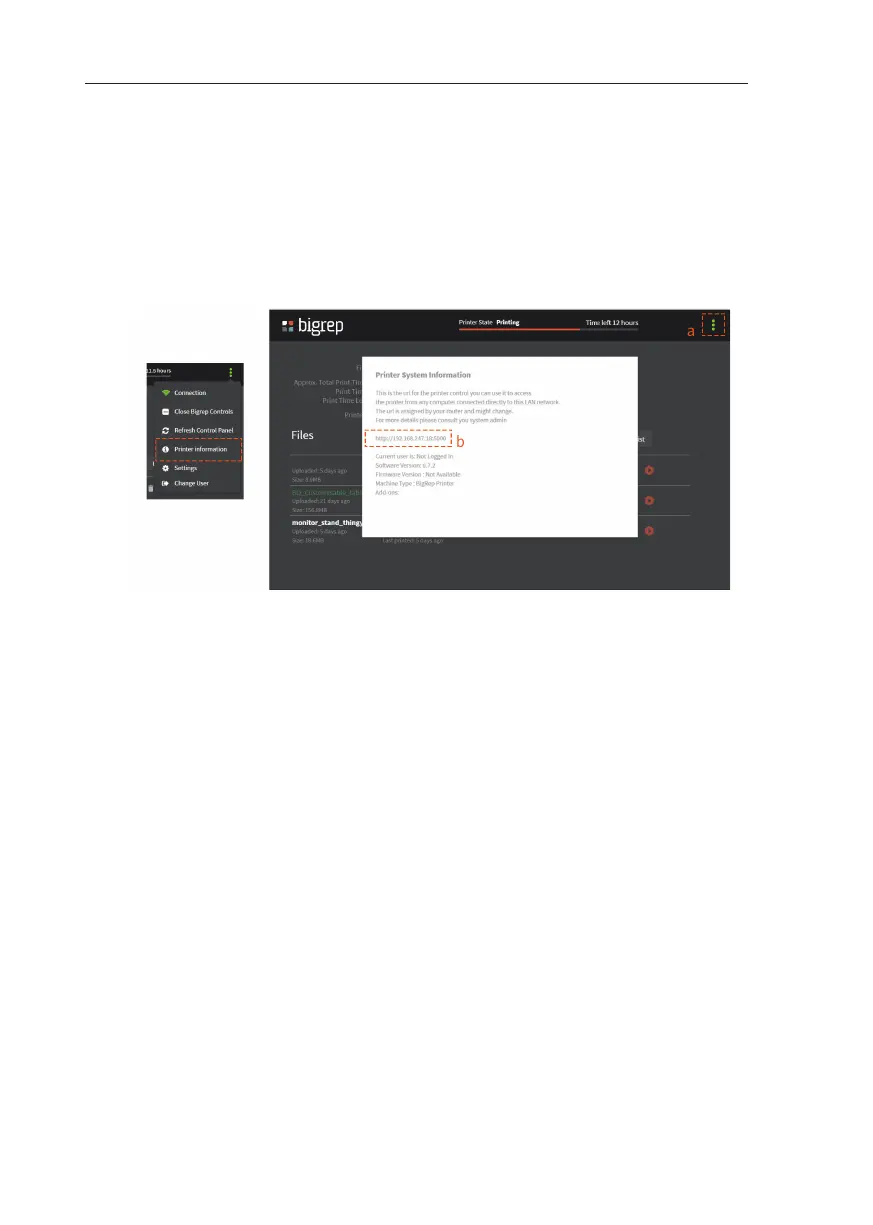
To open the web interface, click on the settings button on the top right corner
(Fig. 6-8, a) of the screen. Open printer information, and copy the URL (Fig. 6-8, b)
displayed on the screen.
Use this URL to access the web interface from your computer.
When not in use, the printer should be turned o .
Fig. 6-8: Web Interface



 To Next Page