BigRep STUDIO 6 Interface
69
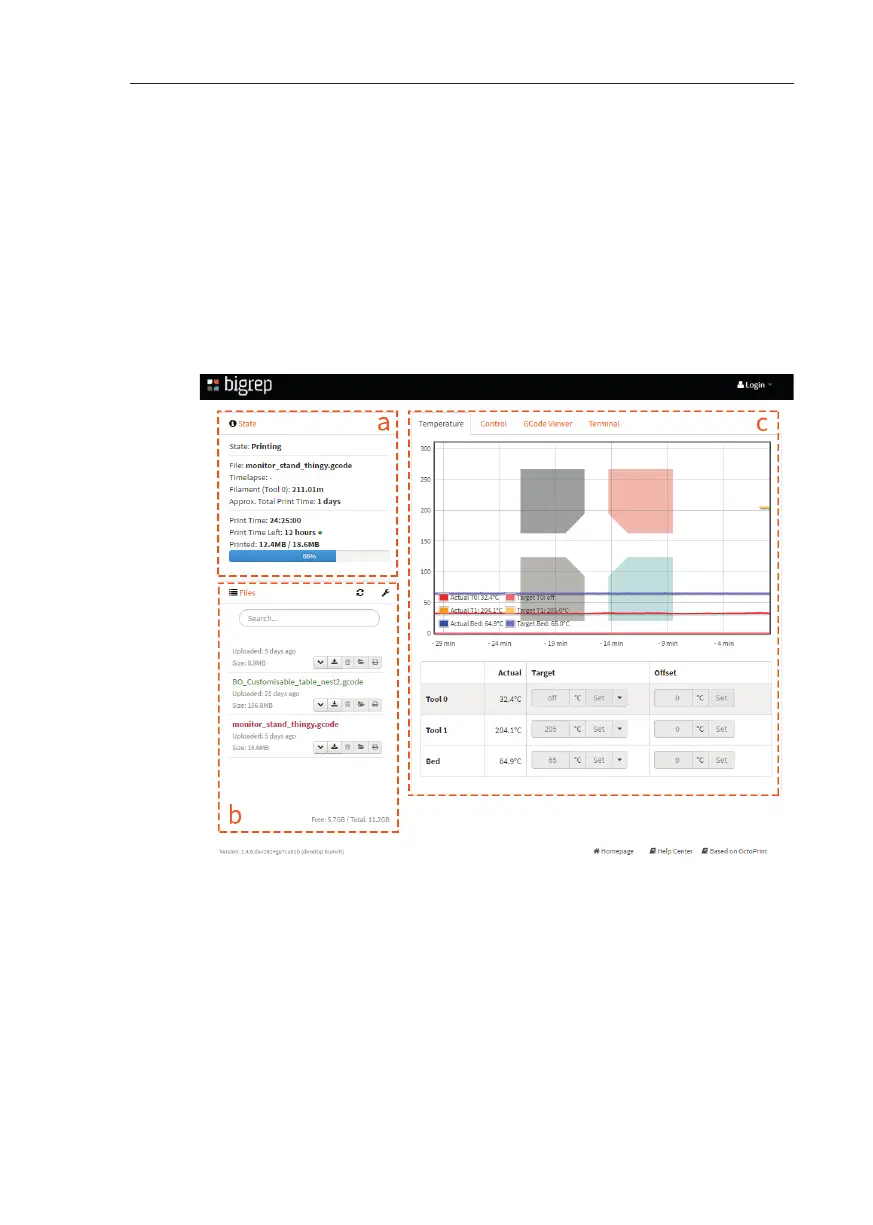
Web Interface Main Page
The main page of the website interface is shown on the image
a. In the State section, you will have live information about the currently
active print job, the remaining print time and the status of the 3D printer.
b. In the Files section, you can upload your G-Codes and start your
prints.
c. In the Control section, you can monitor the temperatures of the
extruders and bed.
Fig. 6-9: Web Interface Main Page



 To Next Page