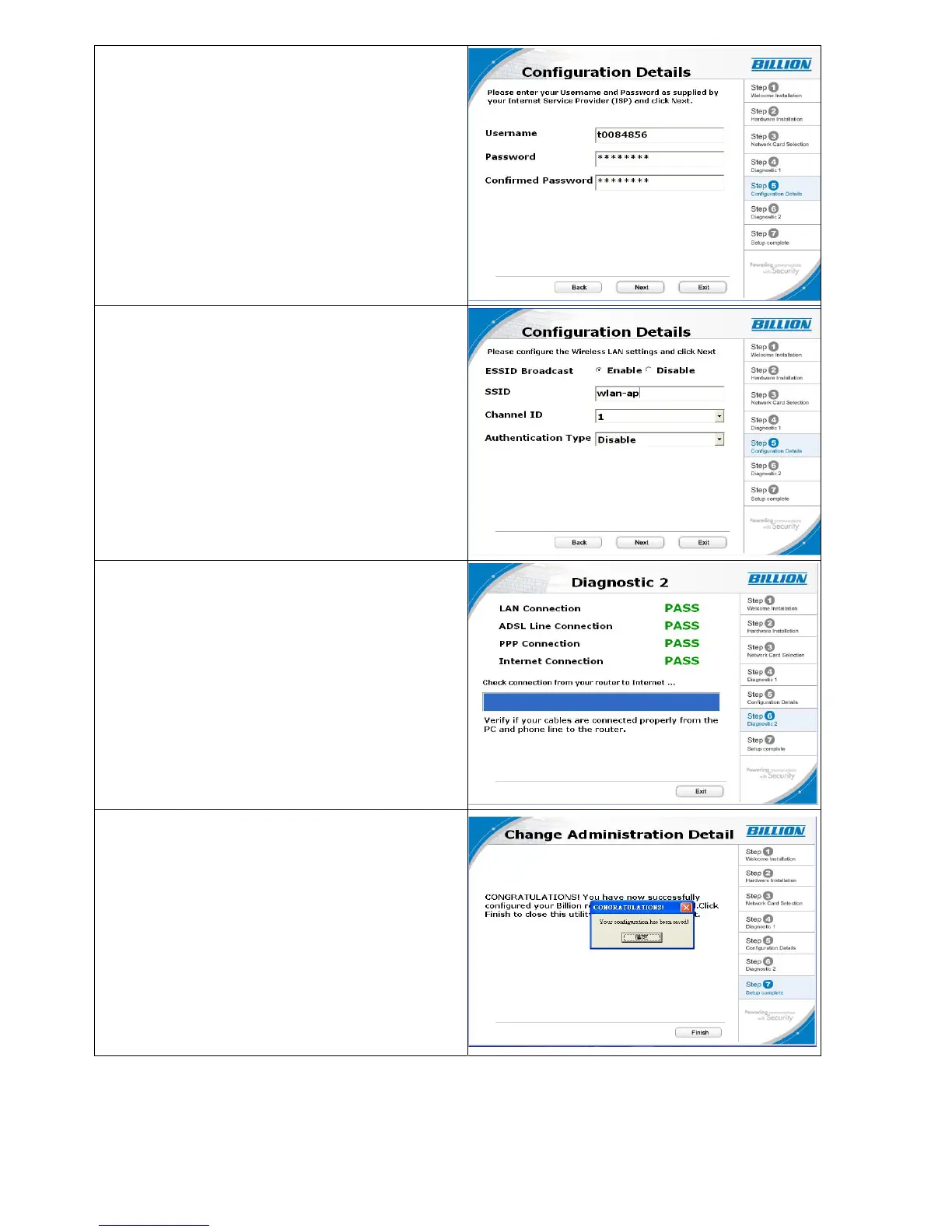
9. Please enter “Username” and
“Password” as supplied by your ISP
(Internet Service Provider) and click next.
10. Please configure the Wireless LAN setting
and click next.
(If your router does not support wireless, please
ignore this screen and it will not appear.)
11. Click Next to proceed to Diagnostic screen
12. Congratulations!! You’ve completed the
setup procedure and are ready for surfing
the Internet.
21


 To Next Page
 Loading...