9
Installation and set-up
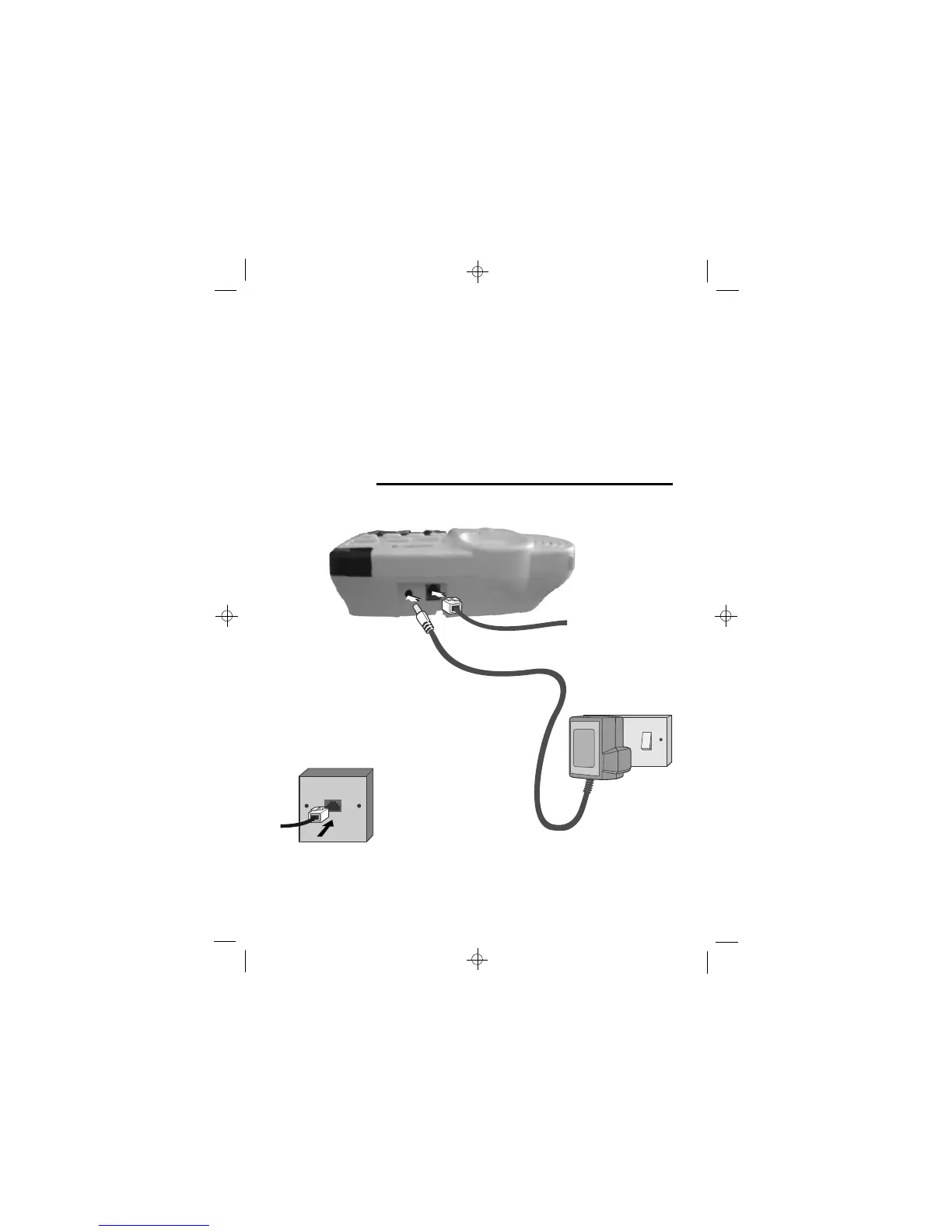
1
Choose a suitable location for the base telephone
See page 7
2
Connect the mains
power lead and the
telephone line cord
into the base unit
3
Plug the mains power adapter into a
switch on the socket set to OFF
Use only the
telephone line cord
supplied with your
Big Button Combo
- do not use any
other telephone
line cord.
ONLY use the rechargeable battery pack supplied with
the cordless handset.
DO NOT use non-rechargeable batteries - they may burst
and cause damage to your telephone.
CAUTION: Risk of explosion if replaced by an incorrect
battery type. Dispose of used batteries according to the
instructions.
Use only with Ni-MH AAA size 2.4V 500mAh
rechargeable battery pack.
Battery Safety
- Cordless
handset
4
Connect the base
telephone to the
telephone line
Insert the telephone
line plug into the socket
as shown.
NOTE: the charger pod does not have a connection to the telephone
line.
2 0 V AC, 50 Hz mains socket, with the3













 To Next Page