KMF (E5.2) 06/2014 page 35/99
6. MB1 controller settings
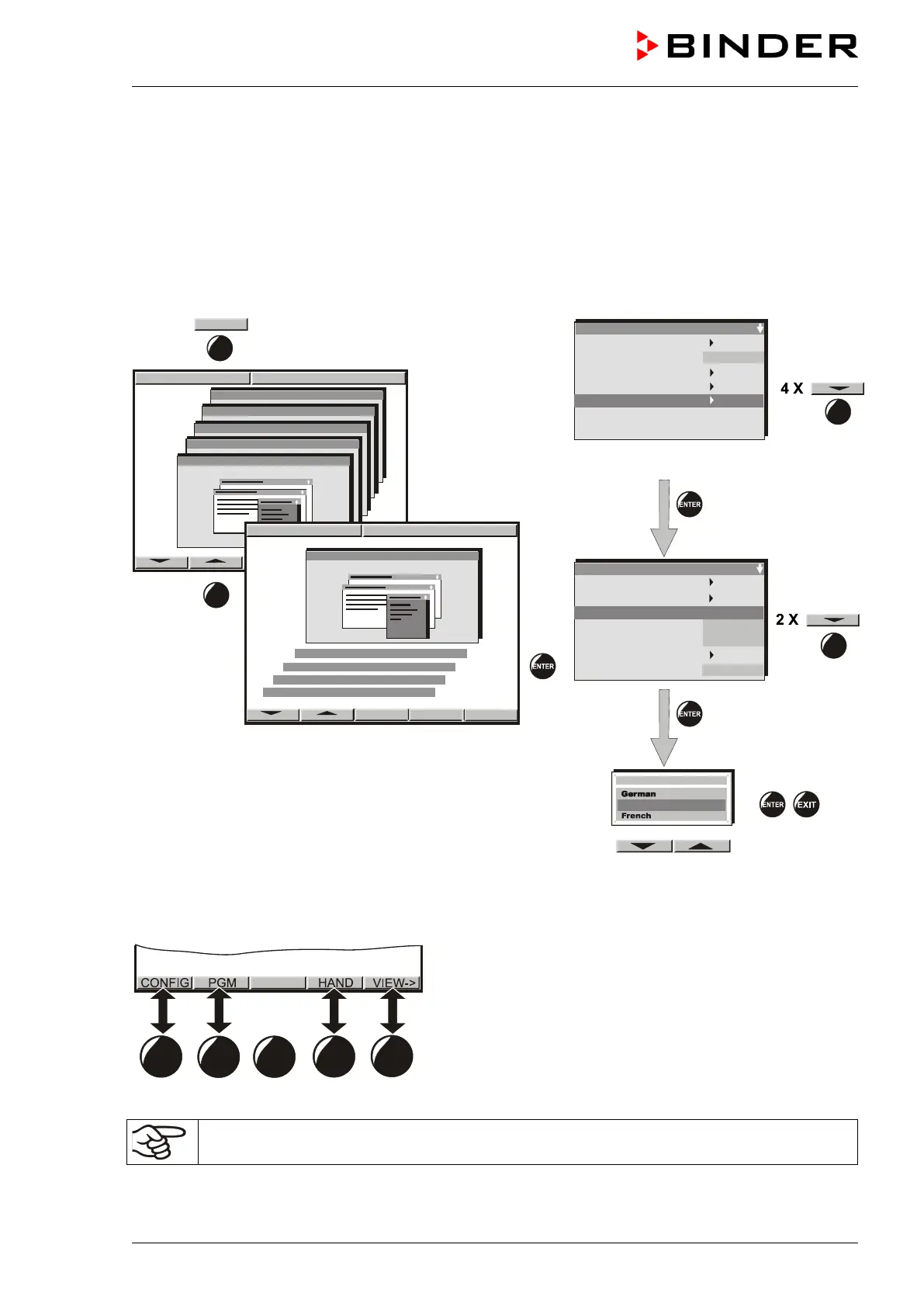
6.1 Selection of the MB1 program controller’s menu language
The MB1 display program controller controls the temperature and humidity inside the constant climate
chamber. The controller communicates by a menu guide using real words in German, English or French.
The selection of the desired menu language is located in the sub-menu “User-Level” of the “User-
Settings” menu. Select menu point “Language“.
User level code no. 1 (factory setting)
The row of buttons below the display is context- sensitive. The inscription above the buttons on the dis-
play defines the button’s function.
Do NOT change the temperature unit from °C to °F.
Safety control. Act + 36.8°C
Safety control. Set. 38.5



 To Next Page