S3 Cell Sorter Instruction Manual | 93
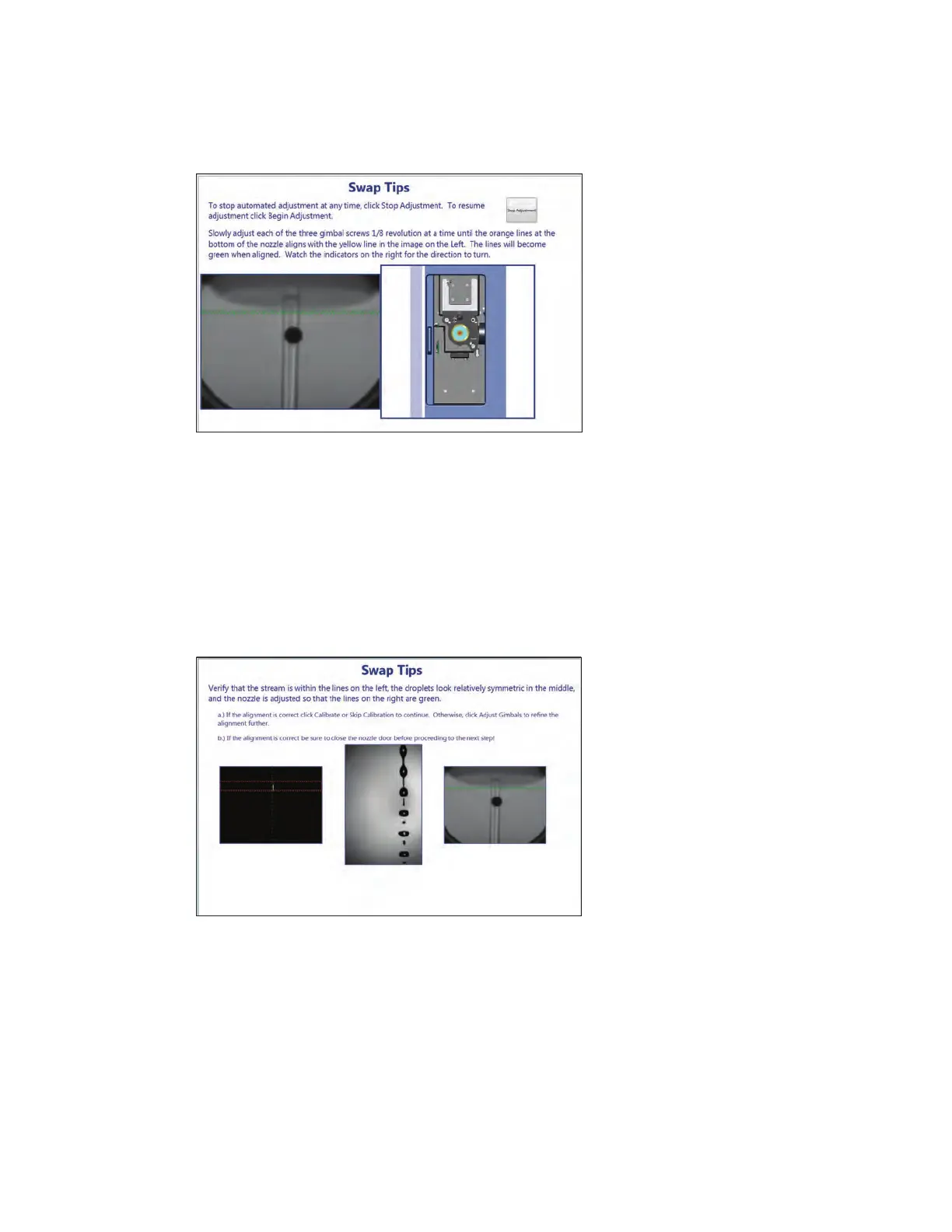
26. Lower or raise the nozzle, using the three gimballs, until the orange line and the yellow line
meet and turn green.
The S3 system will again use the micromotors to align the stream to the pinhole and the lasers.
The three camera views will be shown again. The micromotors will bring the stream into focus
again. This second alignment process should complete the alignment.
The window will give an option of repeating the gimball adjustment process or skipping and
proceeding to droplet calibration. If the camera views show that the stream is centered and the
nozzle line is green, droplet calibration can be done.
27. Close nozzle door.
28. Perform droplet calibration and QC.
Figure 108 displays the stream image (left, center) and the nozzle camera image (right). The
bottom of the nozzle will be displayed as a double dashed green line.
Fig. 107. Nozzle swap wizard window.
Fig. 108. Nozzle swap wizard window.



 To Next Page