26 | S3 Cell Sorter Instruction Manual26 |
3.3.4 User Reports
User reports can be viewed, saved,
printed, and exported for analysis of
system usage and for billing purposes.
To display a user’s usage information,
select the date range of interest and
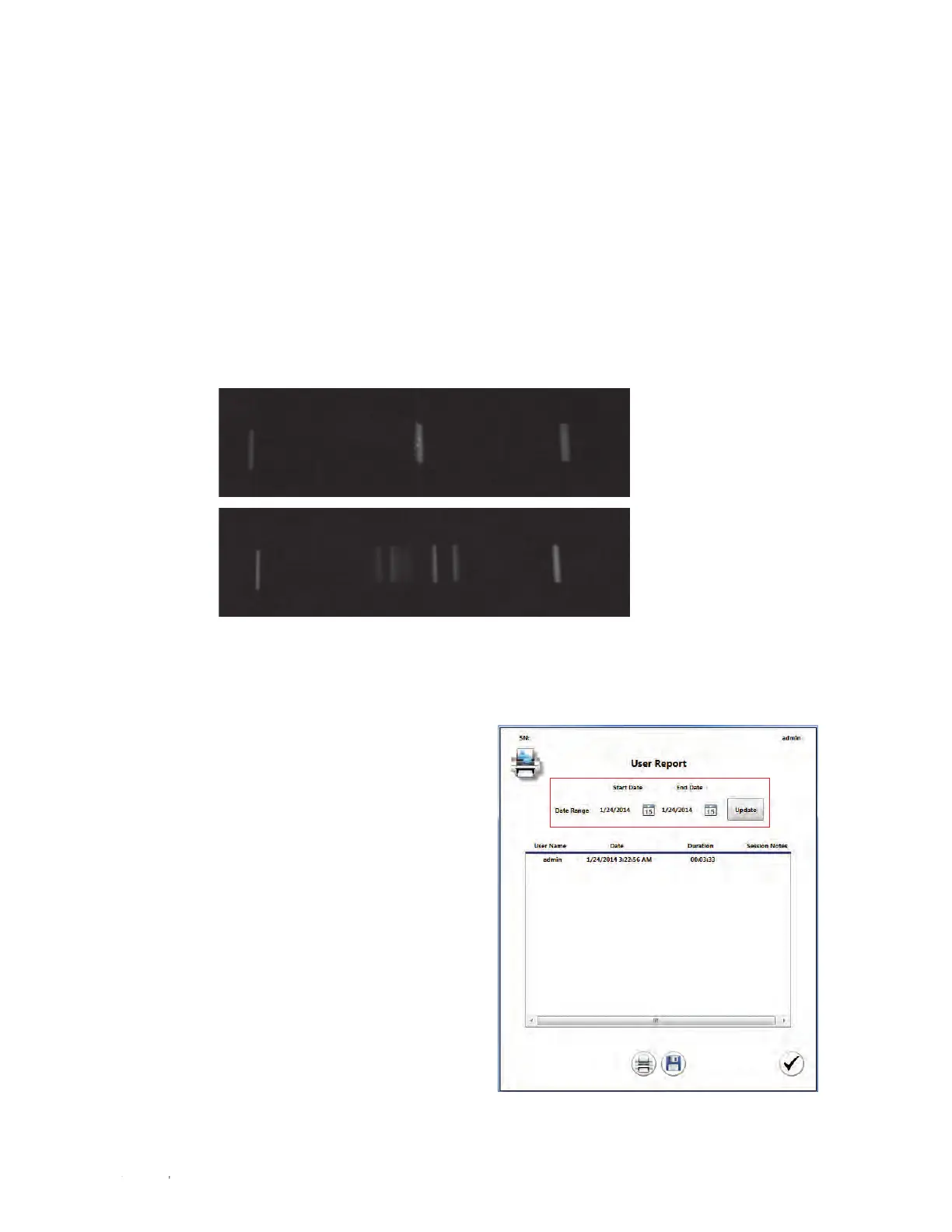
click Update (Figure 22).
Fig. 21. Examples of a good center stream, A and a defanned center stream, B.
Fig. 22. User Report window with date range highlighted.
To check for stream defanning:
1. Locate the center stream. The stream is visualized as a small bright spot that is illuminated
by the stream laser.
2. Check the Enable Test Pattern check box the system will charge the side streams to
simulate a sort.
Fanning of the streams can be seen more easily with the center stream than the two side
streams. The test pattern will make the center stream slightly broader.
3. Determine if the center stream is one solid stream.
If the center stream spreads into several streams, the fanning should be adjusted.
4. Use the defanning slider until the center stream is as focused as possible (Figure 21).
5. Click the checkmark when completed to save the settings.
A
B



 To Next Page