46 | S3 Cell Sorter Instruction Manual46 |
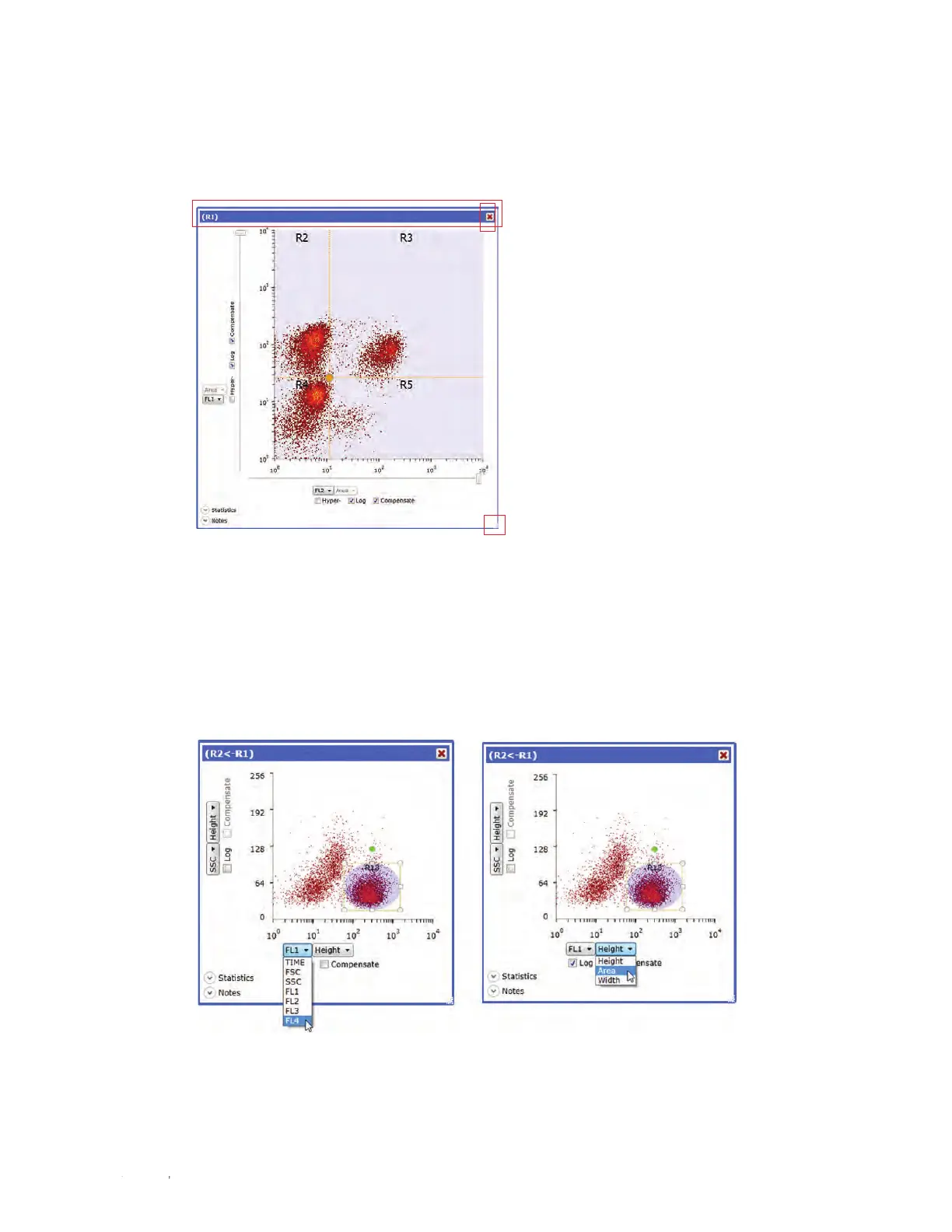
Plots can be moved within the workspace by grabbing the bar at the top and dragging to the
desired position. The remaining plots will shift accordingly. To delete a plot, click the red X in the
upper right corner. This will delete the selected plot (Figure 48).
4.5.10 Changing Parameters
To change the parameters displayed in a plot, click the dropdown arrow and select a parameter
(Figure 49). If a log or compensated parameter is desired, check the appropriate box.
Fig. 48. Density plot with resizing, moving, and
deleting functions highlighted.
Fig. 49. Density plot with parameters displayed.



 To Next Page