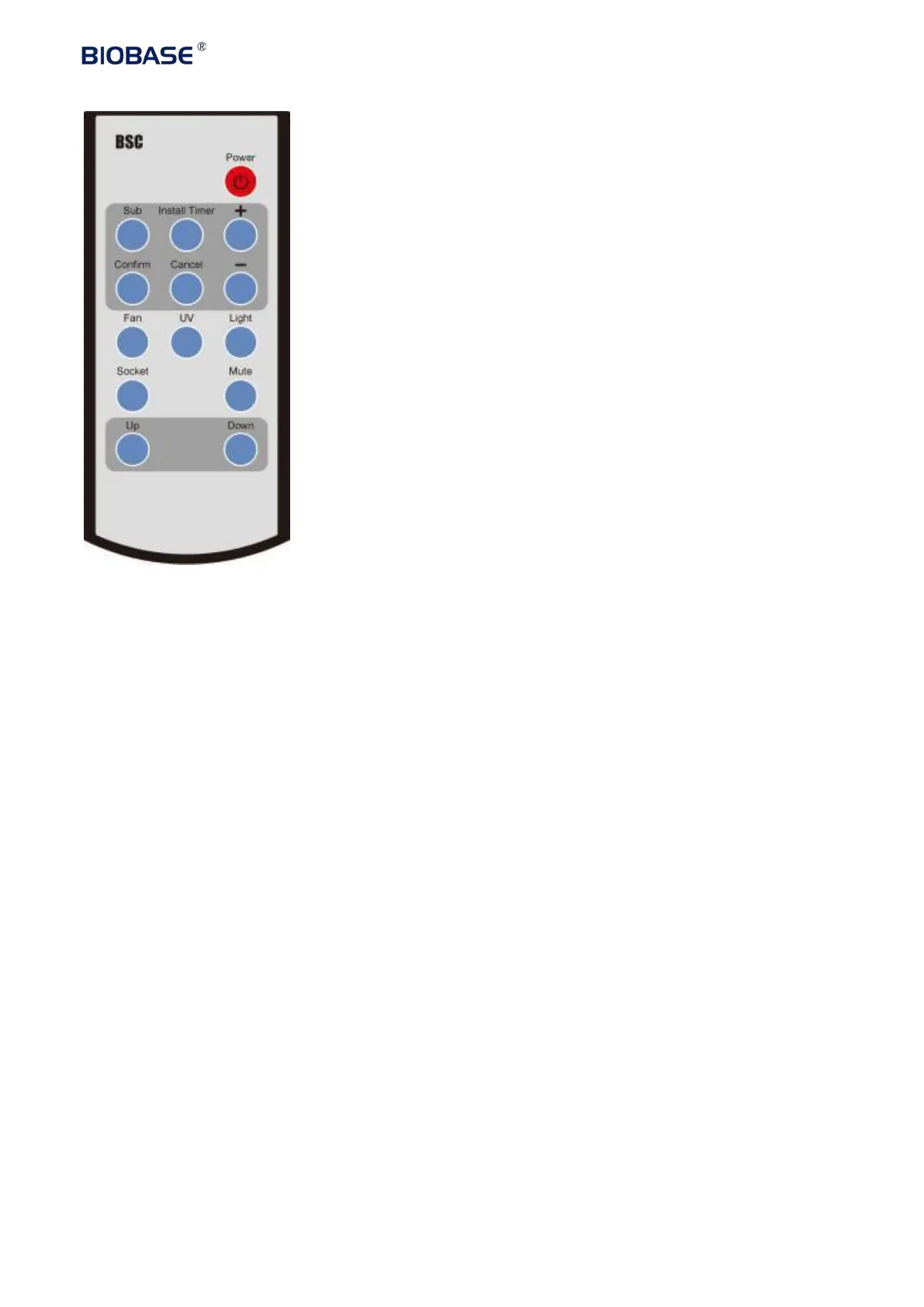
Buttons of the remote control
1.Power(Power)
2.Subscribe(Sub)
3.Fix time(Install Timer)
4.Confirm
(
Confirm
)
5.Cancel(Cancel)
6.Turn up(+)
7.Turn down (-) 8.Fan
(
Fan
)
9.Sterilize
(UV) 10.lamp
(lamp)
11.Socket
(
Socket
)
12.Mute(Mute)
13. Move the glass window up
(
Up
)
14. Move the glass window down
(
Down
))
A Reservation Procedure(SUB)
a. Connect the power, open power lock and then press the reservation Button (SUB)
b. Adjust the time (minutes) by ‘ +’.’-‘ button. Press the confirmation Button(CONFIRM) to
confirm
;
and then adjust the minutes and hours with the same way
;
c. After the time is confirmed, then press related button following which the icon in display
lighting.
d. Press the POWER button, the reservation function starts. Time starts count down. Specific
function starts when the time is 0.
B Install Timer
a. Connect the power, open the power lock, and then press the POWER button The specific function
starts when selecting function Buttons (eg: UV)
b. Press INSTALL TIMER. Adjust the time (minutes) by +.-. Press the (CONFIRM) button to set;
and then adjust the minutes and hours with the same way;
c. After the time is confirmed, TIMER function starts. When it counts down to 0, the machine will


 To Next Page