E80/E70 Digital Electrocardiograph User’s Manual
1-10
1.5 Screen Display
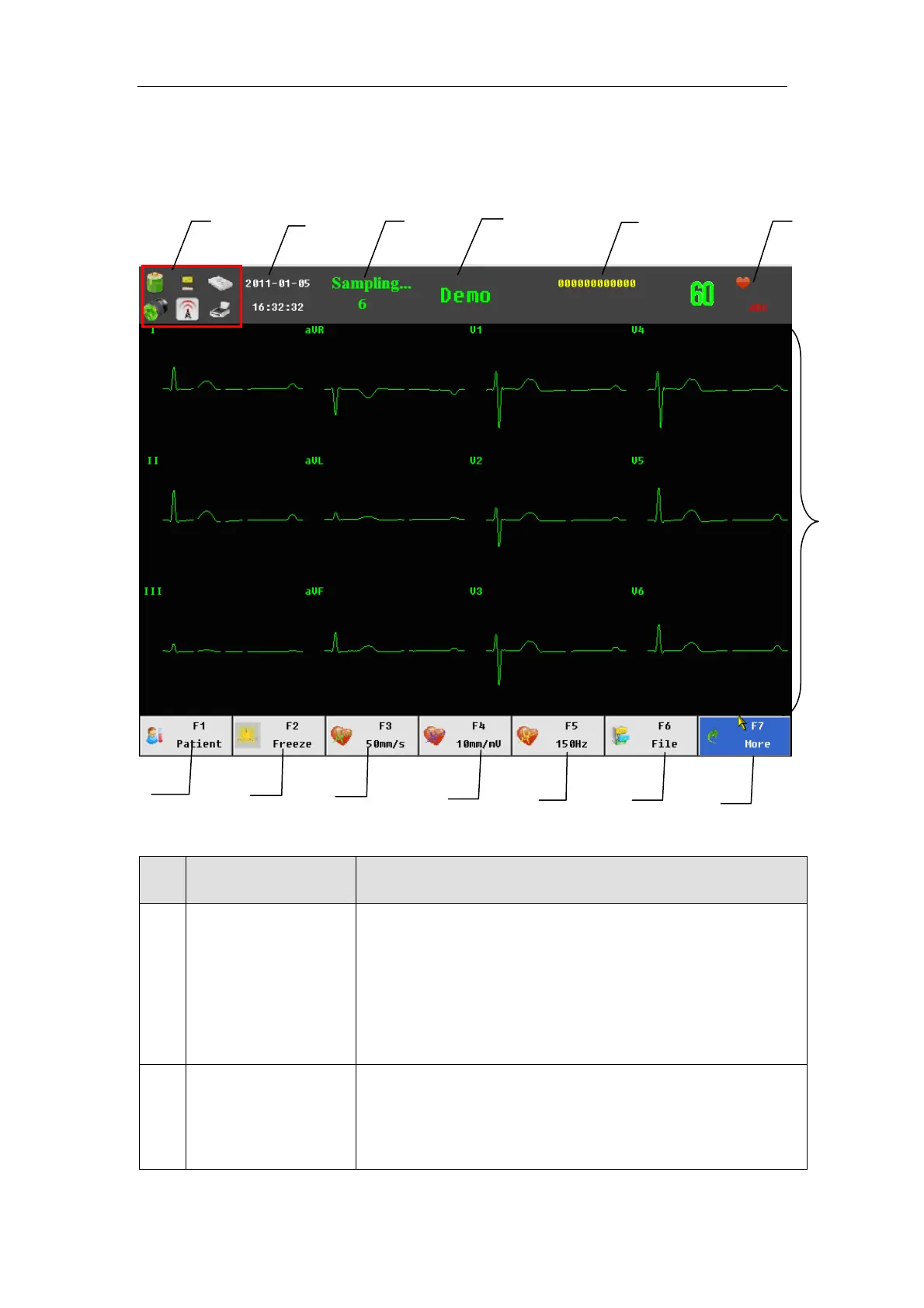
The following is the main interface of electrocardiograph:
No. Display Note
1 Prompt info area Including: USB connection prompt, saving medium
prompt, battery power display, AC power on/off
prompt and network access prompt. It indicates
whether the equipment is connected to computer;
otherwise, it will not be displayed.
2 Current time The current time of the system is displayed. In the
system setup, the current time and display format
may be set.
1
2
3
5
6
14
13
12
11
10 9
8
4
7



 To Next Page