E80/E70 Digital Electrocardiograph User’s Manual
4-2
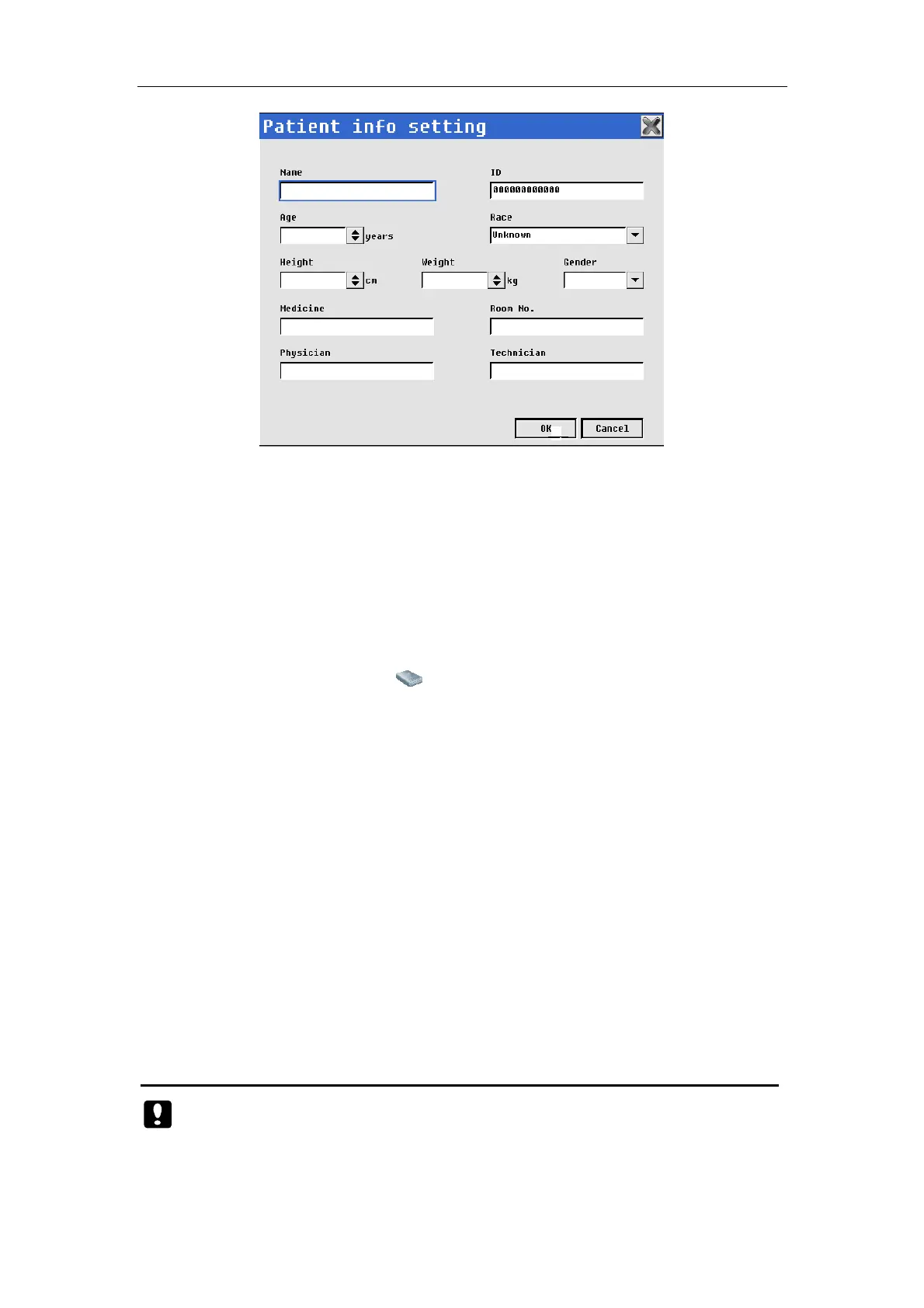
Fig. 4-1: Patient info setting
In the interface, you may conduct the following operations:
——【Name】: Input patient name. (Input 16 characters at most)
——【Patient ID】: Input patient ID (Input 12 characters at most). You can use
a barcode scanner to input the patient ID, please go through the
following steps before input the patient ID: Firstly, open the barcode
scanner switch in factory configuration. Secondly, connect the barcode
scanner to the device. If “ ” shown in the bottom of the display screen
indicates the barcode scanner is supported by the device. Otherwise,
indicates the barcode scanner can’t be used.
——【Age】: Input patient age. (Range: 0-200)
——【Race】: Select patient race.
——【Height】: Input patient heights. Unit: “cm” or “inch”
——【Weight】: Input patient weight. Unit: “kg” or “pound”
——【Gender】: Select patient gender.
——【Medicine】: Input medicine patient taken (Input 16 characters at most)
——【Room No.】: Input patient room NO. (Input 16 characters at most)
——【Physician】: Input physician name (Input 16 characters at most)
——【Technician】: Input technician name (Input 16 characters at most)
After setting patient info, select【OK】.
Caution:
In case of interfere with other USB device, including USB keyboard,
please use the barcode scanner provided or designated by the



 To Next Page