E80/E70 Digital Electrocardiograph User’s Manual
4-15
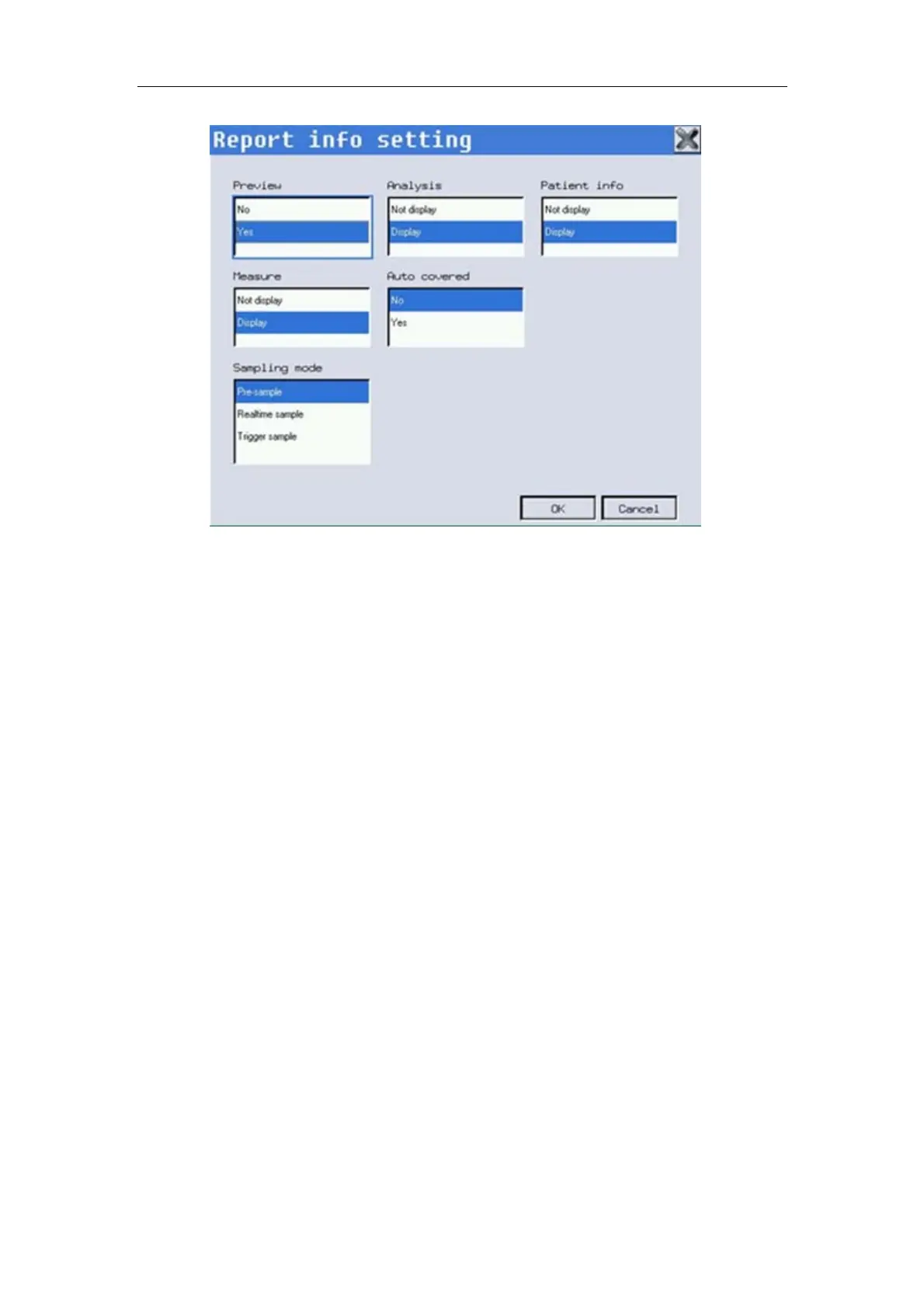
Fig. 4-15: Report info setting
In the interface, you may conduct the following operations:
——Select 【Analysis】: Select display or no display. When “Display” is
selected, record of ECG automatic analysis result will be exported at the time
of ECG recording; otherwise, the ECG automatic analysis result will not be
exported.
——Select【Patient info】: May select “Display” or “Not display”. Record of
the ECG data collected will be exported while selecting “Display”, otherwise,
it will not.
——Select【Measure】: May select “Display” or “Not display”. Result of the
ECG waveform measurement will be exported while selecting “Display”,
otherwise, it will not.
——Select【Preview】: May select whether or not to turn on preview function.
——Select 【Sampling mode】: Optional: pre-sampling, real-time sampling
and trigger sampling.
1) When “Pre-sampling” is selected, collection of ECG data begins as
soon as lead is connected to patient; it is unnecessary to wait for the
user to press “Record/Stop” key before beginning collection of ECG
data. When the user presses “Record/Stop ”key, record of the ECG
data collected within 10s before pressing this key will be exported;
2) When “Real-time sampling” is selected, if the user presses



 To Next Page