1 2
3 4
1 2
3 4
EN-8
ENGLISH
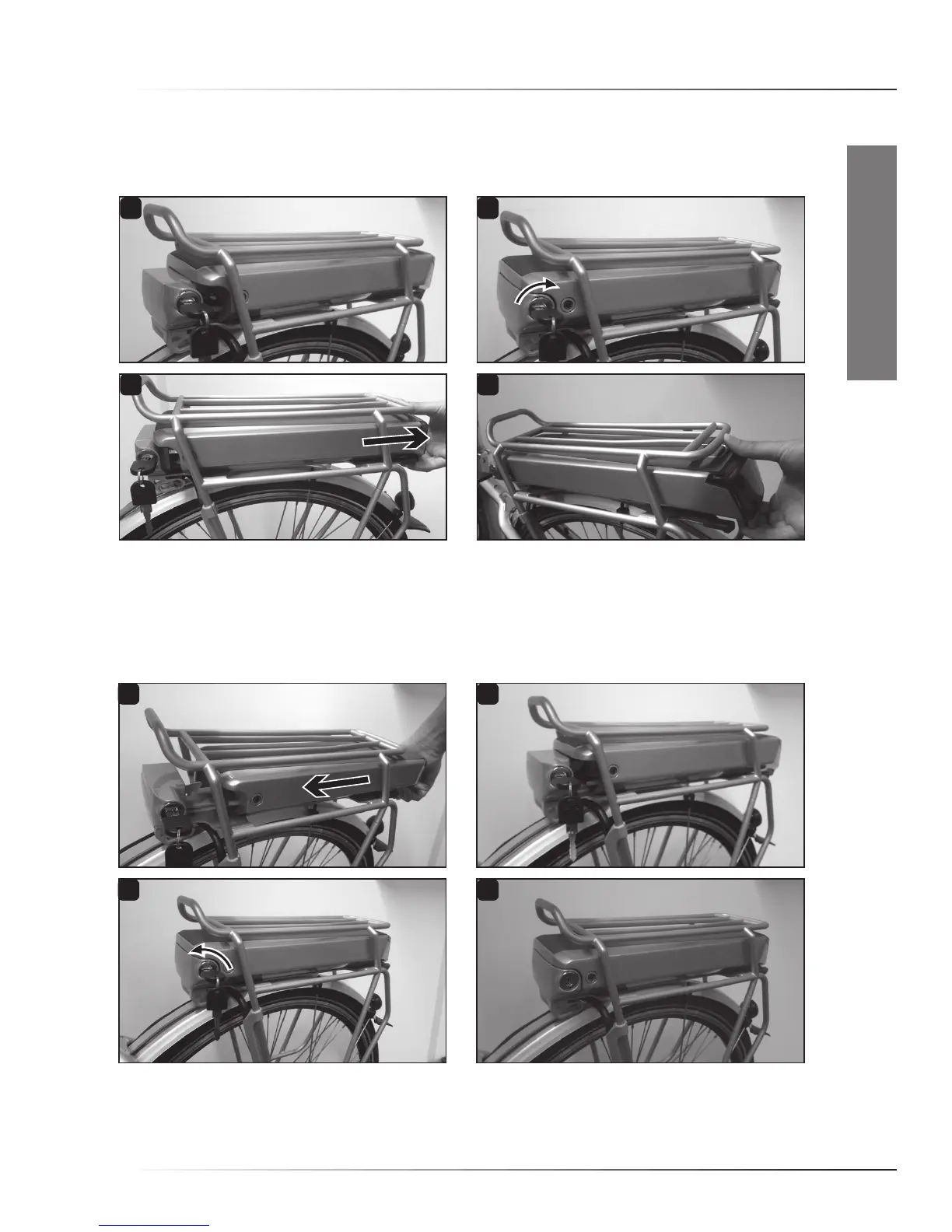
1.4 Rear rack battery packs
• Removing the battery pack
Insertthekeyinthelock,twistthekeyclockwise(1,2).Nowslidethebatterypackrearwardsoutof
therearrack(3,4).Afteryouremovethebatterypack,don’tforgettotakethekeysoutofthelock.
• Placing the battery pack
Slidethebatterypackintotherack,electrical-contactsidefirst(1).Carefullypushalltheway
forward,alsothroughaslightlyhigherresistanceattheend(2,3).Nowturnthekeyofthelock
counterclockwiseuntilthebatterypackislockedandtakethekeyoutofthelock(4).
Do not ride the bike with the lock open.
QuICk start - rear raCk battery paCks



 To Next Page