EN-24
ENGLISH
4.5 Lighting
The front and rear lights, as well as the display light, are switched ‘On’ and ‘Off’ on the RIDE+ controller.
When the battery pack shows ‘empty’, there is still enough capacity left to run the lights for about
twohours.Theonboardsoftwareensuresthat-aslongasthebikeismoving-thelightscanoperate
for an indefinite period of time using the dynamo function of the motor as the power source.
WARNING. Do not ride the electric bike without the battery pack. The battery pack must be on the
bike while riding, else the bike has no lights when needed.
4.6 Charging the battery pack
WARNING. Before charging, make sure that the system is switched Off and never turn the system
On or Off during charging. This prevents unintended activation of the system. Only use the power supply
approved for use with this bike. Charging with a non-original power supply may cause the battery pack
to overheat, catch fire, or even explode. When charging, do not let the battery pack or power supply get
wet – because of risk of electrical shock.
The battery pack can both be charged in the bike or it can be removed from the bike for charging.
Li-Ionbatteriessuchasareusedintheelectricbicycle,haveno‘memory-effect’.Thismeansthat
the battery capacity is not influenced if the battery pack is recharged before it is completely empty.
You can recharge after every ride. However, you will get the most from your battery pack if, for the
first three charges, you use it until only one unit is showing in the ‘fuel gauge’ on your display.
NOTICE. When it is necessary to recharge, the battery pack will emit a ‘beep’. Charge the battery pack immediately.
Batterypacksarebestchargedattemperaturesaround20°C,soavoidwarmlocations.Whencoming
inoutofthecold,allowthebatterypacktogetuptoroomtemperature(about20°C)beforecharging.
• Charge status indication
On battery packs with a round charging port with translucent ring, it is possible to check the charge status
manually by touching the charge connector ring to activate the charge LED. It will light up in the color
correspondingtothechargelevel:Greenfor100-85%,Orangefor85-25%andRedwhenbelow25%.
• Power supply 100-240V
The power supply will adjust automatically to the local voltage.
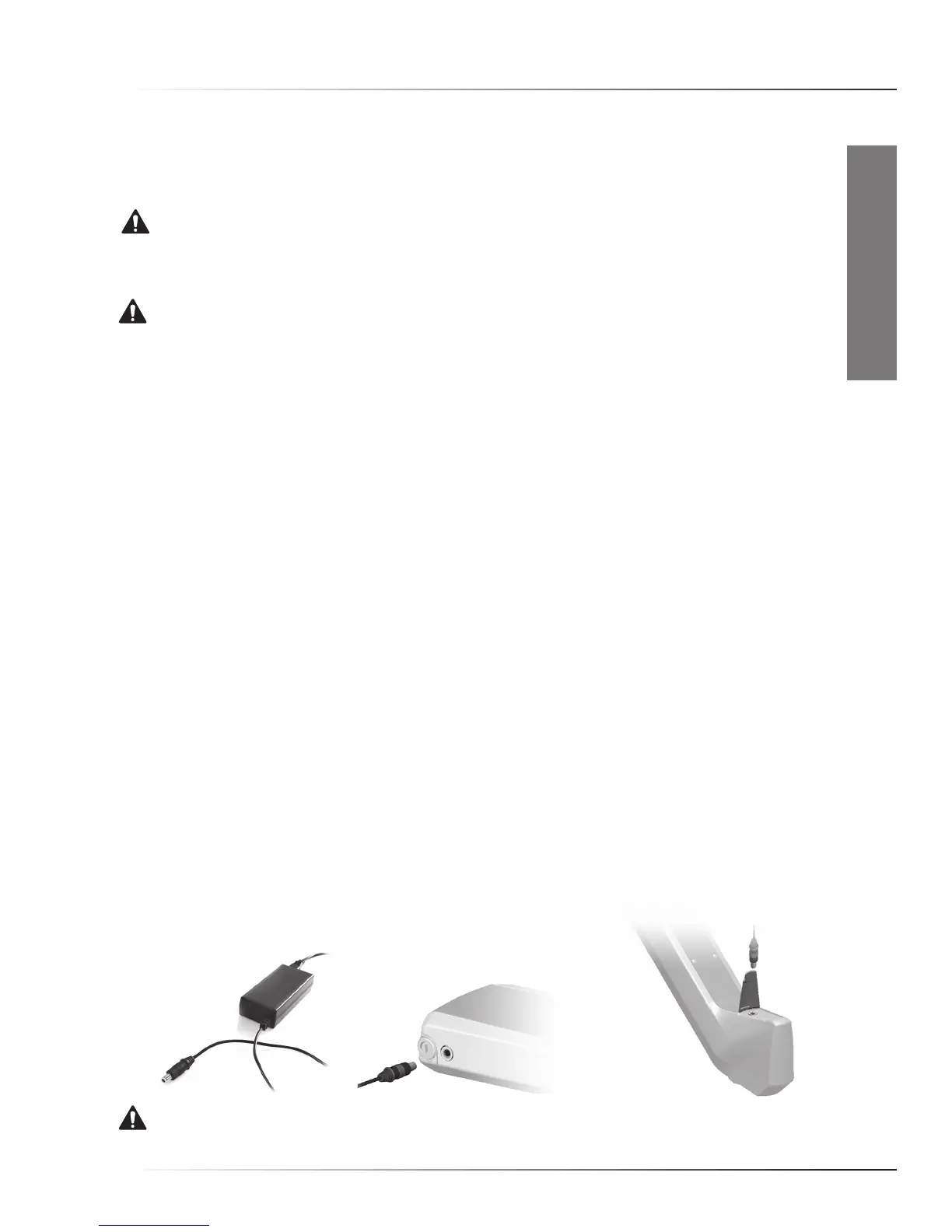
• Charging
Connecttheconnectorofthepowersupplytothebatterypack.
Connectthepowersupplytoanappropriatepowersource.
WARNING. Replace a damaged power cable immediately to prevent an electric shock.
InstruCtIons for use



 To Next Page