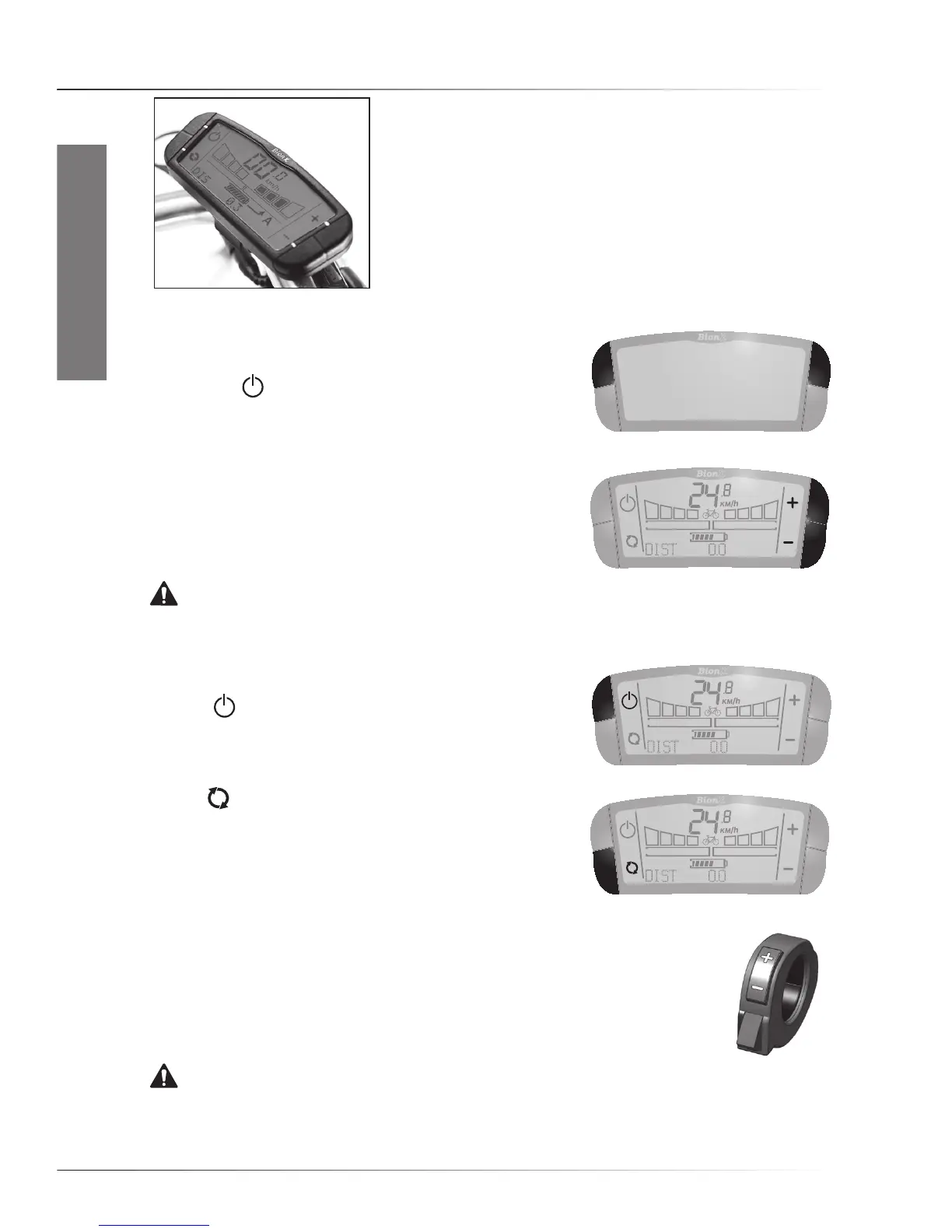
QuICk start - bIonX g2 Controller
EN-5
ENGLISH
1. Quick start
This manual has all the information that you’ll need to get the
best from your electric bicycle. We strongly recommend that
you read it through. However, for quick use of the bike, please
read the Quick Start guide for the type of controller and battery
pack on your bicycle.
1.1 BionX G2 controller
• Switching system On/Off
Push any of the two upper buttons briefly to switch the system
‘On’. Push the button to switch the system Off. When switched
On,thebikeisincyclemode(zeroassist).
• Assistance/Regeneration Level
Push the ‘+’ button once for assistance level 1, again for
higherlevels.Pushthe‘-’buttontogotoalowerlevel.
Regeneration levels can be controlled in a similar way.
Pushthe‘-’buttononceforregenerationlevel1,againfora
higher level. Push the ‘+’ button to reduce regeneration.
WARNING. It is strongly advised to ride away in a straight
line when an assistance level is selected. Never select assistance level 3 or 4 during maneuvering or
riding away in a tight corner. The powerful reaction of motor might take you unawares.
• Switching lights On/Off
Press the buttonfor2secondstoswitchOn/Offthedisplay
light, and, if present, the front and rear lights.
• See time, average speed, odometer, trip distance
Use the buttontochangeccomputerfunctions(Orderof
appearance: trip distance, odometer, average speed, time of
day).Topreventlossofridinginformation,pleasemakesure
that the system is switched Off before the controller is
removed from the bike.
• Using the remote
Some bikes have the controller positioned on a middle clamp, which means that
the controller can more easily be operated with a remote. This device can be used
to select a higher or lower assist or regeneration level without removing your hands
off the handlebars. The red throttle button on the BionX remote is a convenient
helptomovethebikewithoutpedaling(upto4km/h)walkingnexttotheE-bike.
WARNING. Beware of unintended use of the throttle button when the system is switched On.



 To Next Page