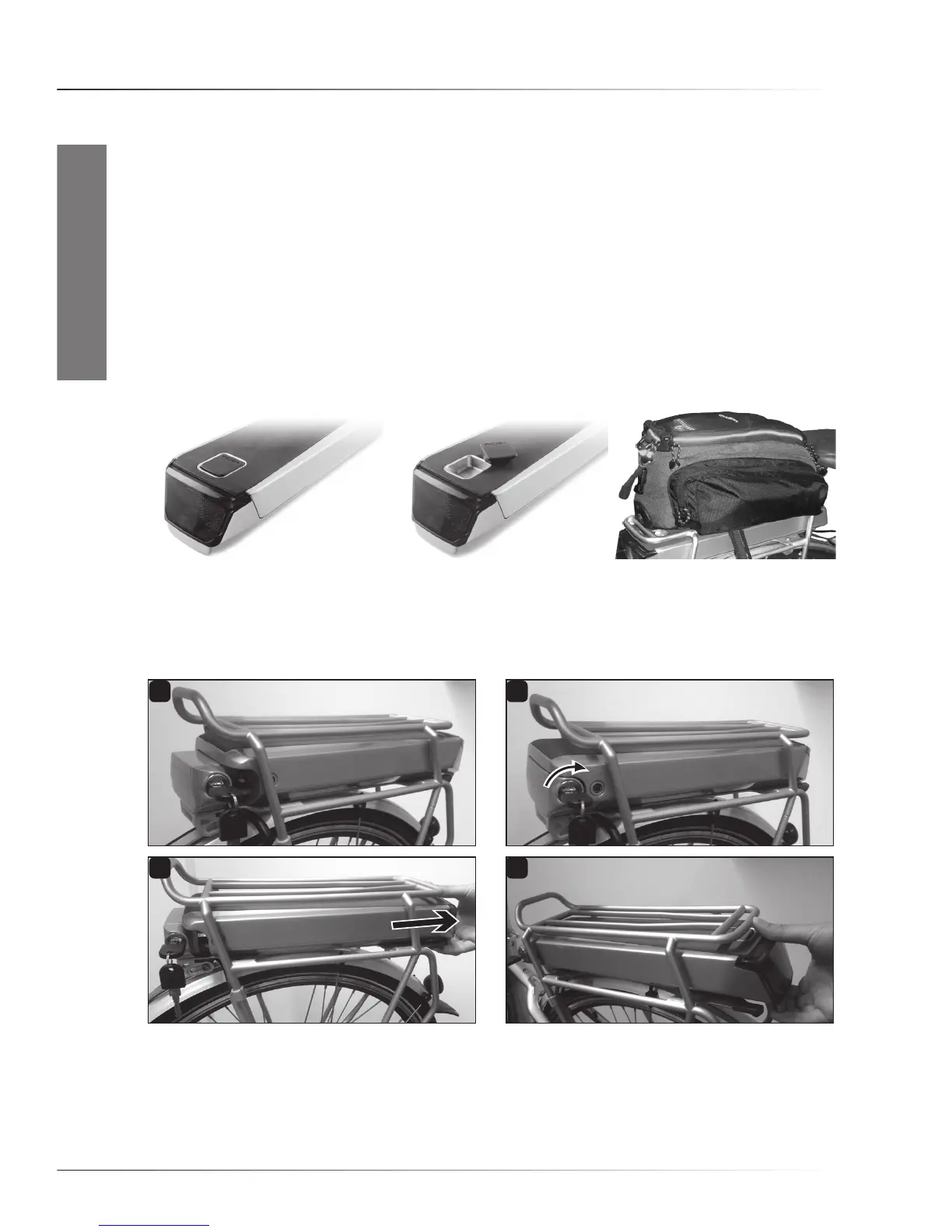
1 2
3 4
EN-21
ENGLISH
4.3 Rear rack battery packs
• Battery pack size
Dependingonthemodel,yourbikewillbeequippedwitheithera“RIDE+R250-2”,“RIDE+R320”ora
“RIDE+R420”batterypack.Removal,chargingandputtingbackarethesameforallbatterypacks.
•‘RIDE+R250-2’batterypack,containing30Li-Mn(Lithium-Ion)cells,37V,6.6Ah,max.244Wh.
•‘RIDE+R320’batterypack,containing39Li-Mn(Lithium-Ion)cells,48V,6.6Ah,max.317Wh.
•‘RIDE+R420’batterypack,containing39Li-Mn(Lithium-Ion)cells,48V,8.5Ah,max.408Wh.
• Bontrager Interchange System compatibility
The‘RIDE+R250-2’,‘R320’and‘R420’batterypacksarecompatiblewiththeBontragerInterchange
System.Thismeansyoucanmounta(noptional)BontragerInterchangebasketorpannierontherear
rack of the bike by removing the plug from the battery pack.
• Removing the battery pack from the bike
Insertthekeyintothelockonthebatterydockingandturnitclockwise(1,2).Thebatterypackcan
nowbetakenoffthebike.Slidethebatterypackoutbypullingittotherear(3,4).Don’tforgetto
take the keys out of the lock after removal.
• Putting the battery pack onto the bike
Slidethebatterypackintotherearrack,connectorsidefirst(1).Makesurethepackengagesthe
rail(2).Slideallthewayforward,pushingthroughaslightlyhigherresistanceattheendasthe
connectorengages(3).Nowturnthekeyofthelockuntilthebatterypackislockedandtakethe
keyout(4).Donotridethebikewiththelockopen.
InstruCtIons for use



 To Next Page