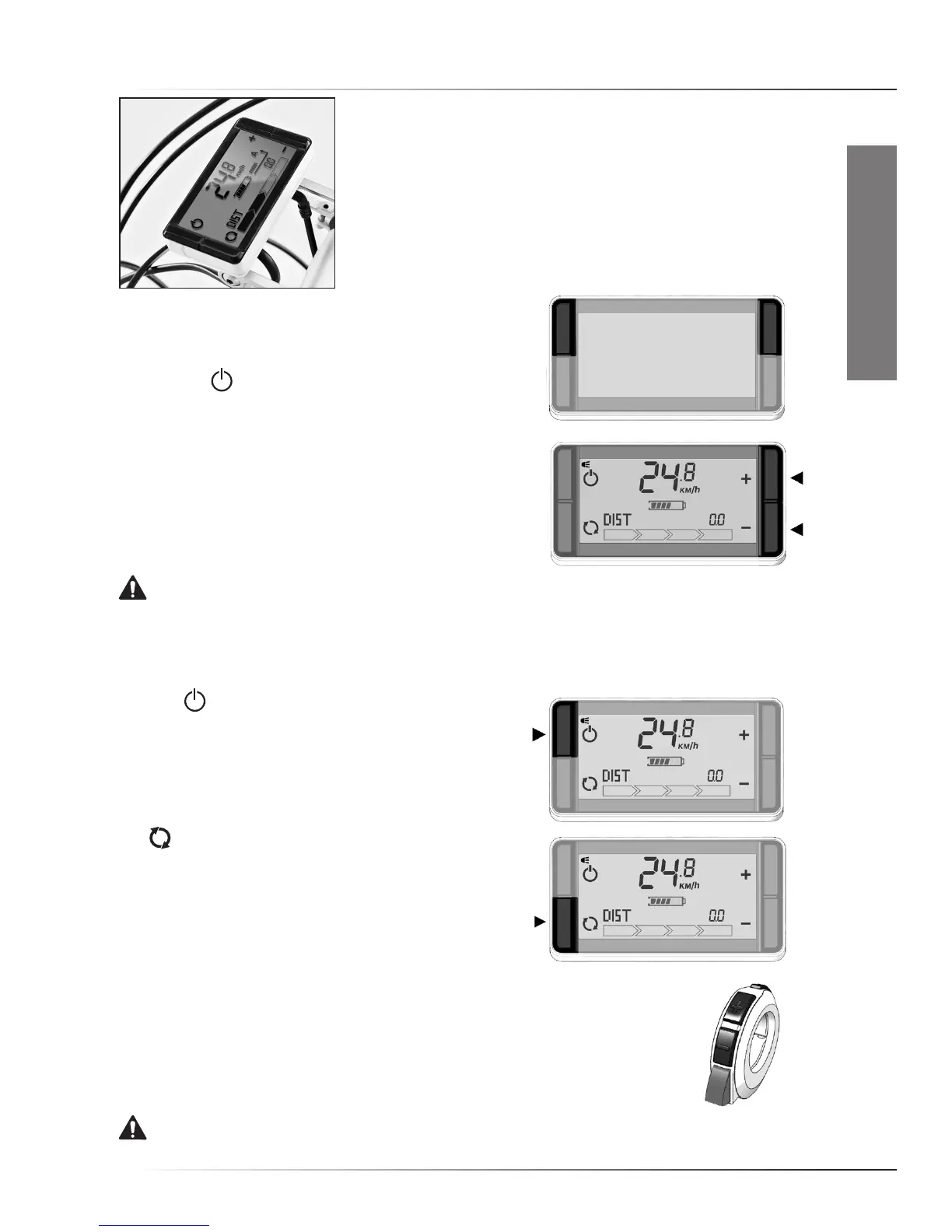
QuICk start - rIde+ pro Controller
EN-6
ENGLISH
1.2 RIDE+ Pro controller
• Switching system On/Off
Push any of the two upper buttons briefly to switch the system
‘On’. Push the button to switch the system Off.
WhenswitchedOn,thebikeisincyclemode(zeroassist).
• Assistance/Regeneration Level
Push the ‘+’ button once for assistance level 1, again
forhigherlevels.Pushthe‘-’buttontogotoalowerlevel.
Regeneration levels can be controlled in a similar way.
Pushthe‘-’buttononceforregenerationlevel1,againfor
a higher level. Push the ‘+’ button to reduce regeneration.
WARNING. It is strongly advised to ride away in a straight line when an assistance level is selected.
Never select assistance level 3 or 4 during maneuvering or riding away in a tight corner. The powerful
reaction of motor might take you unawares.
• Switching lights On/Off
Press the buttonfor2secondstoswitchOn/Offthe
controller display light, and, if present, the front and rear
lights. Once activated, the text ‘Light On’ or ‘Light Off’ will
appear in the lower field of the display.
• See time, average speed, odometer, trip distance
Use buttontochangebikecomputerfunctions(Orderof
appearance:tripdistance,odometer,averagespeed,time).
To prevent loss of riding information, please make sure that
the system is switched Off before the controller is removed
from the bike.
• Using the RIDE+ Link
Mostbikeswiththe‘RIDE+Pro’controllerpositionedonthemiddleclampare
equipped(orcanbeequipped)withtheRIDE+Link.Thisdevicecanbeusedto
selectahigherorlowerassistorregenerationlevelandtoturnthelightsOn/Off
without removing your hands off the handlebars.The red throttle button on the
RIDE+Linkisaconvenienthelptomovethebikewithoutpedaling(upto4km/h)
walkingnexttotheE-bike.
WARNING. Beware of unintended use of the throttle button when the system is switched On.



 To Next Page