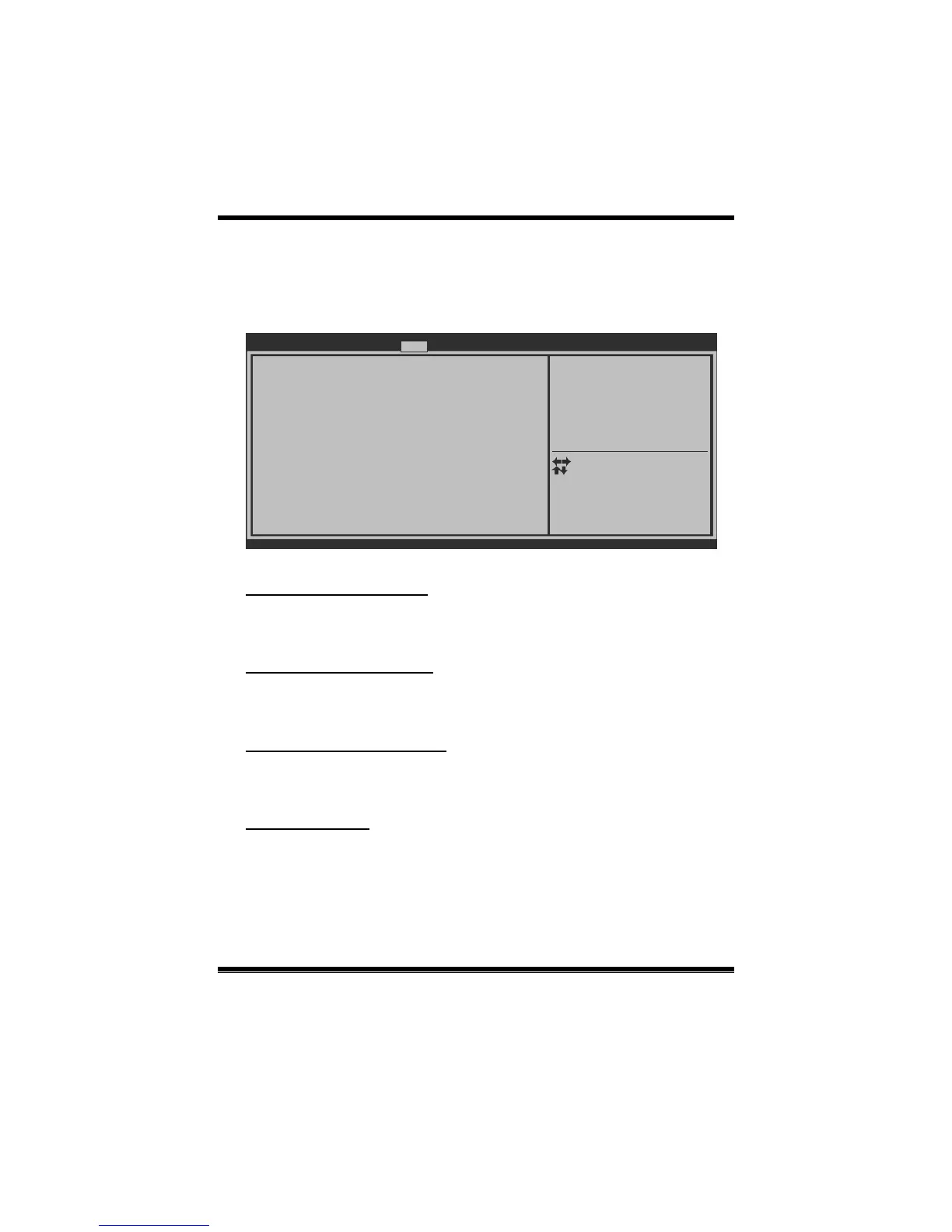
Bootup NumLock State [O n]
Full Logo Screen display [E nabled]
GateA20 Active [U pon Request]
Option ROM Messages [F orce BIOS]
Interrupt 19 Capture [D isabled]
Boot Success Beep [E nabled]
UEFI Boot [D isabled]
Boot Option #1
Boot Option #2
CD/DVD ROM Drive BBS Priorities
Hard Drive BBS Priorities
Boot Configuration
Boot Option Priorities
Setup Prompt Timeout 2
CSM16 Module Version
Version x.xx.xxxx. Copyright© 201x, American Megatrends, Inc.
Number of seconds to wait for
setup activation key.
Main Advanced Chipset Boot S ecurity Performance Save & Exit
Select Screen
Select Item
Select
Change Opt.
General Help
Optimized Defaults
Save & Reset
Exit
Enter
+/-
F1
F3
F4
ESC
Setup Prompt Timeout
This item s ets number of s econds to wait for setup activation key.
Options: 2 (Default)
Bootup NumLock State
This item selec ts the keybo ard NumLock state.
Options: On (Default) / Off
Full Logo Screen display
This item allows you to enable/disable Full Screen LOGO Show function.
Options: Enabled (Default) / Disabled
GateA20 Active
Upon Request – FA20 can be disabled using BIOS services. Always – do not allow
disabling GA20; this option is useful when any RT code is executed above 1MB
Options: Upon Request (Default) / Always


 To Next Page