Network Connection Manual
Ver.2.00
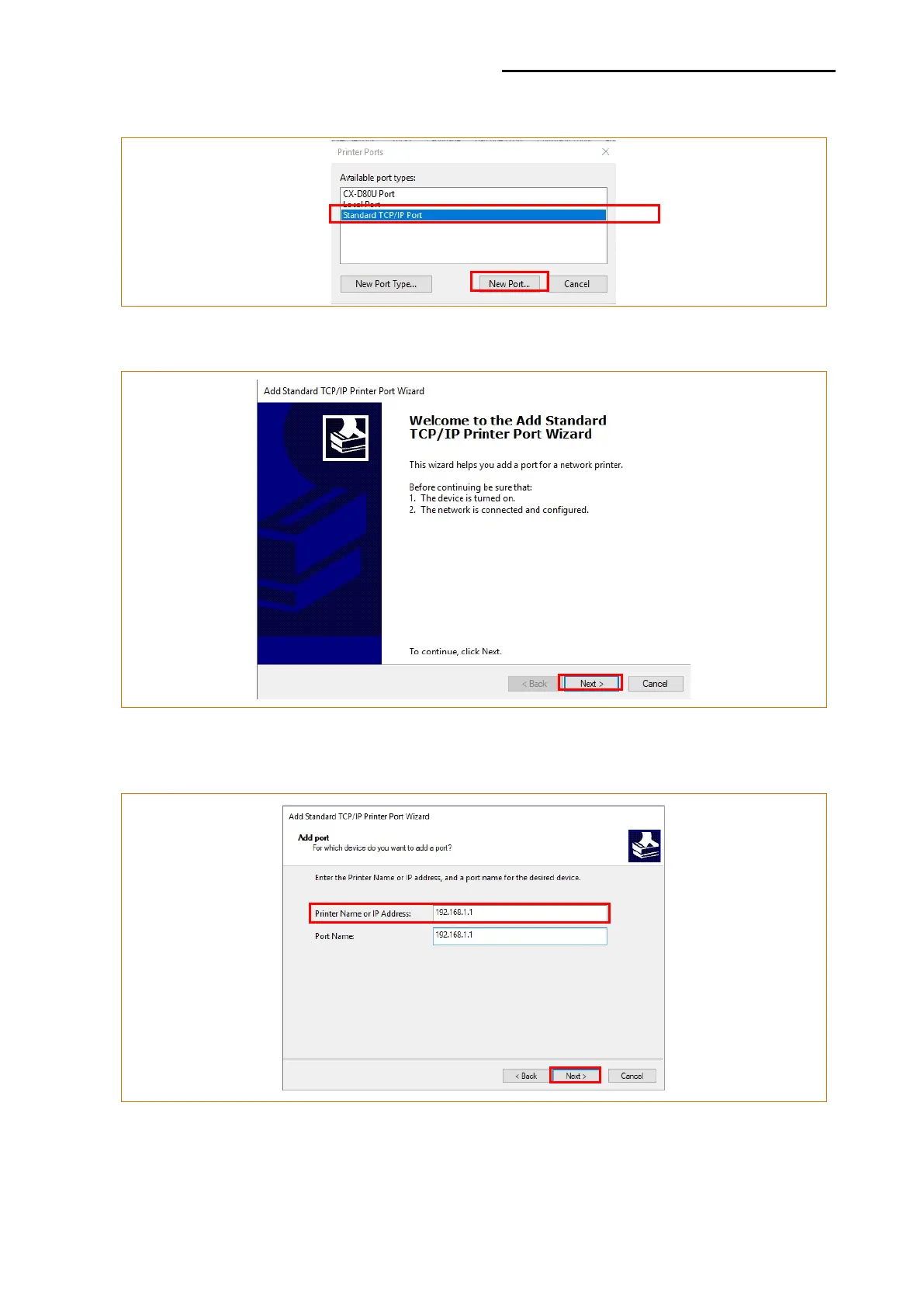
6) Select “Standard TCP/IP Port” and click “New Port...”
7) Click the [Next] button in the “Add Standard TCP/IP Printer Port Wizard” window.
8) Enter the IP address assigned to the printer in the “Printer Name or IP Address” field in
the “Add Port” pop up window, and then click the [Next] button.
[Note]
- Enter the same IP address entered during the installation of the interface card.
Only enter the “Printer name or IP address.”













 To Next Page