Network Connection Manual
Ver.2.00
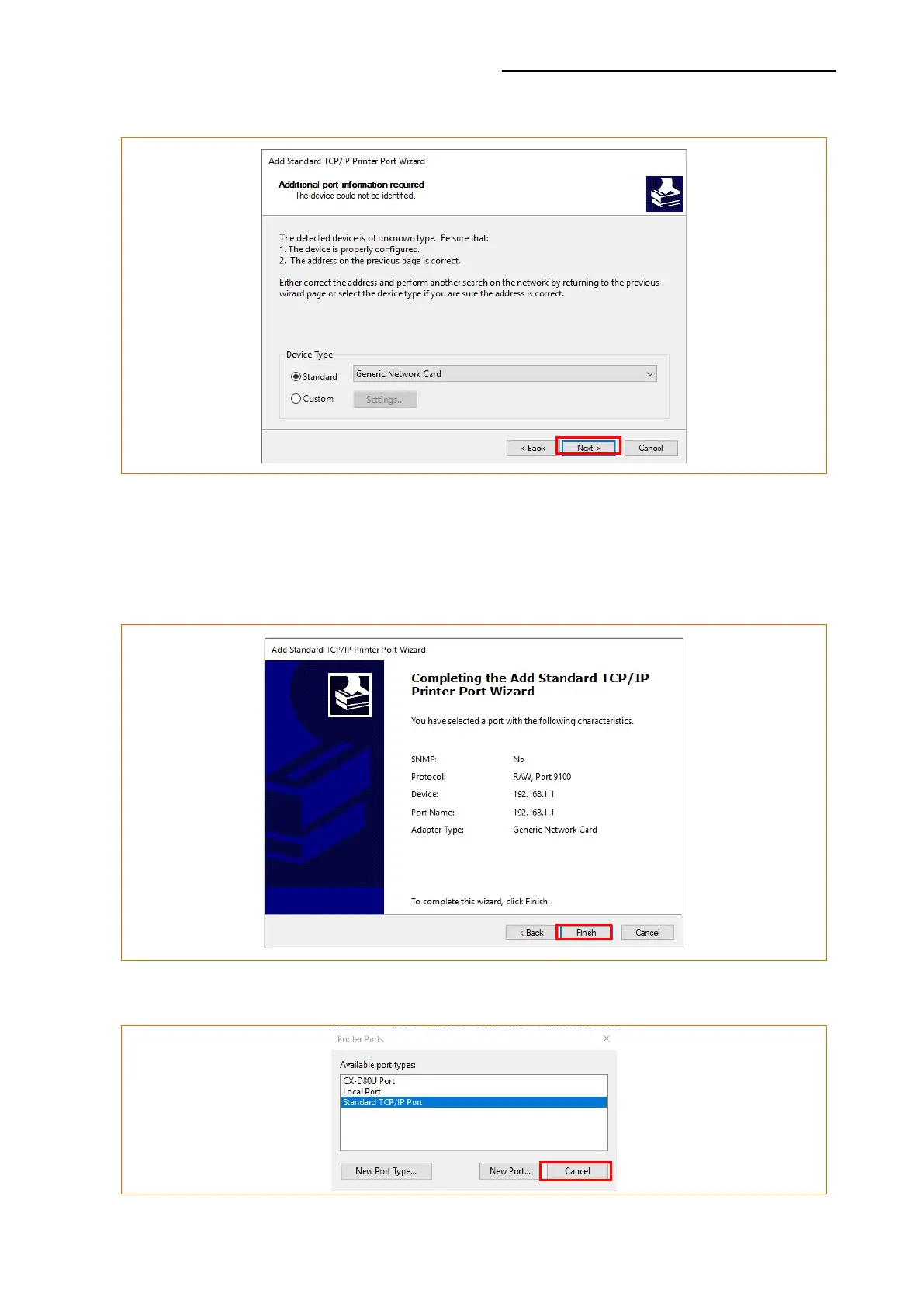
9) Click the [Next] button in the “Additional Port Information Required” window.
[Note]
- Click the [Next] button to proceed without any changes.
10) Click the [Finish] button at the “Completing the Add Standard TCP/IP Printer Port
Wizard” window.
11) Click the “Cancel” button in the Printer Port window, closing the window.













 To Next Page