10
1. Verify that there is AC power to the power supply.
First, verify that the power cord is firmly plugged into the power receptacle on the rear panel of the power
supply. You should also make sure that the power source you plugged the power supply into is
energized. Then, verify that the power supply is turned on.
2. Verify the power-line voltage setting.
The line voltage is set to the proper value for your country (110VAC or 220VAC). Change the voltage
setting if it’s not correct.
3. Verify that the correct power-line fuse is installed.
If the fuse was damaged, please see the table below to replace the fuse for your power supply.
1786B,
1787B
Fuse 2.5A T 250V for 220VAC
Fuse 5A T 250V for 110VAC
Fuse 3.15A T 250V for 220VAC
Fuse 6.3A T 250V for 110VAC
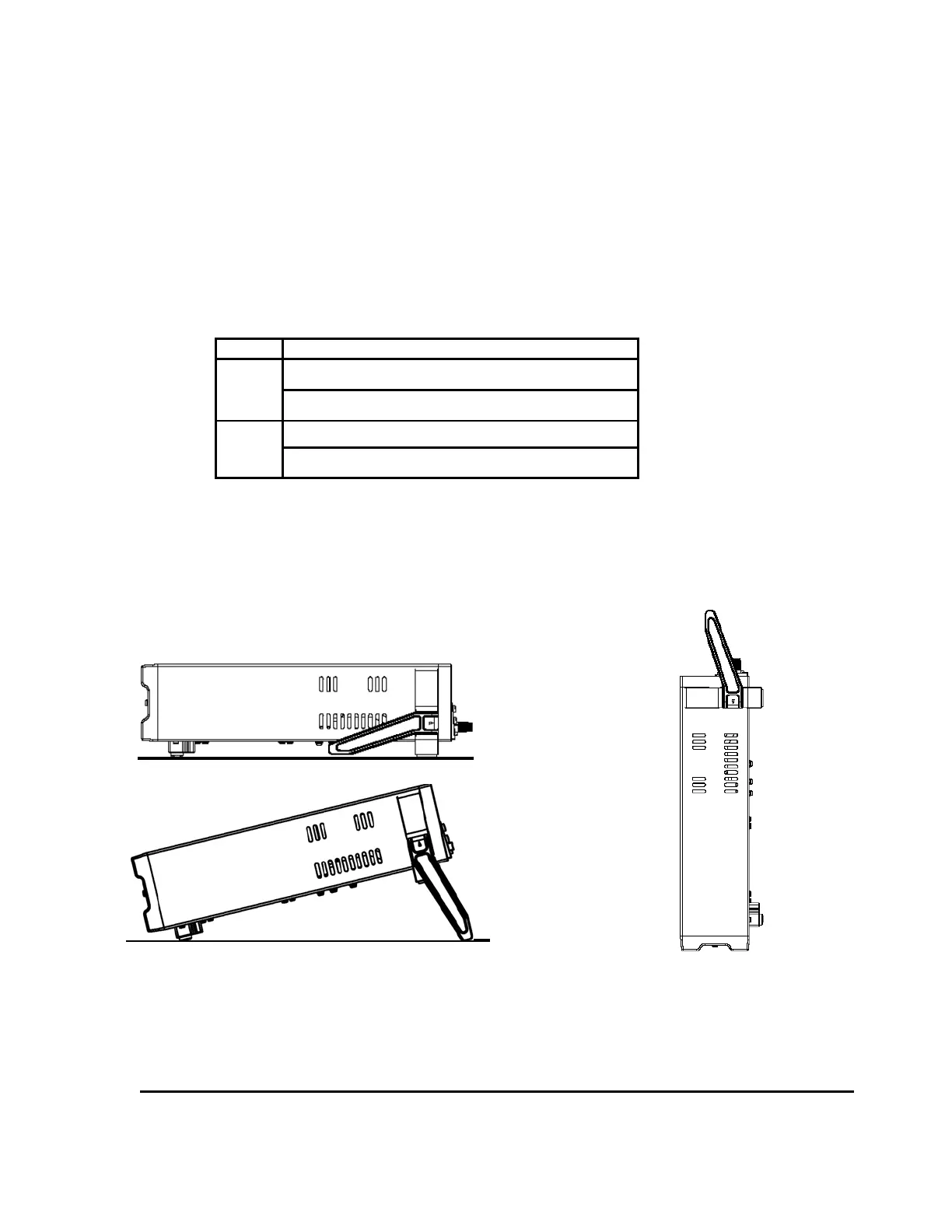
1.4 To Adjust the Carrying Handle
To adjust the position, grasp the handle by the sides and pull outward. Then, rotate the handle to the
desired position.
Bench-top viewing positions Carrying position
1.5 To Rack Mount the Instrument
You can mount the power supply in a standard 19-inch rack cabinet using the IT-E151 rack mount kit.











 To Next Page