13
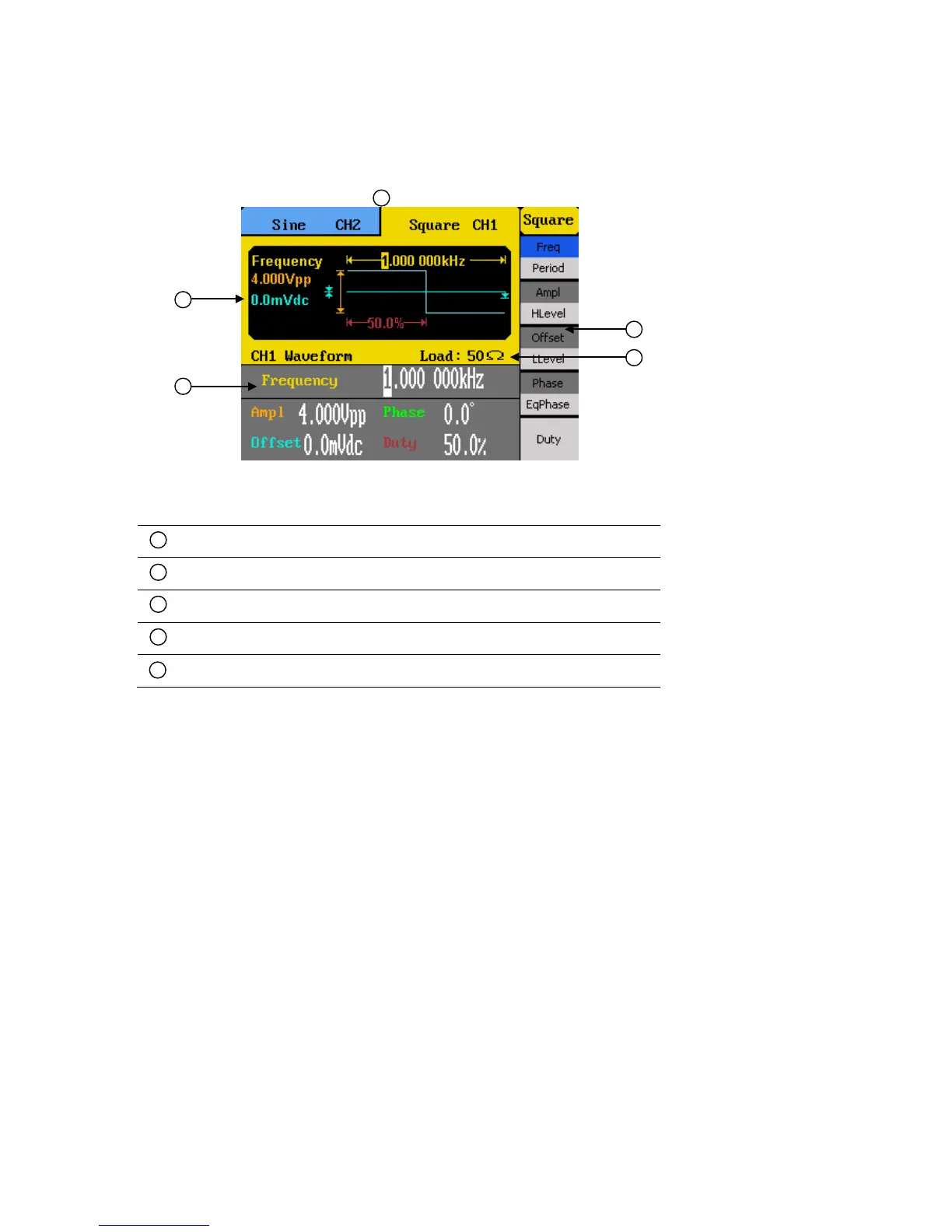
1.5 Display Overview
Display Description
Waveform information display
Waveform parameters display
Menu options
Output impedance indicator
Selected channel indicator tab
2 Getting Started
Before connecting and powering up the instrument, please review and go through the
instructions in this chapter.
2.1 Input Power Requirements
Input Power
The supply has a universal AC input that accepts line voltage and frequency input within:
100 – 240 V (+/- 10%), 50 – 60 Hz (+/- 5%)
100 – 127 V , 45 – 440 Hz



 To Next Page