42
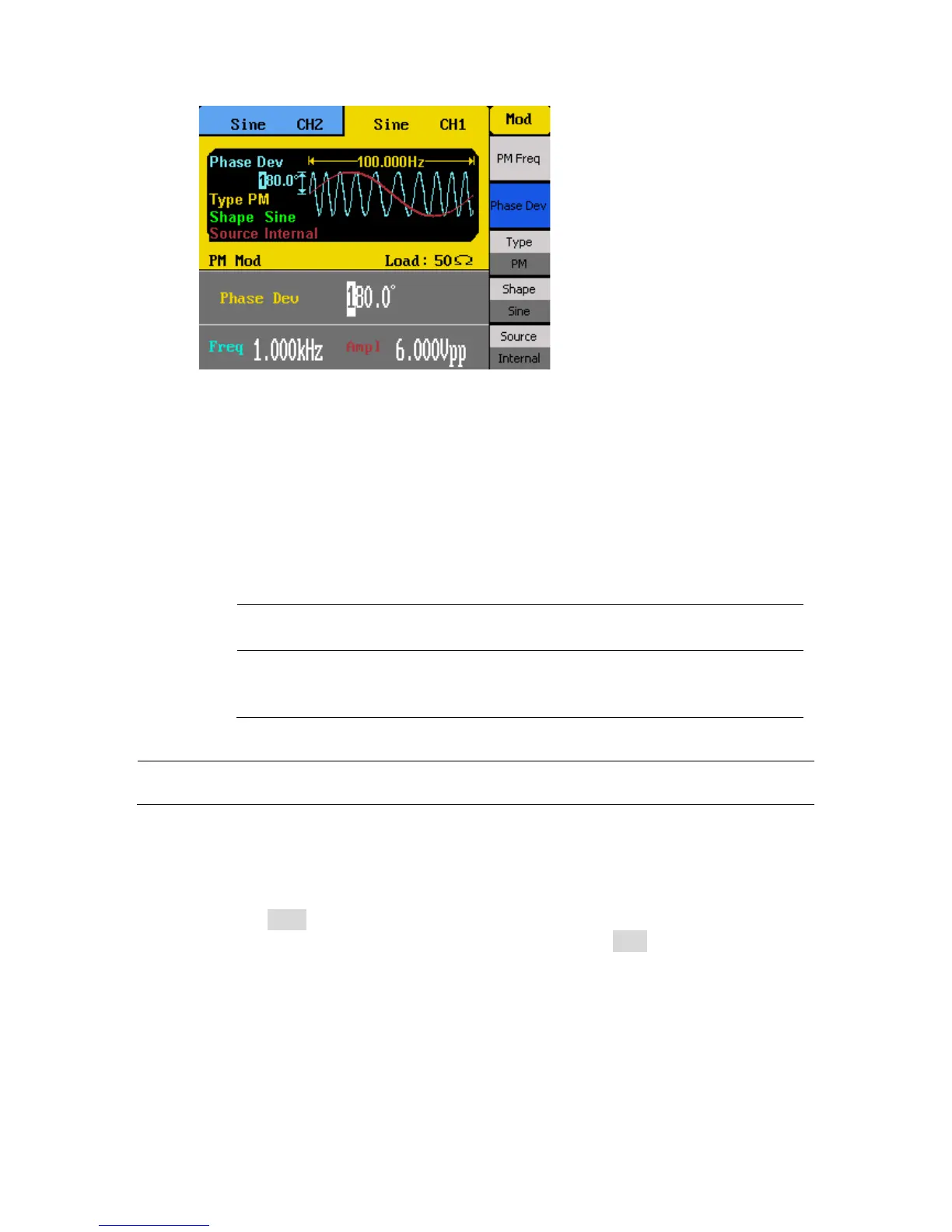
PM Deviation adjustable range: 0 ° – 360 °
5. Select Shape to choose the shape of the modulating waveform. Options are: Sine,
Square, Triangle, UpRamp, DnRamp, Noise, Arb.
UpRamp = Upward ramp waveform
DnRamp = Downward ramp waveform
Arb = This will be the waveform that is currently loaded from within the arb function
menu. To change, follow the instructions in the previous section.
6. Select Source and choose between Internal or External.
Internal – The modulating source will be generated internally using the PM
Freq, Phase Dev, and Shape as defined in the previous steps.
External – Use external modulating source. Users can connect an external
signal into the rear BNC terminal labeled ExtTrig/Gate/FSK/Burst as the
modulating source. PM Freq and Shape options will not be available.
WARNING: Do not connect more than ± 6 V into the rear terminal. This will damage the
instrument and void its warranty.
PWM Modulation
Follow the steps below to setup pulse modulation output.
1. Press the Pulse button to select pulse waveform. Then configure your waveform
with the desired frequency and amplitude, then press the Mod button.
2. There are four parameters that can be adjusted: PWM Freq, Width Dev, Shape, and
Source.



 To Next Page