64
System Settings
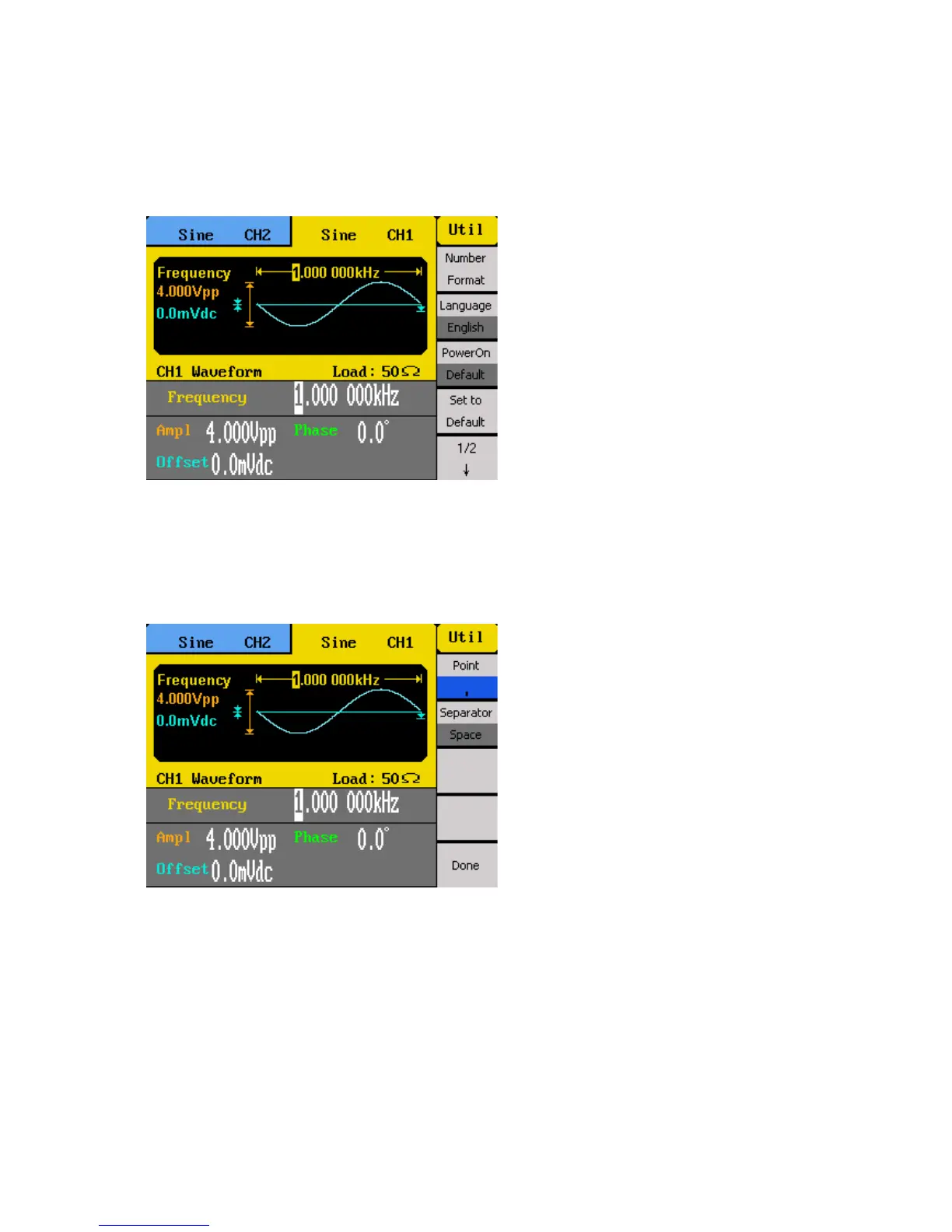
In the utility menu, select 1/2 from the menu to go to the second page of the menu, then
select the System option.
Numerical Format
The number format can be changed on the instrument. Select Number Format from the
menu.
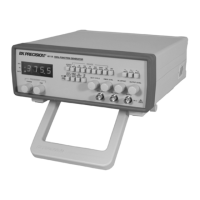
Toggle the corresponding menu function key to select Point to choose between using period
(.) or comma (,) as the decimal representation of all numerical values on display.
Numeric separators can also be configured by selecting the Separator option. Choose
between On, Off, or Space. Below illustrates the difference between the three on all
applicable numerical values on the display.



 To Next Page