52
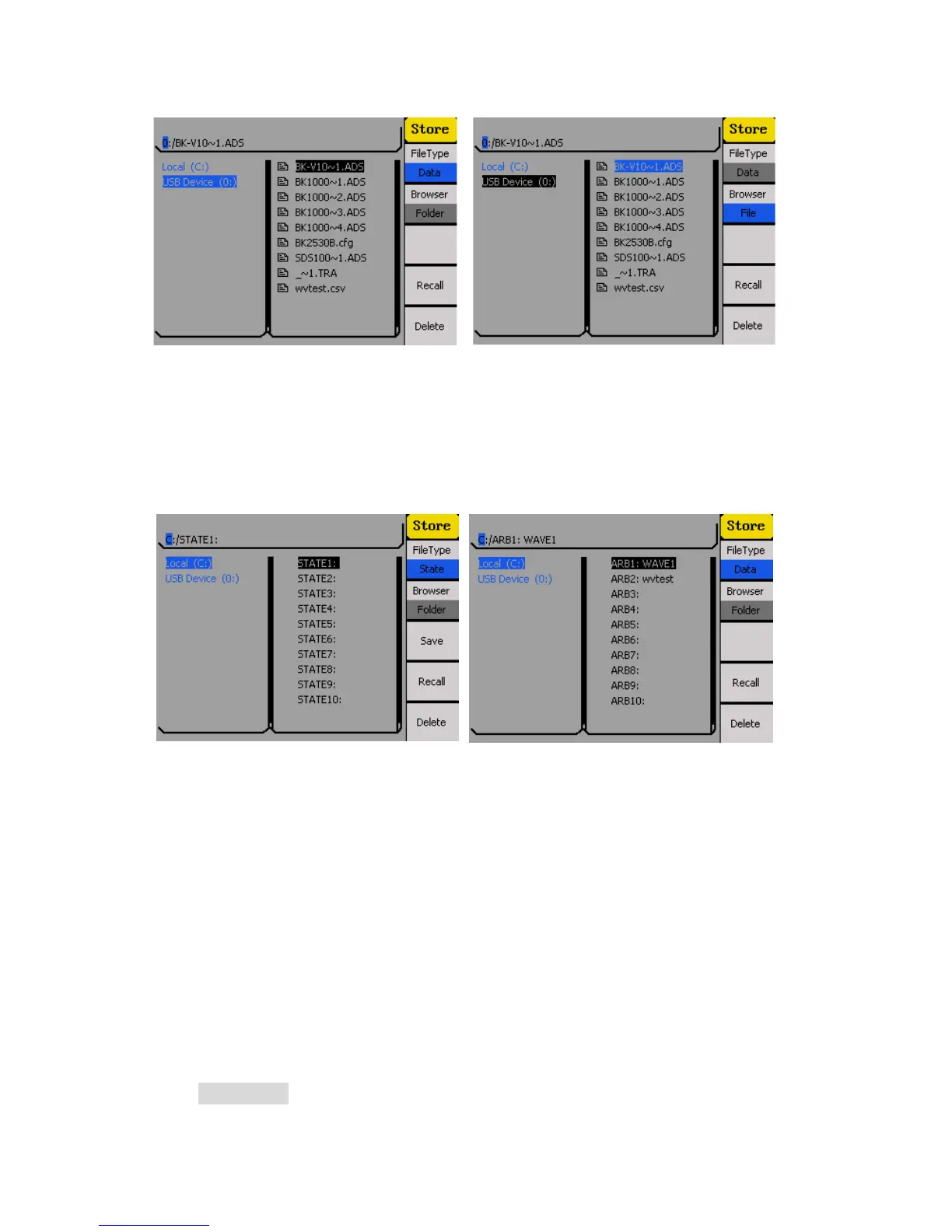
Press the corresponding menu function key to select between State or Data under FileType.
Select State to show the list of internal instrument states. Select Data to show the list of
internal arbitrary waveforms.
Use the up or down arrow keys to move the selection cursor between the lists.
Store and Recall Instrument State
Follow the instructions in this section to store and instrument state to internal or external
memory.
Store to and Recall from Internal Memory
1. Configure the instrument with all the settings that you want to save, then press the
Store/Recall button.
2. From the Store/Recall menu, select Folder under Browser and select Local (C:).



 To Next Page