24
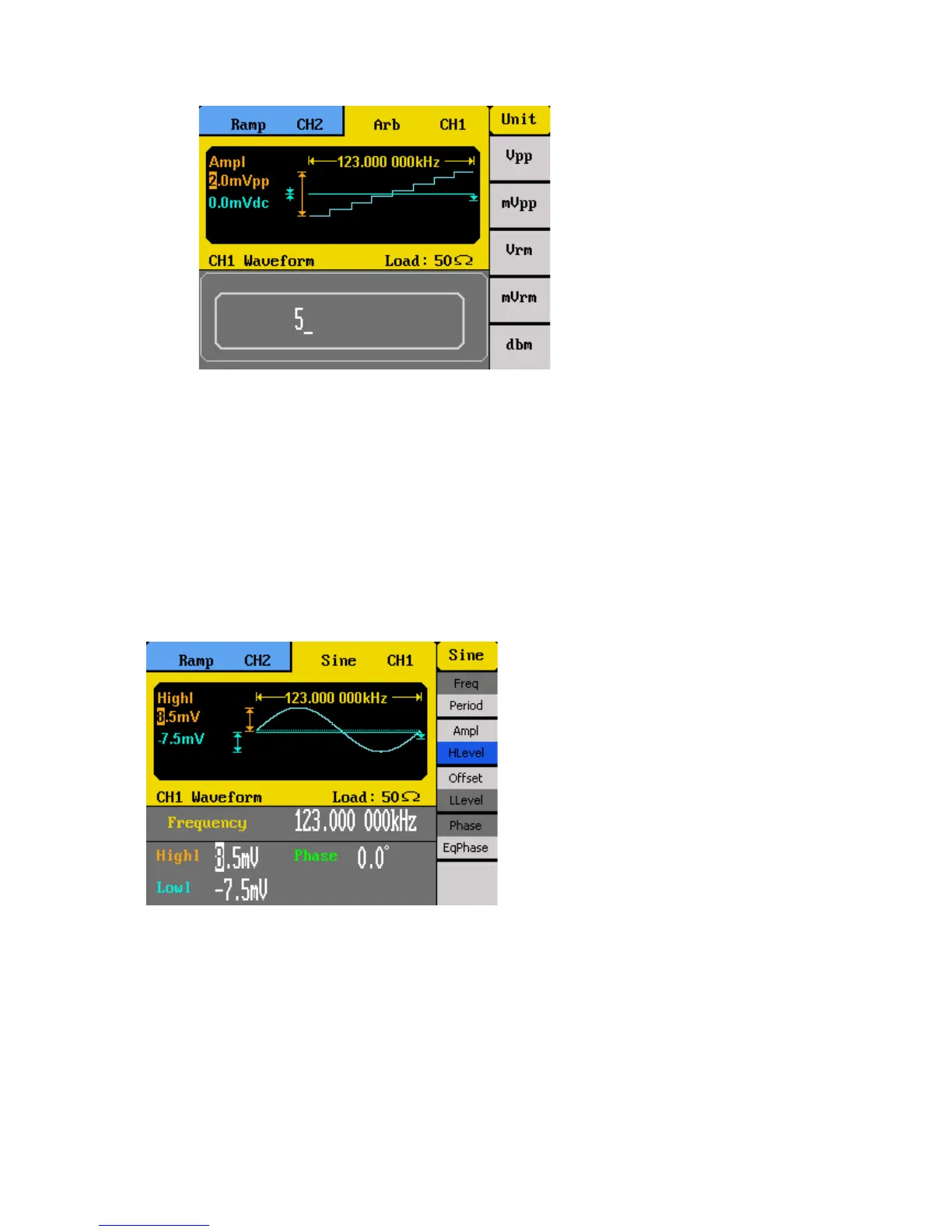
After entering the numeric value, use the menu function keys to select the unit to
apply for the amplitude setting. Available units are: Vpp, mVpp, Vrm, mVrm, dbm.
Vrm is for Vrms and mVrm is for mVrms.
Note: Only using the numeric keypad will allow for changing the units from V to
Vrms, mVrms, or dbm.
User Defined High and Low Level
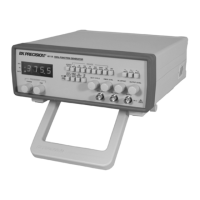
The user has the option to adjust the high and low level of the waveform. To do this, toggle
the menu function key to select HLevel for high level or LLevel for low level.
Note: DC offset settings will be automatically adjusted if the high and low levels reflect a
DC offset.



 To Next Page