29
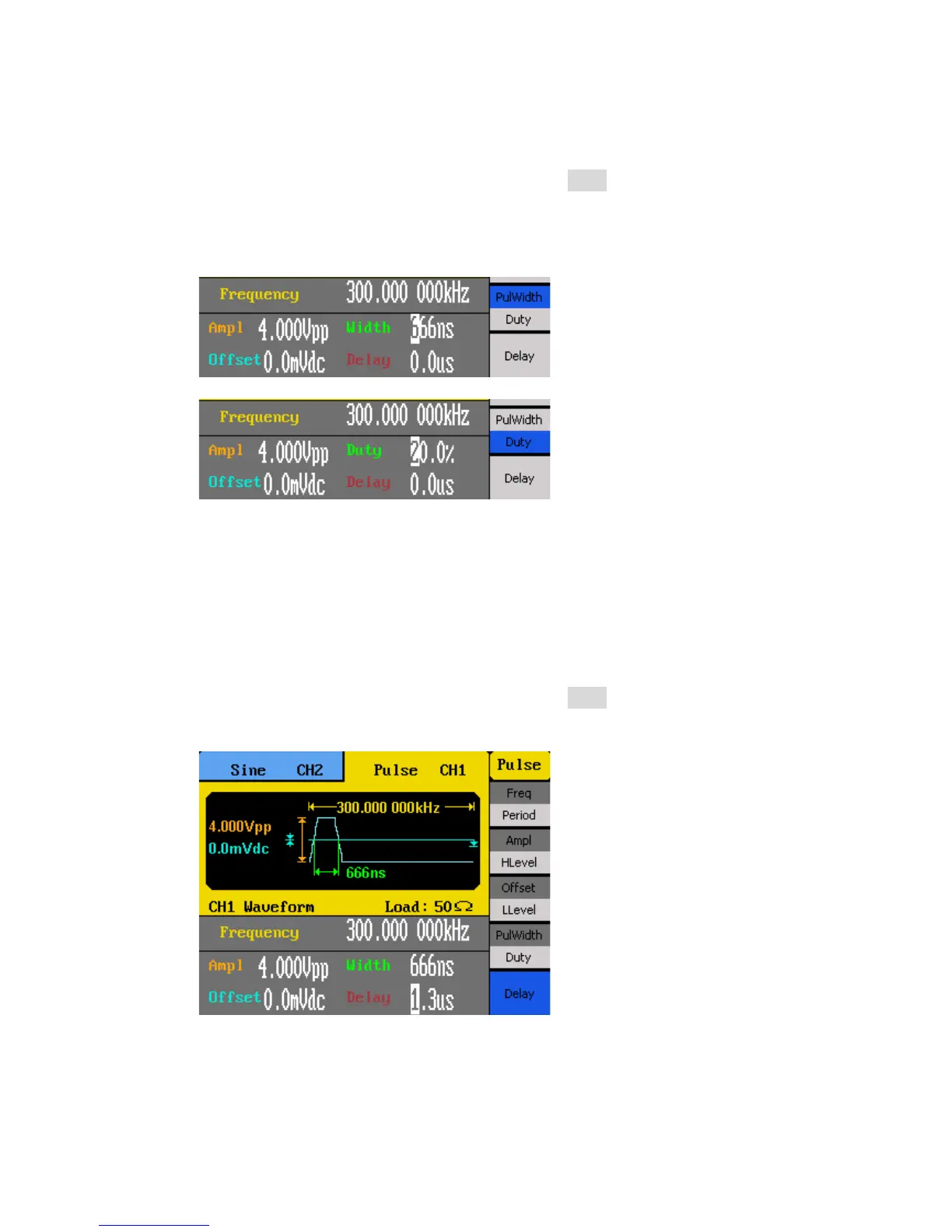
Follow the steps below to configure the pulse width or duty cycle.
1. Set the instrument for pulse output by pressing the Pulse button.
2. From the menu, select PulWidth for pulse width adjustment or Duty for duty cycle
adjustment.
3. The cursor position will now highlight the first digit of the width or duty parameter
display.
4. Use the rotary knob or the numeric keypad to change the width or the duty.
After entering the numeric value, use the menu function keys to select the s, ms, us,
or ns for pulse width or select percent (%) unit for duty cycle.
Pulse Delay
Follow the steps below to configure the pulse delay.
1. Set the instrument for pulse output by pressing the Pulse button.
2. From the menu, select Delay.
3. The cursor position will now highlight the first digit of the delay parameter display.
4. Use the rotary knob or the numeric keypad to change the pulse delay.
After entering the numeric value, use the menu function keys to select the s, ms, us,
or ns.



 To Next Page