59
Output Impedance
The output impedance of the instrument can be switched between 50 Ω and HighZ (high
impedance). Select the menu function key corresponding to Load to toggle between the
two settings.
MΩ impedance. In this case, it is best to set the output impedance to HighZ to
match the load impedance. However if your load impedance is 50 Ω, keep output
Invert Waveform
The main waveform can be inverted by simply selecting Invert from the utility menu. The
corresponding menu function key can be pressed to toggle between Normal and Invert
output. Inverting a waveform will not change the offset.
Duplicate Channel Parameters
The utility menu has an option that can allow quick copying between channel parameters.
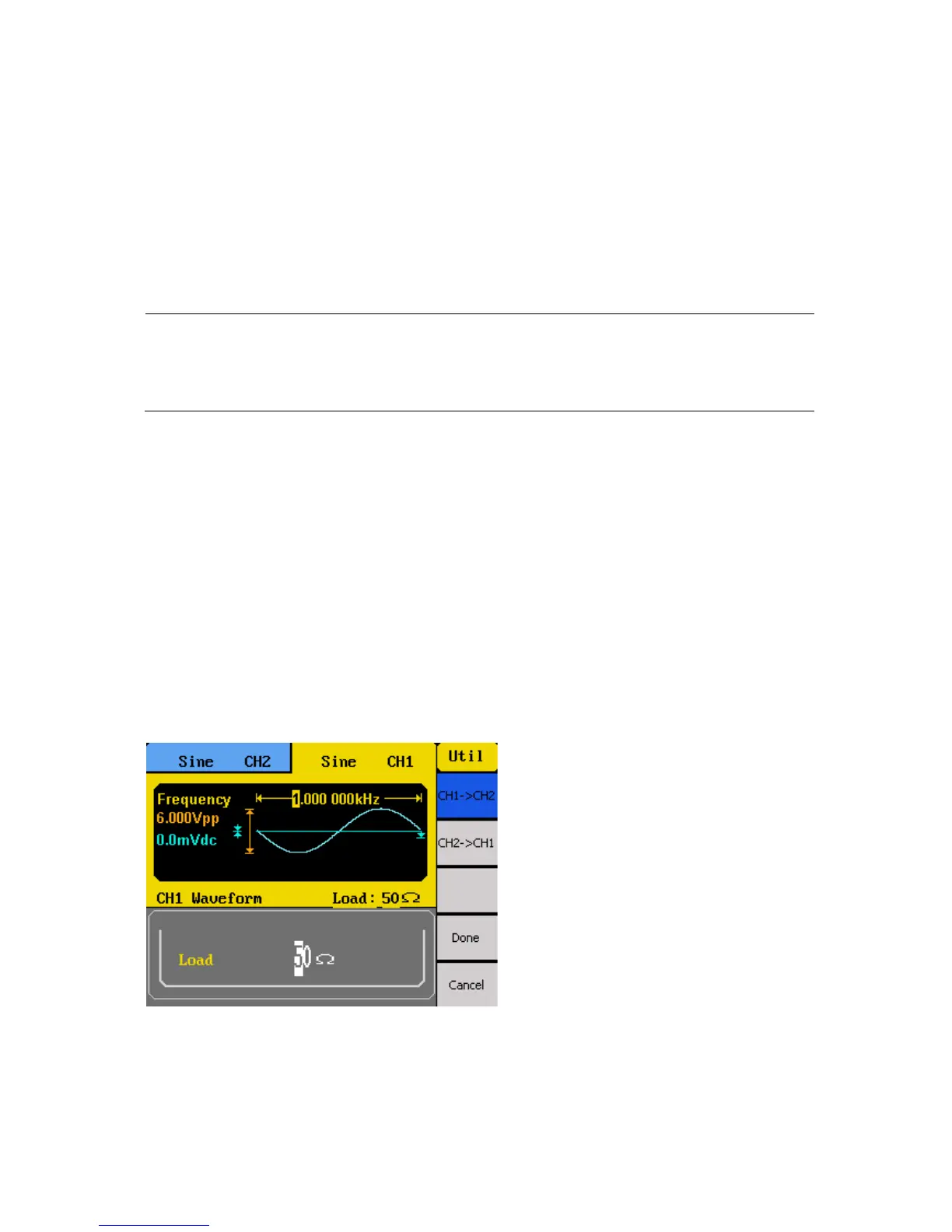
First, press CHCopy option from the menu, and the below menu will display.
Select CH1 -> CH2 to copy channel 1’s parameter settings into channel 2. Likewise, select
CH2 -> CH1 to copy channel 2’s parameter settings into channel 1. After selection, press
Done, and now both channels are identical with the same parameter settings.



 To Next Page