63
Electrical System
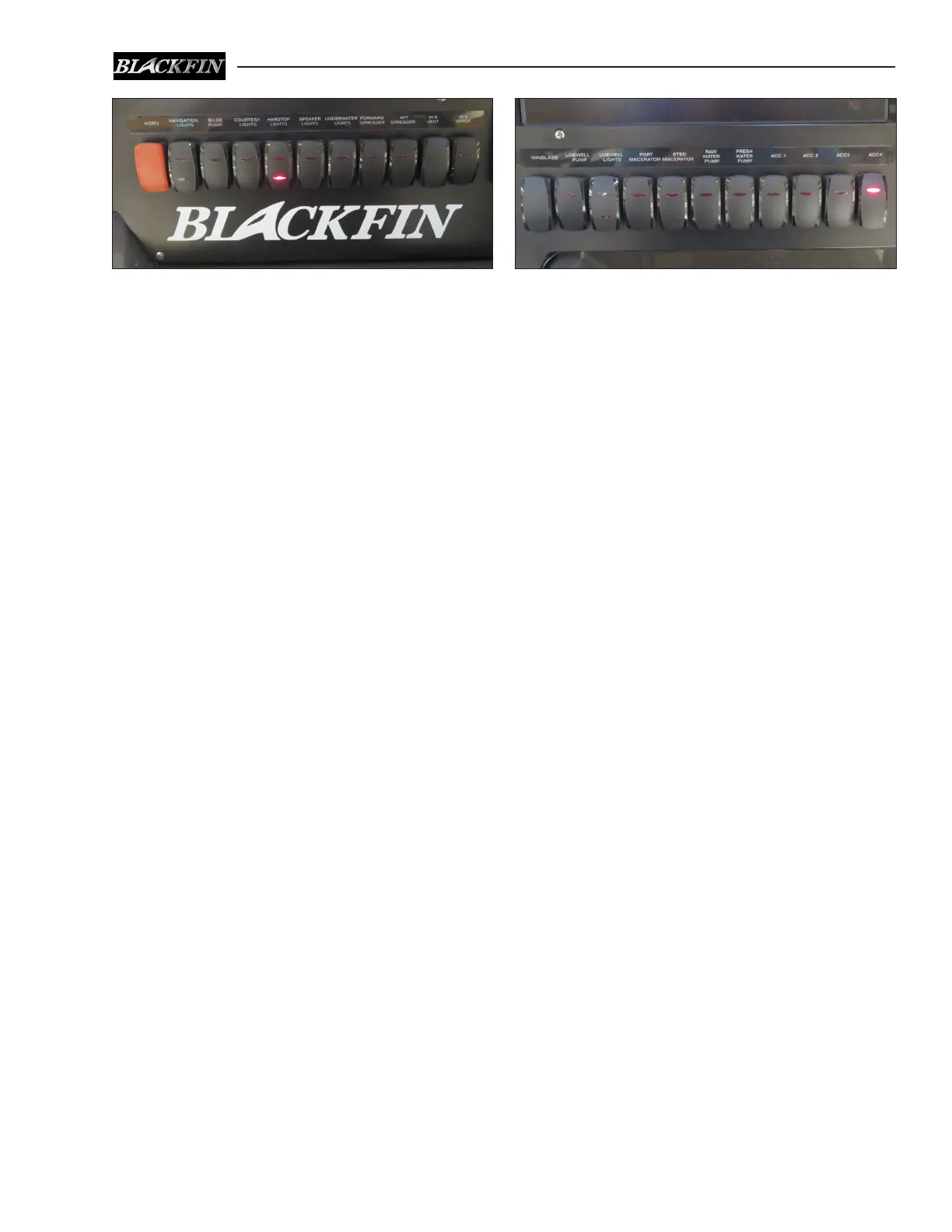
6.6 12 volt Accessory Switch Panels
The main accessory switch panel is located at the
helm. Most “push to reset” circuit breakers that
protect the accessories activated by the switches
are located in the battery switch panel in the head
compartment. An LED light built into the rocker
switches indicates that the circuit is activated.
If a breaker trips, the reset button pops out and
can be felt through the protective cover. Press
the button to reset the tripped breaker. If the
breaker trips again, nd and correct the problem
before resetting the breaker.
The following is a description of the acces-
sories controlled by the helm accessory
switches:
Horn
Activates the boat horn.
Navigation Lights
The switch is a three-position switch. The middle
position is OFF. Moving the switch in one direc-
tion will activate the navigation lights. Moving
the switch in the opposite direction activates the
anchor light.
Bilge Pump
Manually activates the aft bilge pump located
in the stern bilge near the transom. The pump
moves water out a thru-hull tting in the hull.
The pump is also activated by an automatic switch
that is activated whenever the batteries are con-
nected. This pump will run as needed whenever
the water in the bilge accumulates high enough
to cause the switch to activate and turn o when
the water is removed.
Notice:
Bilge pumps will start automatically when
thereissucientwaterinthebilgetoactivate
the automatic switch. Each automatic switch
is protected by a fuse located near the battery
switches and is always supplied current when
the batteries are connected.
Courtesy Lights
Activates the lights below the gunnels that illumi-
nate the cockpit sole.
Hardtop Lights
A three position switch that actives the overhead
lights in the in the Hardtop liner. The center po-
sition is OFF. Moving the switch in one direction
will activate the white overhead lights. Moving
the switch in the opposite direction activates the
red overhead lights.
Notice:
Redlightshavelesseectonnightvisionand
should be selected if you need to illuminate
the bridge deck while navigating at night.
Speaker Lights
Activates the accent lights in the speakers.
Underwater Lights (Optional)
Activates the lights in the transom below the
waterline.
Forward Spreader
Activates the overhead lights at the front of the
hardtop which illuminate the forward cockpit.
Aft Spreader
Activates the overhead lights at the rear of the
hardtop which illuminate the aft cockpit.
Starboard Helm Accessory SwitchesPort Helm Accessory Switches



 To Next Page