URSA Mini Shoulder Kit Assembly70
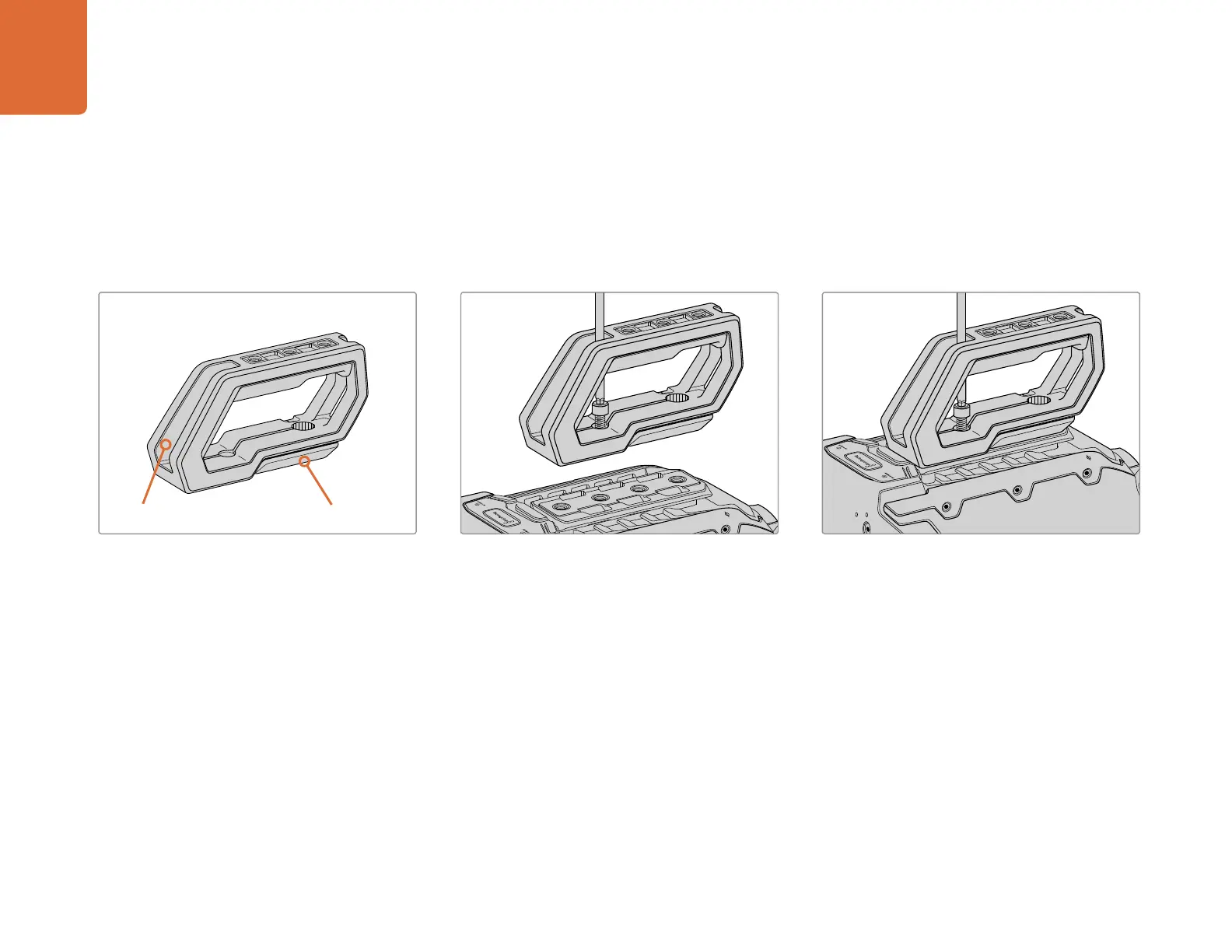
To attach the top handle without URSA Viewfinder:
You can use URSA Mini Shoulder Mount Kit with or without the optional URSA Viewfinder.
The top handle is supplied with a rubber viewfinder cap on its base which is replaced with an adapter
plate when attached to the URSA Viewfinder. We recommend leaving the cap attached when using the
handle without the URSA Viewfinder.
Step 1.
Place your URSA Mini on a flat, stable surface so
you can access the top of your camera.
Step 2.
Fasten the handle to any two of your URSA Mini’s
top 1/4” mounting points using the two supplied
1/4” screws with a 5mm hex key driver. URSA Mini’s
rear two mounting points are recommended for
most situations, but you can choose any pair for
better weight balance when using large lenses.
Step 3.
Tighten the screws until the handle is firmly in
place and the screws won’t easily loosen. Avoid
over-tightening the screws as it may damage the
screw threads.
Top handle URSA Viewfinder cap


 To Next Page
 Loading...