Mini Converter Audio to SDI
27
Mini Switches
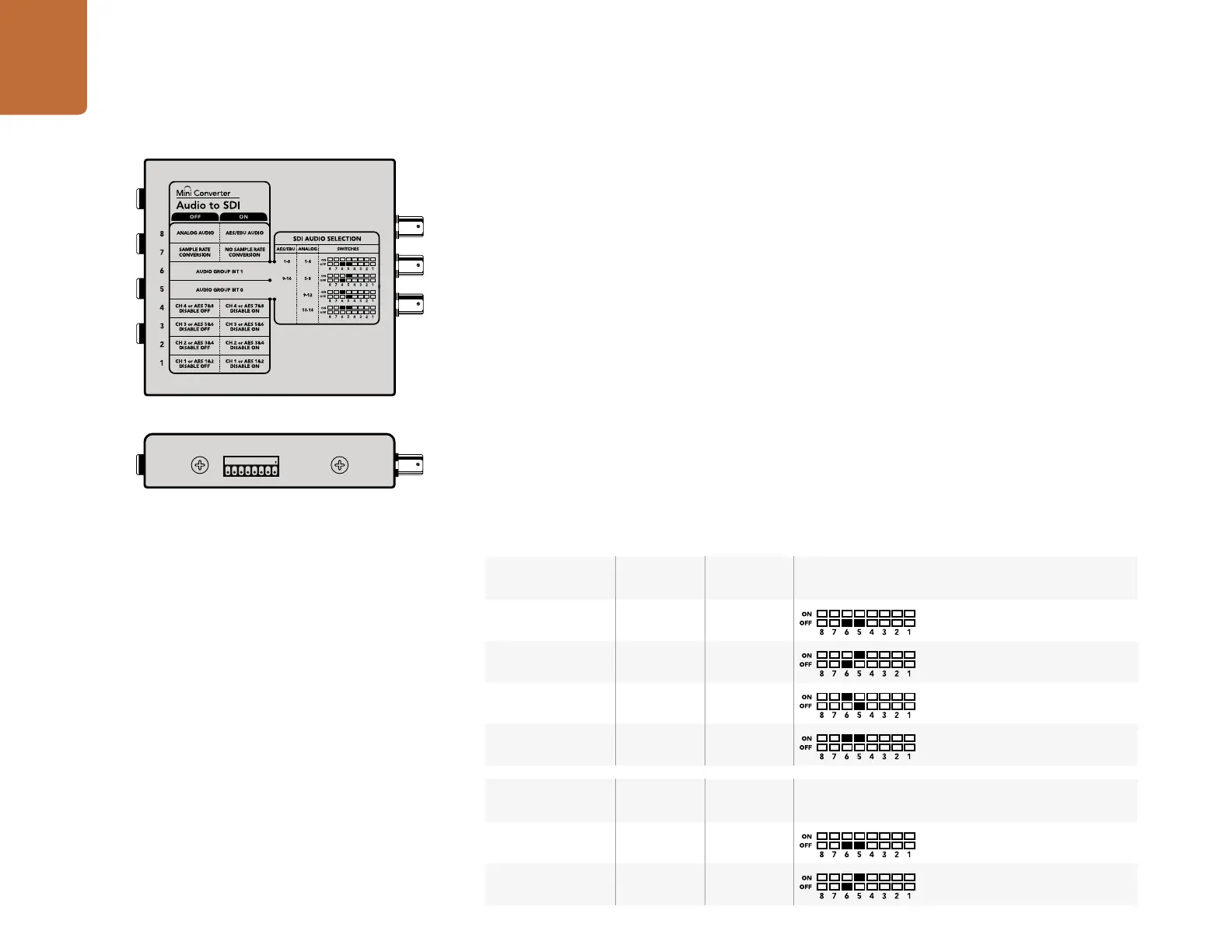
Mini Converter Audio to SDI’s mini switches provide the following settings:
Switch 8 - Analog Audio, AES/EBU Audio
Set switch 8 to OFF to select balanced analog audio, or to ON for digital AES/EBU audio input.
Switch 7 - Sample Rate Conversion, No Sample Rate Conversion
Set switch 7 to OFF to enable sample rate conversion, or ON to disable sample rate conversion. This
switch should almost always be set to OFF to ensure audio is embedded at the correct sample rate for
television.
When switch 7 is set to OFF this setting converts the sample rate of your analog or AES/EBU audio and
embeds audio into the SDI output at a sample rate of 48 kHz. When switch 7 is set to ON, sample rate
conversion is disabled and audio is output at the original sample rate of your input audio.
Switch 6 - Audio Group Bit 1
Switches 6 and 5 are grouped together to provide four ON/OFF combinations. Having four different
combinations allows up to four analog audio channels, or eight AES/EBU audio channels to be embedded
in your SDI output.
Audio Selection Tables
Analog Audio
Channels
Switch 6 Switch 5 Switch Diagram
1 to 4 OFF OFF
5 to 8 OFF ON
9 to 12 ON OFF
13 to 16 ON ON
AES/EBU
Channels
Switch 6 Switch 5 Switch Diagram
1 to 8 OFF OFF
9 to 16 OFF ON
1
ON
2 3 4 5 6 7 8
Change your converter's internal settings by adjusting the
mini switches using the tip of a pen.










 To Next Page