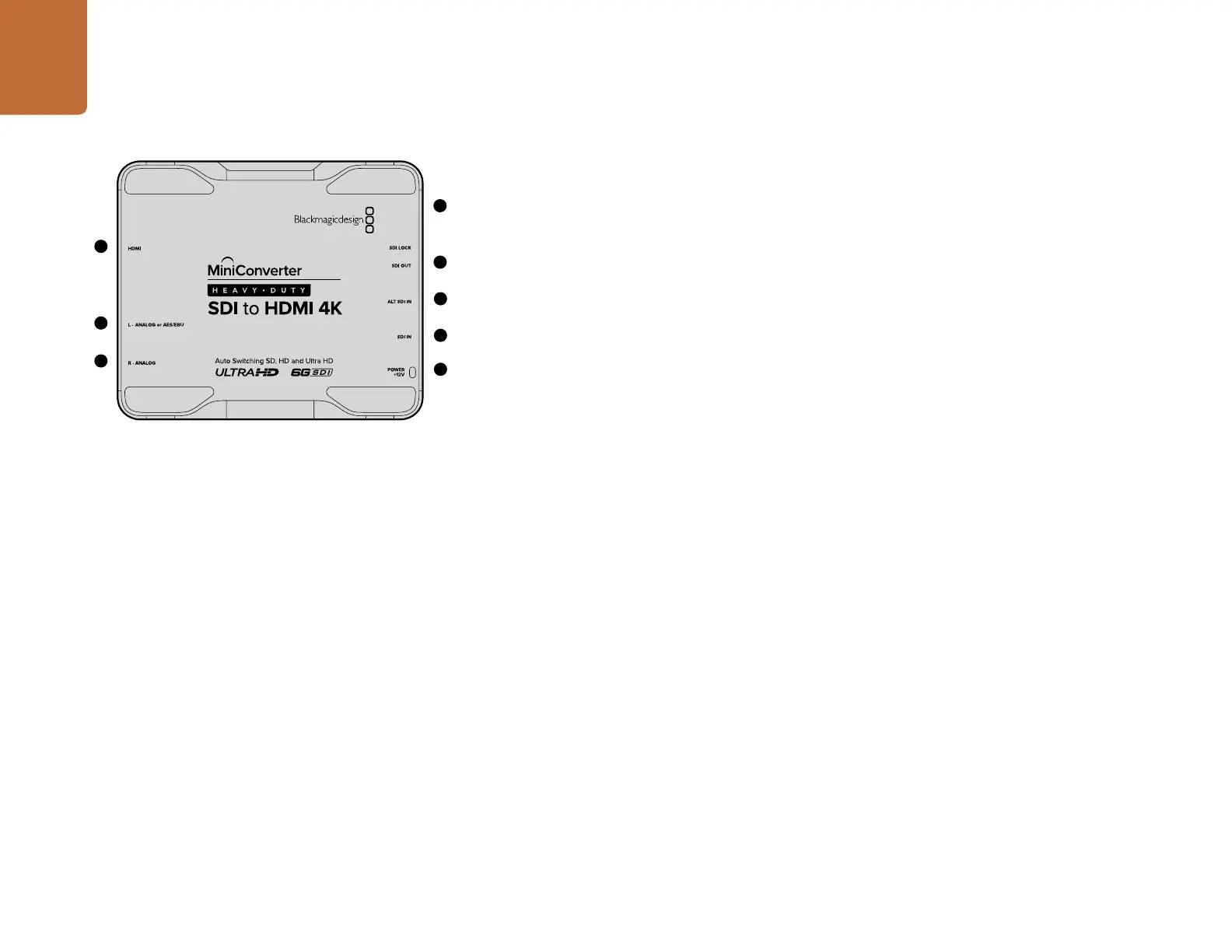
Mini Converter Heavy Duty SDI to HDMI 4K
58
3
Blackmagic Mini Converter Heavy Duty SDI to HDMI 4K
Connect a huge range of HDMI displays and video projectors to SDI based equipment. Your Mini
Converter Heavy Duty SDI to HDMI 4K automatically detects between SD/HD/3G/6G-SDI and converts
to HDMI with embedded audio, plus balanced AES/EBU or analog audio out. When connecting to Ultra
HD sources and the HDMI output detects an HD monitor or HDTV, the output signal is automatically
downconverted from Ultra HD to HD. All connectors are recessed and protected by a tough aircraft
grade aluminum chassis.
Connectors
1. HDMI
HDMI type A video output.
2. L - ANALOG or AES/EBU
Balanced left channel analog audio, or AES/EBU digital audio output 1/4" TRS connector.
3. R - ANALOG
Balanced right channel analog audio output 1/4" TRS connector.
4. MINI-B USB PORT
Connects to the Converter Utility software via your Mac OS X or Windows computer. The Mini Converter’s
internal software is also updated using the USB port.
5. SDI OUT
SDI video output BNC connector.
6. ALT SDI IN
Redundant SDI input is provided as an optional back up.
7. SDI IN
Primary SDI input.
8. POWER +12V
12 volt power supply input.
4
5
7
6
8
1
2
Mini Converter Heavy Duty SDI to HDMI 4K










 To Next Page