07
04. APP USER GUIDE
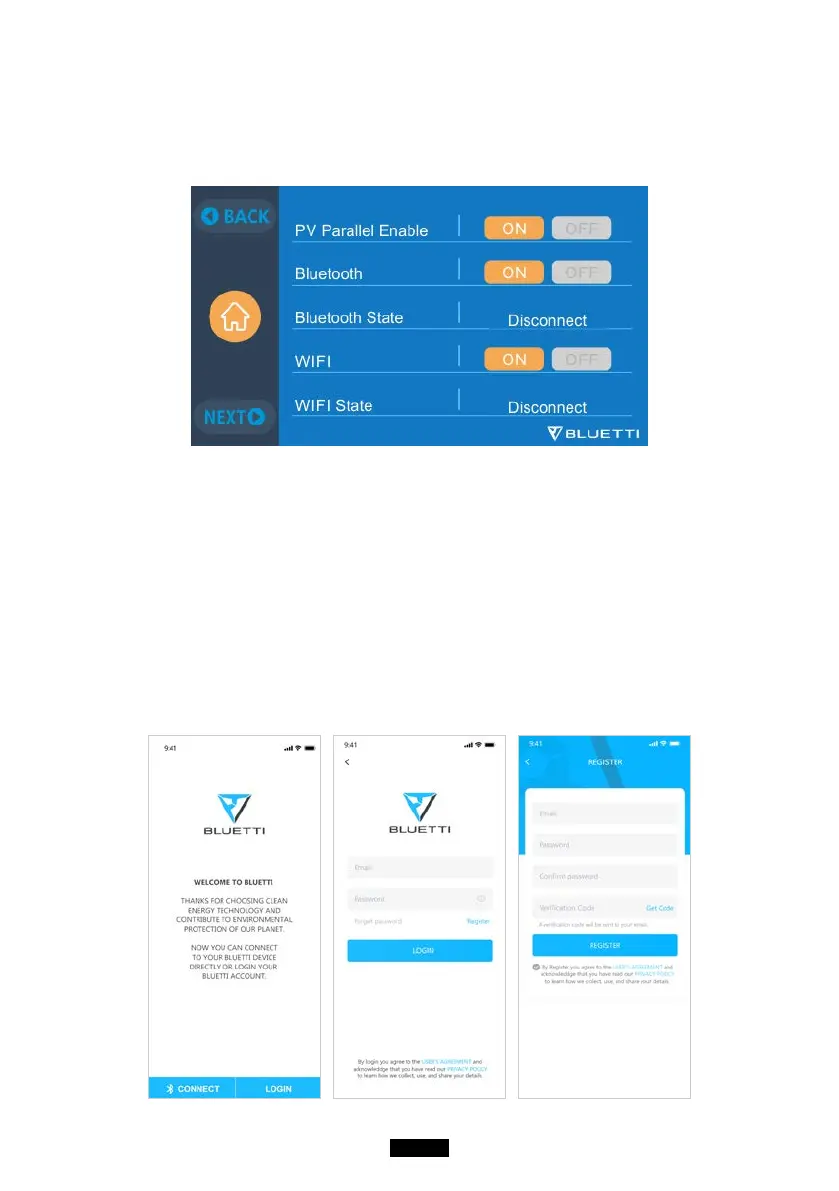
Please make sure the Bluetooth & Wi-Fi State is “ON” (set on touchscreen of
AC300) before connecting AC300+B300 to BLUETTI App.
( Main Interface - Settings - Next - Next - Next )
Step 1:
● Search for “BLUETTI” in the App Store (for iOS devices) or Google Play
(for Android devices) to download the BLUETTI App to remotely control
your AC300+B300. The AC300+B300 system can be controlled via either
Bluetooth or Wi-Fi. In order to access the AC300+B300, please launch the
BLUETTI App once downloaded and installed, and tap the “LOGIN” icon
to register your BLUETTI account. Fill with your related information to
continue.



 To Next Page