11
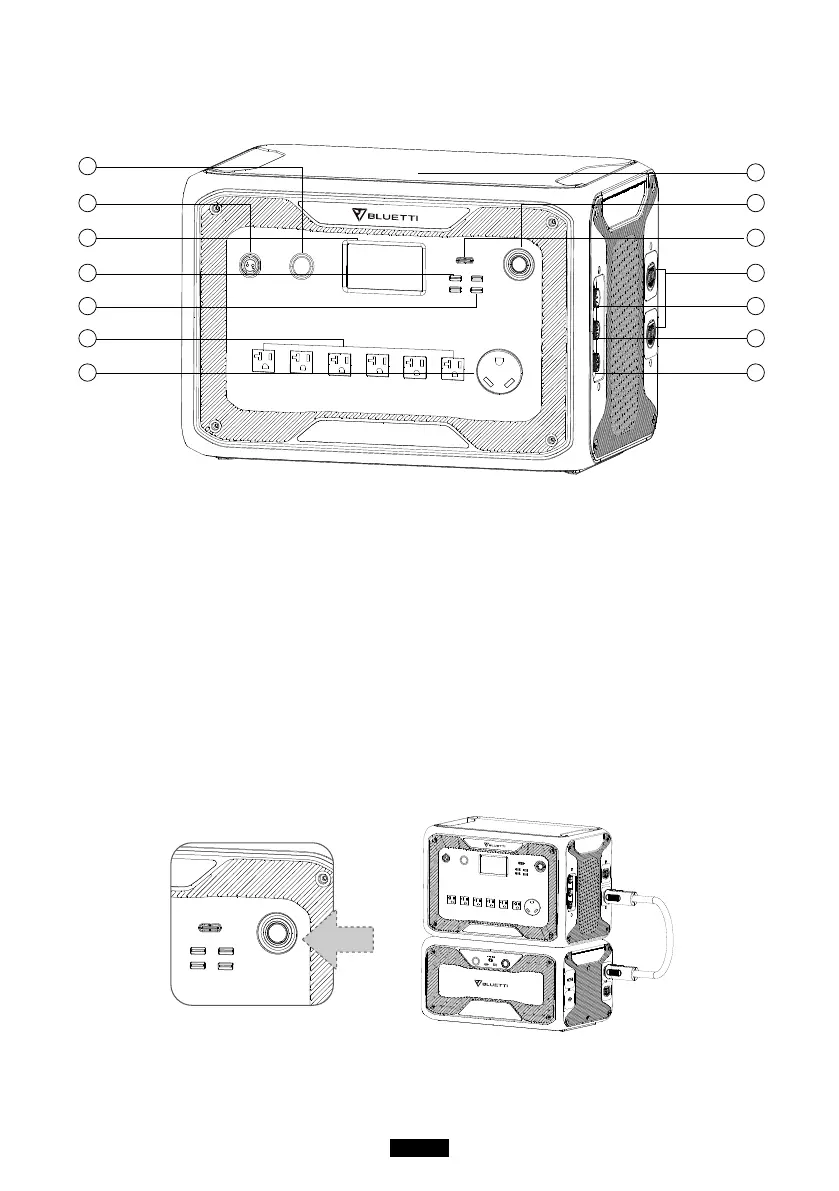
05. FEATURES OF AC300
09
08
10
11
12
13
14
02
03
04
05
06
07
01
24V/10A Cigarette Lighter Port
12V/30A Port
LCD Screen
USB-A (fast charging)
USB-A
AC Output Port(20A MAX)
AC Output Port(30A MAX)
Wireless Charging Pad
Power Button
USB-C(PD3.0 protocol supported)
Battery connection port
AC Input Port
DC1/DC2 Input Port
Communication Interface
06. STARTUP & POWER OFF
● Connect AC300 with B300. Please follow the steps on B300 User Manual.
● Power On AC300: Long press the power button for 1 second. The power



 To Next Page