24
CP1 Charging Port Select:
Method 1: GEN charging cable Method 2: AC charging cable
CP2 Charging Port Select:
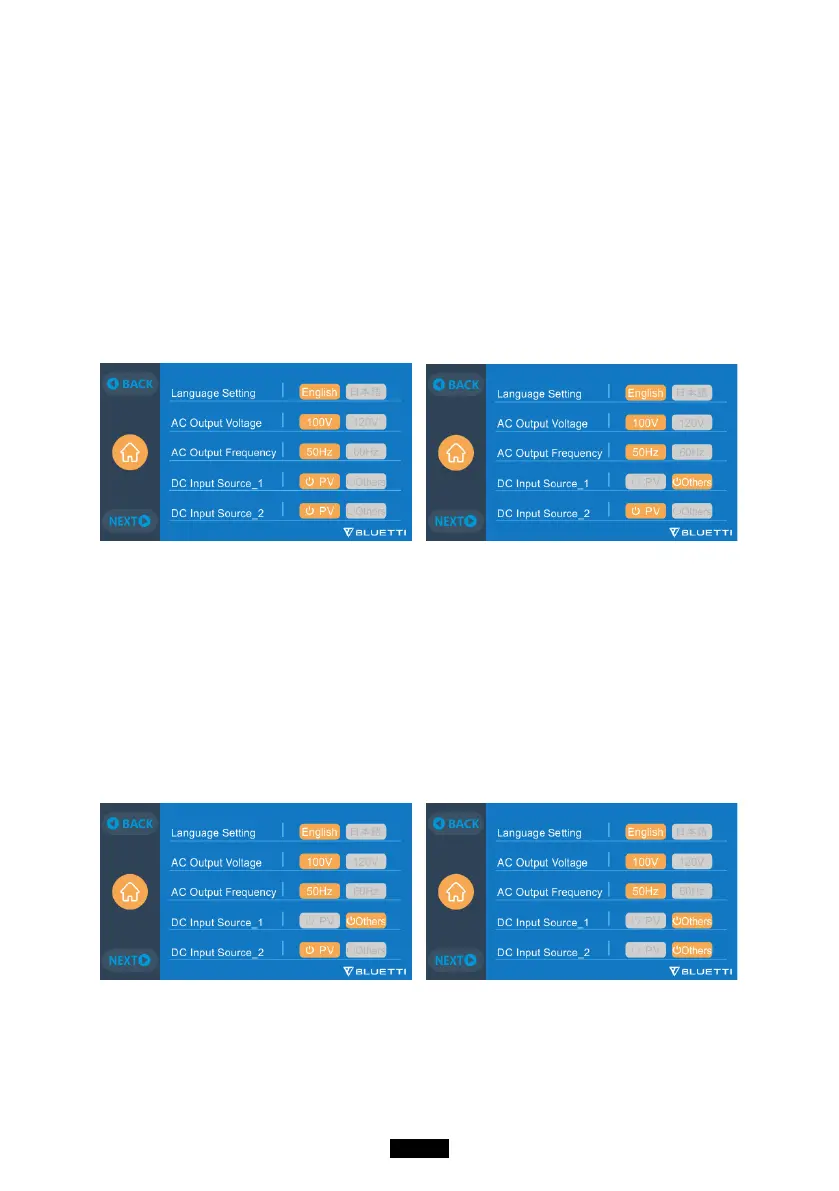
DC Input1:
Method 3: Solar panels (DC Input Source 1, Select PV on the touchscreen)
Method 4: T500 charging adapter (DC Input Source 1, Select Others on the
touchscreen)
Method 5: 12V Car Charger/Storage battery (DC Input Source 1, Select Others
on the touchscreen)Method 6: 24V Car Charger/Storage battery(DC Input
Source 1, Select Others on the touchscreen)
DC Input2:
Method 7: Solar panels (DC Input Source 2, Select PV on the touchscreen)
Method 8: T500 charging adapter (DC Input Source 2, Select Others on the
touchscreen)
Method 9: 12V Car Charger/Storage battery (DC Input Source 2, Select Others
on the touchscreen)
Method 10: 24V Car Charger/Storage battery (DC Input Source 2, Select Others
on the touchscreen)



 To Next Page