JUST POWER ON 55
6.6.4 Communication Cable
Step1:
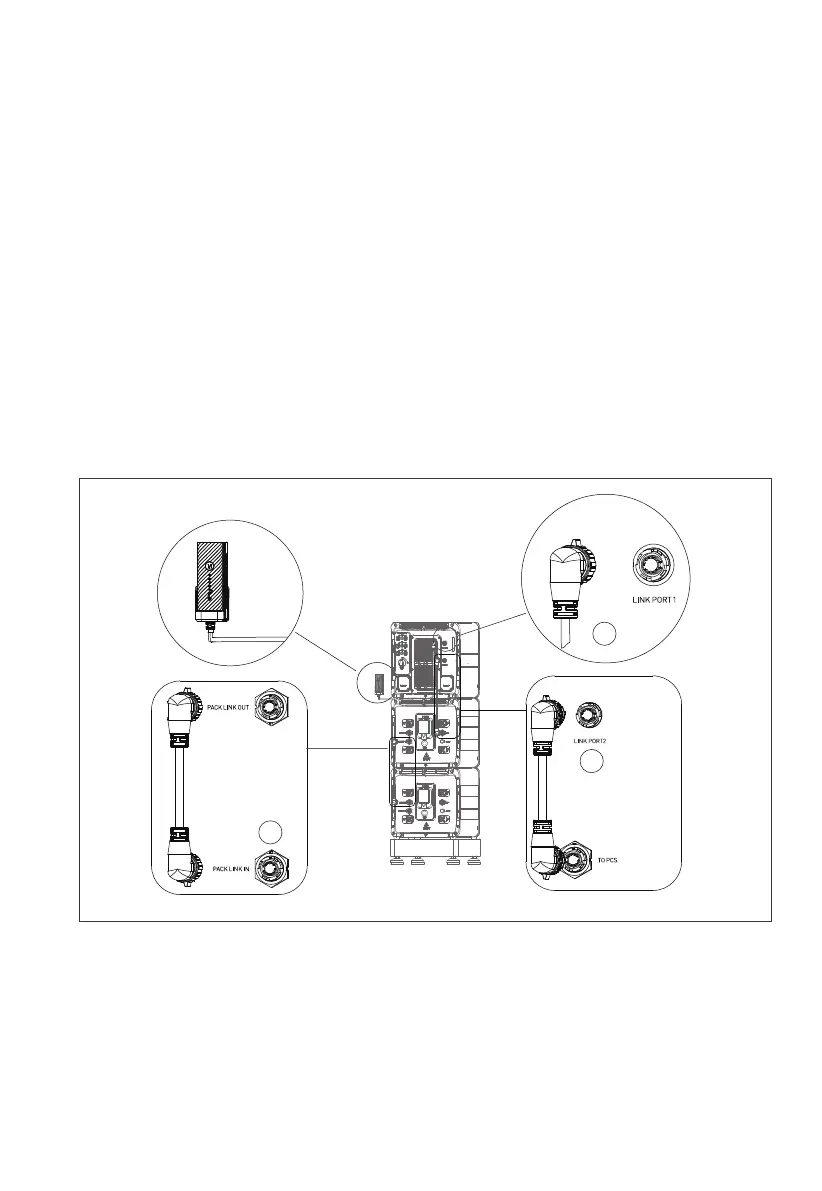
To achieve communication between two B500 battery packs, a communication
cable is required. Plug one end of the cable to the B500 Link-in port, and the other
to the upper B500’s Link-out port. See Figure 6-10 “①”.
Step 2:
For communication between EP760 inverter and B500 battery packs, plug one end
of the communication cable to the top B500’s inverter signal port (PCS LINK), and
the other to the LINK PORT 2 of EP760 inverter. See Figure 6-10 “②”.
Step 3:
Connect the IoT controller to the EP760 inverter. See Figure 6-10 “③”.
Note: For how to integrate multiple B500s to the EP760 ESS, please refer to Figure 6-8.
Figure 6-10
1
2
3
IoT Controller



 To Next Page